longhorn: [BUG] Node selector causes loop or does not attach volumes
Describe the bug
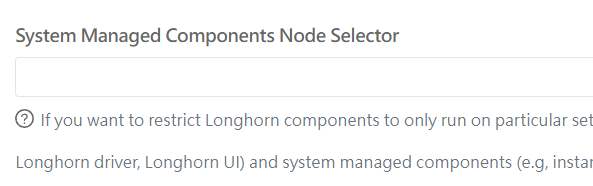
if I set NodeSelector in the GUI, then I have constant loop of terminating /pending/nodeaffinity instance-manager pods
image
instance-manager-r-15c2ed19                0/1     Terminating    0          1s
instance-manager-r-62011d50                0/1     Pending        0          0s
instance-manager-r-173c8d38                0/1     Terminating    0          1s
instance-manager-r-3aa00ef2                0/1     Terminating    0          1s
instance-manager-r-173c8d38                0/1     Terminating    0          1s
instance-manager-r-15c2ed19                0/1     Terminating    0          1s
instance-manager-r-15c2ed19                0/1     Terminating    0          1s
instance-manager-r-173c8d38                0/1     Pending        0          0s
instance-manager-r-15c2ed19                0/1     Pending        0          0s
instance-manager-e-babc40cc                0/1     NodeAffinity   0          1s
instance-manager-e-267a8970                0/1     NodeAffinity   0          1s
instance-manager-e-e335cb3f                0/1     NodeAffinity   0          1s
instance-manager-r-173c8d38                0/1     Terminating    0          0s
instance-manager-e-267a8970
If I use node selector and modify yaml before install:
  longhornManager:
    nodeSelector:
      label-key1: "label-value1"
  longhornDriver:
    nodeSelector:
      label-key1: "label-value1"
  longhornUI:
    nodeSelector:
      label-key1: "label-value1"
and also
defaultSettings:
  systemManagedComponentsNodeSelector: "label-key1:label-value1"
as per Node Selector
After install I get the desired result and only my storage nodes are visible in Longhorn UI.
But when I deploy app from Marketplace that is on worker node the volume gets correctly created but would not attach. The pod would get stuck in ContainerCreating and with warnings:
Warning  FailedMount         47s                  kubelet                  Unable to attach or mount volumes: unmounted volumes=[prometheus-rancher-monitoring-prometheus-db], unattached volumes=[nginx-home config-out tls-assets prometheus-rancher-monitoring-prometheus-db prometheus-rancher-monitoring-prometheus-rulefiles-0 rancher-monitoring-prometheus-token-26bvs config prometheus-nginx]: timed out waiting for the condition
Warning  FailedAttachVolume  41s (x9 over 2m49s)  attachdetach-controller  AttachVolume.Attach failed for volume "pvc-a1a4e299-ee94-463b-a787-af76c0742710" : rpc error: code = NotFound desc = node worker-1.nodes.local not found
In Longhorn GUI the volume shows as Detached. It would attach if I do it manually but that makes no impact to the Pod.
To Reproduce
Steps to reproduce the behavior for Longhorn GUI:
- Set label on nodes
- Install Longhorn with default setting using Rancher from Marketplace
- In Longhorn GUI settings add the label created in step 1 under ‘System Managed Components Node Selector’ click Save.
- Watch pods getting created and terminated in longhorn-system
kubectl get pods -n longhorn-system -o wide --watch
Steps to reproduce the behavior for Longhorn YAML:
- Set label on nodes
- From Rancher Marketplace select Longhorn, Edit yaml and change:
  longhornManager:
    nodeSelector:
      label-key1: "label-value1"
  longhornDriver:
    nodeSelector:
      label-key1: "label-value1"
  longhornUI:
    nodeSelector:
      label-key1: "label-value1"

defaultSettings:
  systemManagedComponentsNodeSelector: "label-key1:label-value1"
- Install Longorn
- After install only labeled nodes are visible in Longhorn GUI
- Install Monitoring app from Marketplace just add Persistent Storage for Prometheus and select Longhorn as Storage Class
- Watch Volume getting created in Longhorn GUI but it does not attach
- Watch Prometheus Pod is stuck on creation as it cannot attach Volume
- Attach Volume in Longhorn manually
- Prometheus Pod still cannot attach Volume
Expected behavior
For GUI setting. The pods should be terminated on non labeled nodes and not try to restart For YAML the pod should be able to attach the created volume
Log or Support bundle
If applicable, add the Longhorn managers’ log or support bundle when the issue happens. You can generate a Support Bundle using the link at the footer of the Longhorn UI.
Environment
- Longhorn version: v1.2.2
- Installation method (e.g. Rancher Catalog App/Helm/Kubectl): Rancher
- Kubernetes distro (e.g. RKE/K3s/EKS/OpenShift) and version: RKE v1.20.11
- Number of management node in the cluster: 3
- Number of worker node in the cluster: 7
- Node config
- OS type and version: Ubuntu 20.04.3 LTS
- CPU per node: 8 and up
- Memory per node: 16GB and up
- Disk type(e.g. SSD/NVMe):
- Network bandwidth between the nodes:
- Underlying Infrastructure (e.g. on AWS/GCE, EKS/GKE, VMWare/KVM, Baremetal): Baremetal
- Number of Longhorn volumes in the cluster: 0/1
Additional context
Add any other context about the problem here.
About this issue
- Original URL
- State: open
- Created 3 years ago
- Reactions: 3
- Comments: 33 (15 by maintainers)
@aintbrokedontfix You need to set
defaultSettings. taintTolerationAND the toleration for the user-deployed components (Manager, UI, Driver Deployer) See doc at https://longhorn.io/docs/1.2.2/advanced-resources/deploy/taint-toleration/#setting-up-taints-and-tolerations-during-installing-longhorn