systeminformer: Error updating System Informer
Brief description of your issue
Cannot update System Informer to new version.
Steps to reproduce (optional)
Go to Help and click on Check for updates.
App states that update is available.
Updated version downloads and asks to install.
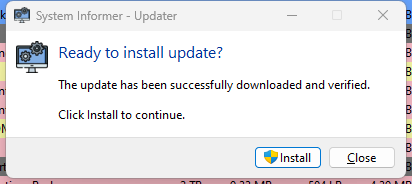
I click on Install and I receive this error:
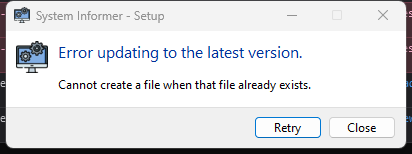
Retrying doesn’t work. I have to close out the application.
Expected behavior (optional)
The update installs.
Actual behavior (optional)
In an install loop - Cannot create the file when that file already exists
Environment (optional)
System Informer version 3.0.5578
Windows 11
About this issue
- Original URL
- State: closed
- Created 2 years ago
- Comments: 31 (9 by maintainers)
from time to time I get this error:
and clicking retry solves it. Mabye handle
ERROR_SERVICE_MARKED_FOR_DELETEand retry internally @dmexNew update also installed without any errors.
Thank you @dmex for this fix! 😃
@as-muncher, nope, that error still occurs
I don’t believe the error has anything to do with AV though. It is what it says on the tin in this case, I believe installer was not meant to handle upgrading, it did not expect files already exist in the install directory, and have no logic to handle that(asking users if they want to overwrite everything, running the uninstaller first, etc)