google-signin: Can't sign in when adding Google account
-
My Android hasn’t connected with my Google account
-
I click Sign In button
-
Android asks me to login to Google. I log in
-
Android ask me to grant permission to my app. I grant it
-
The following screen appears and nothing happens as in this screenshot
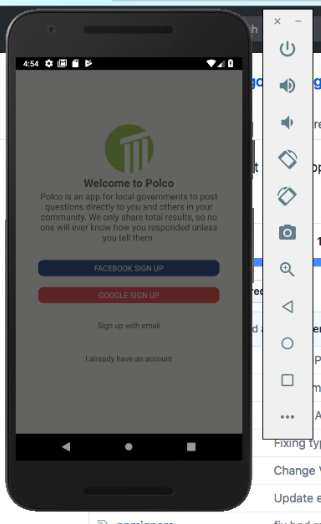
Here is my code:
    GoogleSignin.hasPlayServices({ autoResolve: true }).then(() => {
      GoogleSignin.configure()
      .then(() => {
        GoogleSignin.signIn()
        .then((user) => {
          this.props.login(user.accessToken);
        })
        .catch((err) => {
          console.log('WRONG SIGNIN', err);
        })
        .done();
      });
    })
    .catch((err) => {
      console.log("Play services error", err.code, err.message);
    })
About this issue
- Original URL
- State: closed
- Created 6 years ago
- Comments: 17 (1 by maintainers)
You probably linked the wrong webClientID in your configure, you need to get the android version from your google-services.json and set your SHA-1 certificate fingerprints in your firebase.google.com console @ChaoTzuJung
I am having the same issue while I didnt get a DEVELOPER_ERROR but an INTERNAL_ERROR.
2018-06-13 18:08:58.137 28315-28414/com.altrapp E/ReactNativeJS: { [GoogleSigninError: INTERNAL_ERROR] name: ‘GoogleSigninError’, code: 8 }
any solutions?