vscode: Unable to find the registered languages while saving the file.
- VSCode Version: 1.51.0 (user setup)
- OS Version: Windows_NT x64 10.0.15063
Steps to Reproduce:
- Create a new sample project by selecting
New Language support - Now add the following code in package.json to register 3 new languages.
        "languages": [
            {
            "id": "db2_z",
            "aliases": ["Db2Z"],
            "extensions": [".spsql", ".sql",".z"],
            "configuration": "./z/language-configuration.json"
            },
            {
            "id": "db2_i",
            "aliases": ["Db2i"],
            "extensions": [".spsql", ".sql",".i"],
            "configuration": "./i/language-configuration.json"
            },
            {
                "id": "db2_luw",
                "aliases": ["Db2Luw"],
                "extensions": [".spsql", ".sql",".luw"],
                "configuration": "./luw/language-configuration.json"
            }
        ]
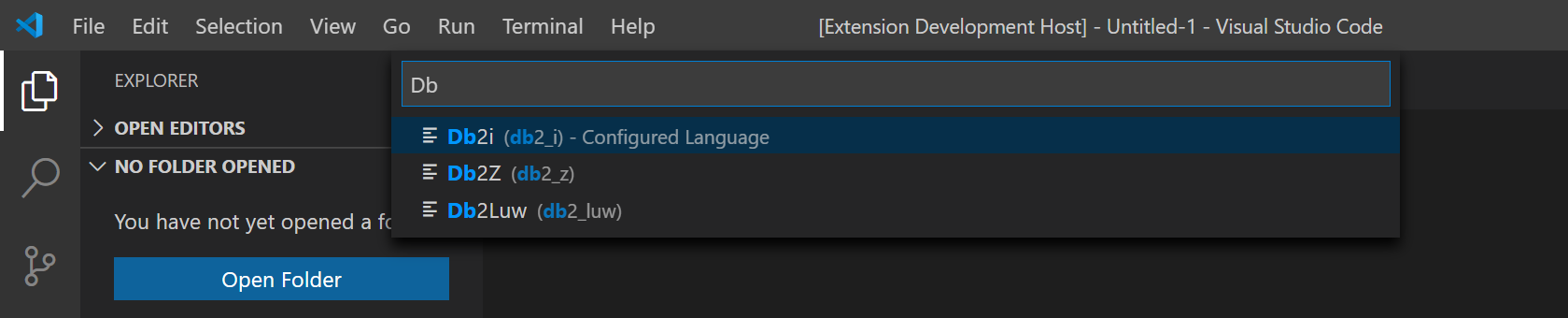
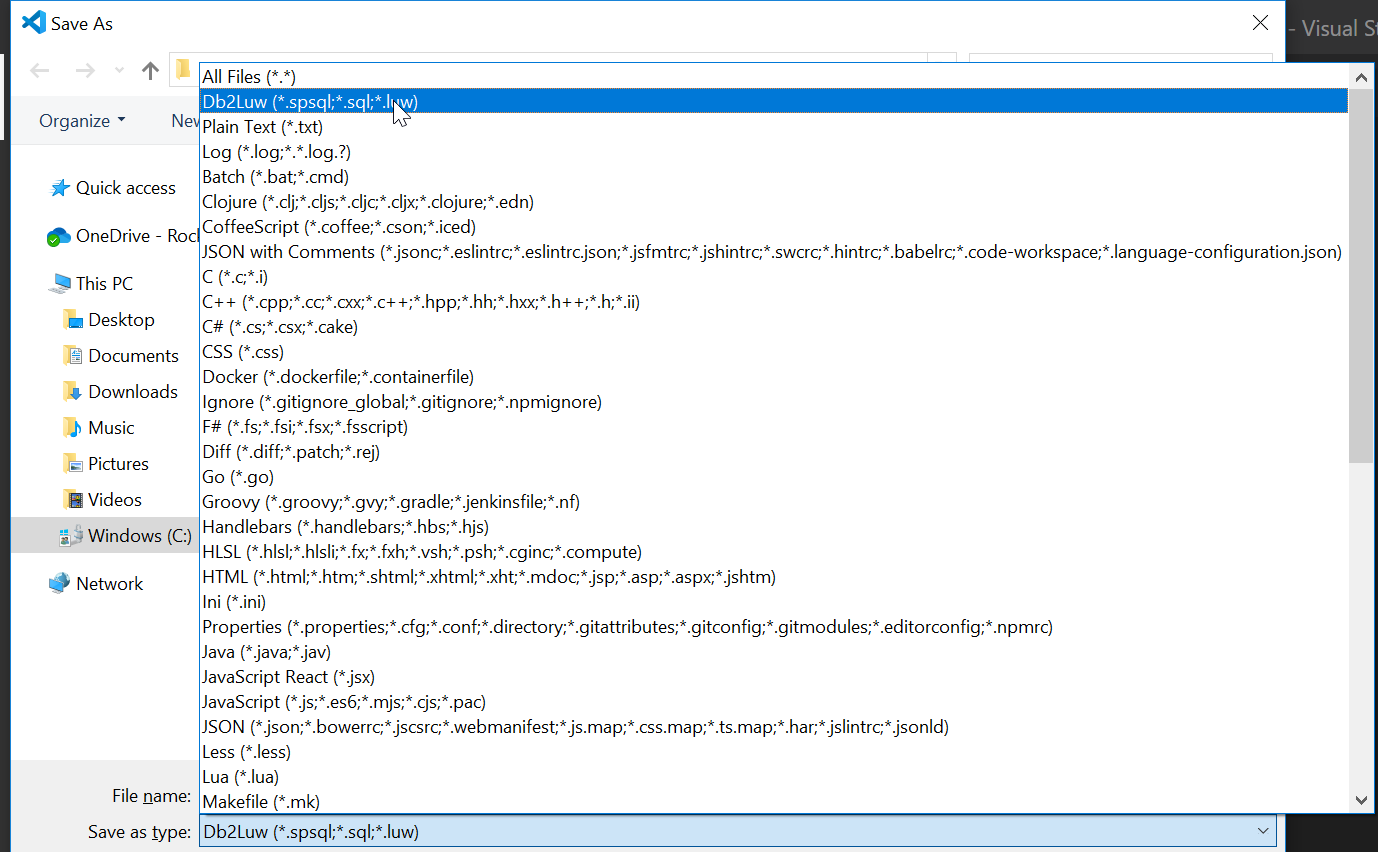
- Now when I run the extension it displays only one language type while saving. But while selecting the language mode it shows three languages.
Please check the attached screenshots.
Here you can find the 3 languages.
But while saving we can see only one language.
Please let me know if you need any more details.
Thanks, Akhil
Does this issue occur when all extensions are disabled?: Yes
About this issue
- Original URL
- State: closed
- Created 4 years ago
- Comments: 18 (8 by maintainers)
@akhilravuri1 we had some logic to find the first matching extension to handle it specially by putting it to the top of the list. However, if there was a second or third extension also matching, we would loose that one and only pick the last matching. With the fix, we check if we already found a matching extension before returning
nullso that the others are preserved.@akhilravuri1 thank you, I found an actual bug, thanks for being patient with me 👍