PowerToys: PowerToys Run not showing indexed .exe
Environment
Windows build number: Version 1909 (OS Build 18363.836)
PowerToys version: v0.18.1
PowerToy module for which you are reporting the bug (if applicable): Run
Steps to reproduce
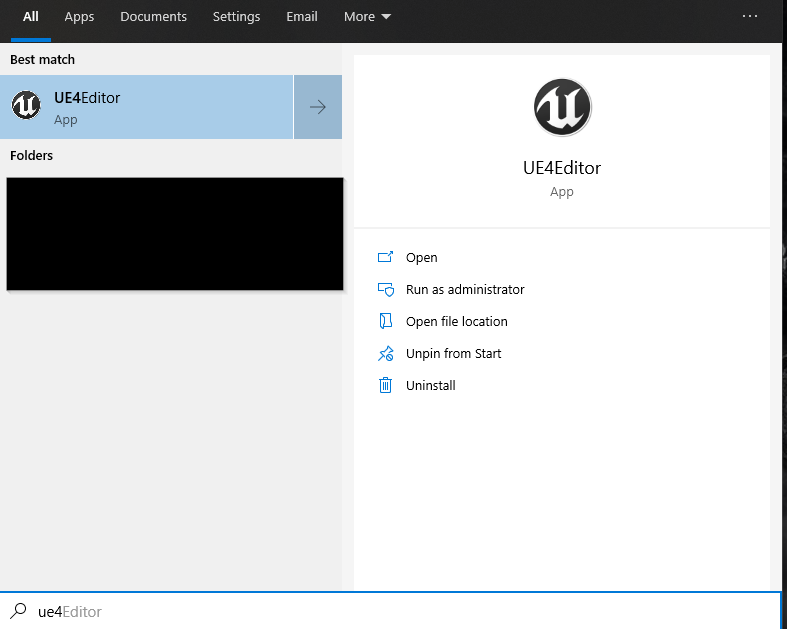
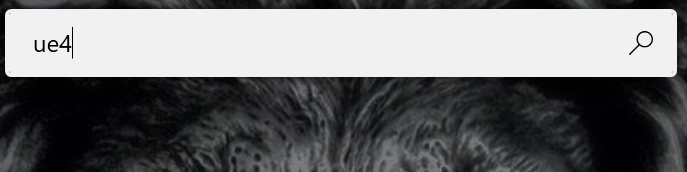
All drives in system are indexed. Typing “ue4” in start menu pulls up the Unreal Engine 4 .exe UE4Editor.exe located in the following directory. C:\Program Files\Epic Games\UE_4.25\Engine\Binaries\Win64\UE4Editor.exe Typing “ue4” in the alt+space search window gives no results.
Expected behavior
In this case, alt+space search should give identical result to start menu search.
Actual behavior
The alt+space search window gives no result
Screenshots
About this issue
- Original URL
- State: closed
- Created 4 years ago
- Comments: 28 (16 by maintainers)
I think I resolved it. In the logs there was a
System.IO.DirectoryNotFoundExceptionfor a broken symlink (I think the symlink used to point to a network location that must no longer exist). I closed PowerToys, deleted the symlink, deleted the contents “PowerToys Run/Cache” folder, and then restarted PowerToys and my applications are showing again.