PowerToys: Microsoft .NET unhandled exception with FileExplorerPreview v0.58.0
Microsoft PowerToys version
0.58.0
Running as admin
- Yes
Area(s) with issue?
SVG Preview, SVG Thumbnail
Steps to reproduce
- Running Windows 11 Pro.
- Install PowerToys v0.58.0 with default settings.
- Open the Documents folder in File Explorer.
- Have some SVG files somewhere in Documents where Search will find them. Mine in are several subfolders a few levels deep.
- In the Search Documents box of File Explorer, type
*.svg, then pressEnter. - Message box appears: Microsoft .NET, Unhandled exception… (SvgThumbnailProvider).
- Turn off SVG thumbnails.
- Restart computer.
- Repeat steps 3-5.
- Message box appears: Microsoft .NET, Unhandled exception… (SvgPreviewControl).
- Uninstall v0.58.0.
- Restart computer.
- Install v0.57.2.
- Repeat steps 3-5.
- No error.
Can duplicate by reinstalling v0.58.0.
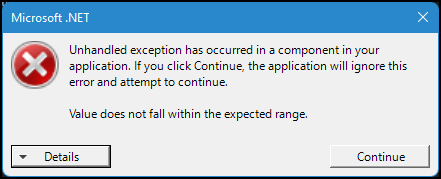 Unhandled exception - SvgThumbnailProvider.txt
Unhandled exception - SvgPreviewControl.txt
Unhandled exception - SvgThumbnailProvider.txt
Unhandled exception - SvgPreviewControl.txt
✔️ Expected Behavior
SVG preview without crash.
❌ Actual Behavior
Unhandled exception.
Other Software
No response
About this issue
- Original URL
- State: closed
- Created 2 years ago
- Reactions: 2
- Comments: 25 (2 by maintainers)
Using 0.58.0. Adding to not being able to close the .NET error dialog, I found that there are a ton of Edge and Edge Webview2 processes after gettint the .NET error and it also slows the system:
Edit: is the COM Surrogate process that slows the system.