livebook: Plotting with VegaLite does not work on Windows 11
Environment
-
Elixir & Erlang/OTP versions (elixir --version):
Erlang/OTP 24 [erts-12.1.4] [source] [64-bit] [smp:16:16] [ds:16:16:10] [async-threads:1] [jit] Elixir 1.13.3 (compiled with Erlang/OTP 22) -
Operating system: Windows 11
-
How have you started Livebook (mix phx.server, livebook CLI, Docker, etc):
livebook server --port 8086through Windows Terminal (PowerShell) -
Livebook version (use
git rev-parse HEADif running with mix):v0.5.2 -
Browsers that reproduce this bug (the more the merrier): Edge
-
Include what is logged in the browser console:
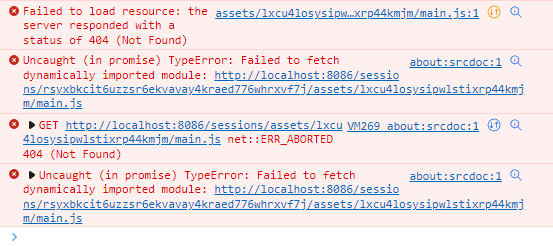
-
Include what is logged to the server console: Nothing.
Current behavior
I currently cannot get plotting to work with VegaLite when running Livebook in Windows. There’s no plot and no error is reported in the Livebook notebook. This error reproduces with the “Plotting with VegaLite” notebook included with Livebook in the Explore section.
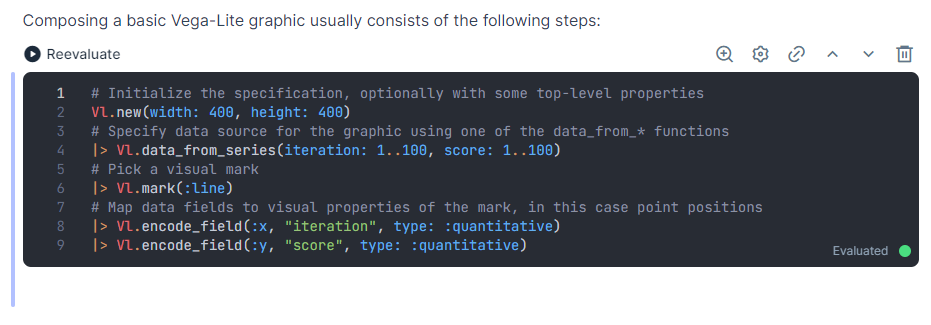
Expected behavior
A plot should be shown. I don’t think this is a browser issue because I downloaded a Docker image as instructed on livebook.dev, and when running Livebook from Docker in Windows and then navigating to the application in Edge still in Windows, the plotting works as expected.
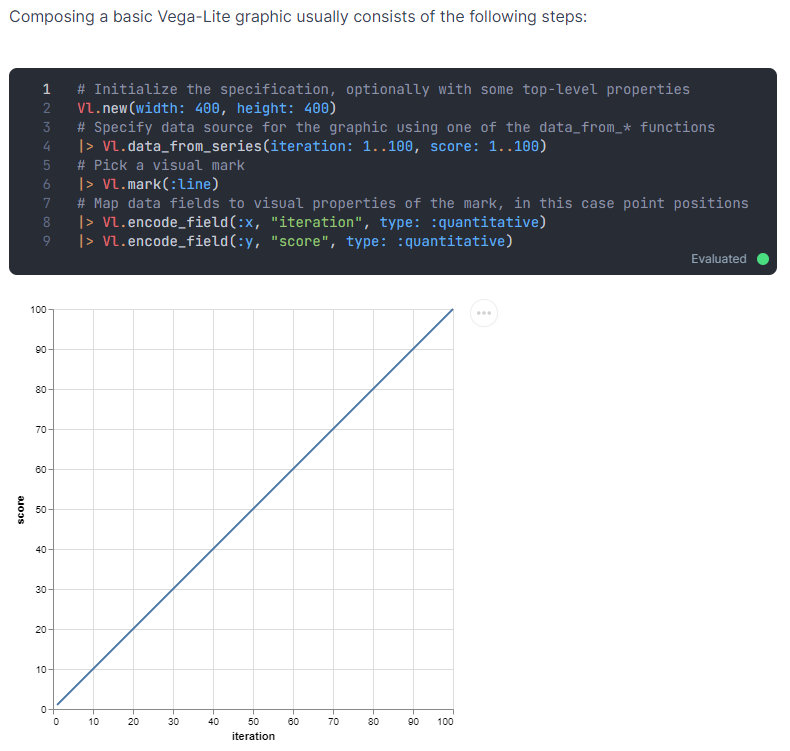
About this issue
- Original URL
- State: closed
- Created 2 years ago
- Comments: 19 (11 by maintainers)
No problem on the debugging! Thank you two for looking into this! Glad to have my plots back. 😃