oh-my-posh: Ubuntu WSL doesn't show oh-my-posh until exec bash
Code of Conduct
- I agree to follow this project’s Code of Conduct
What happened?
When opening Ubuntu in WSL or the Ubuntu app, I get an error saying oh-my-posh: command not found. Only when I execute exec bash does the terminal show the oh-my-posh theme.
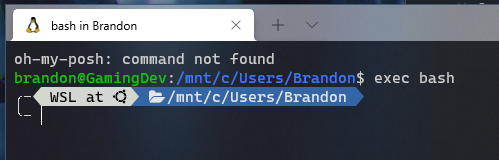
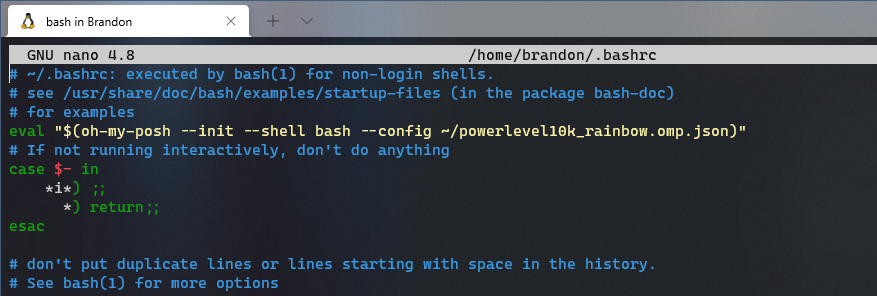
My .bashrc file
Also the theme loads up just fine on VS Code
Theme
powerlevel10k_rainbow
What OS are you seeing the problem on?
Linux
Which shell are you using?
bash
Log output
no log output
About this issue
- Original URL
- State: closed
- Created 2 years ago
- Comments: 16 (7 by maintainers)
the windows terminal docs suggest putting the
eval "$(oh-my-posh --init --shell bash --config ~/jandedobbeleer.omp.json)"line into~/.profileinstead of~/.bashrcand that fixed it for me:https://docs.microsoft.com/en-us/windows/terminal/tutorials/custom-prompt-setup#choose-and-apply-a-wsl-prompt-theme
I had the same problem. I fixed it adding
at the beginning of my .profile.
Then on my .bashrc I have
Sorry for not responding. @SuriSureda your fix worked! Thanks. The only issue now which you may have had is that the bar is now broken up but only for the first line, hitting enter makes a new line that looks correct. Not a big issue but if its a small fix please let me know!