ignite: Ignite not able to generate components any longer?
When I run ignite g it gives me a list of generators such as ‘component’, ‘container’, etc., but the descriptions are gone and they say ‘missing’. See screenshot below:
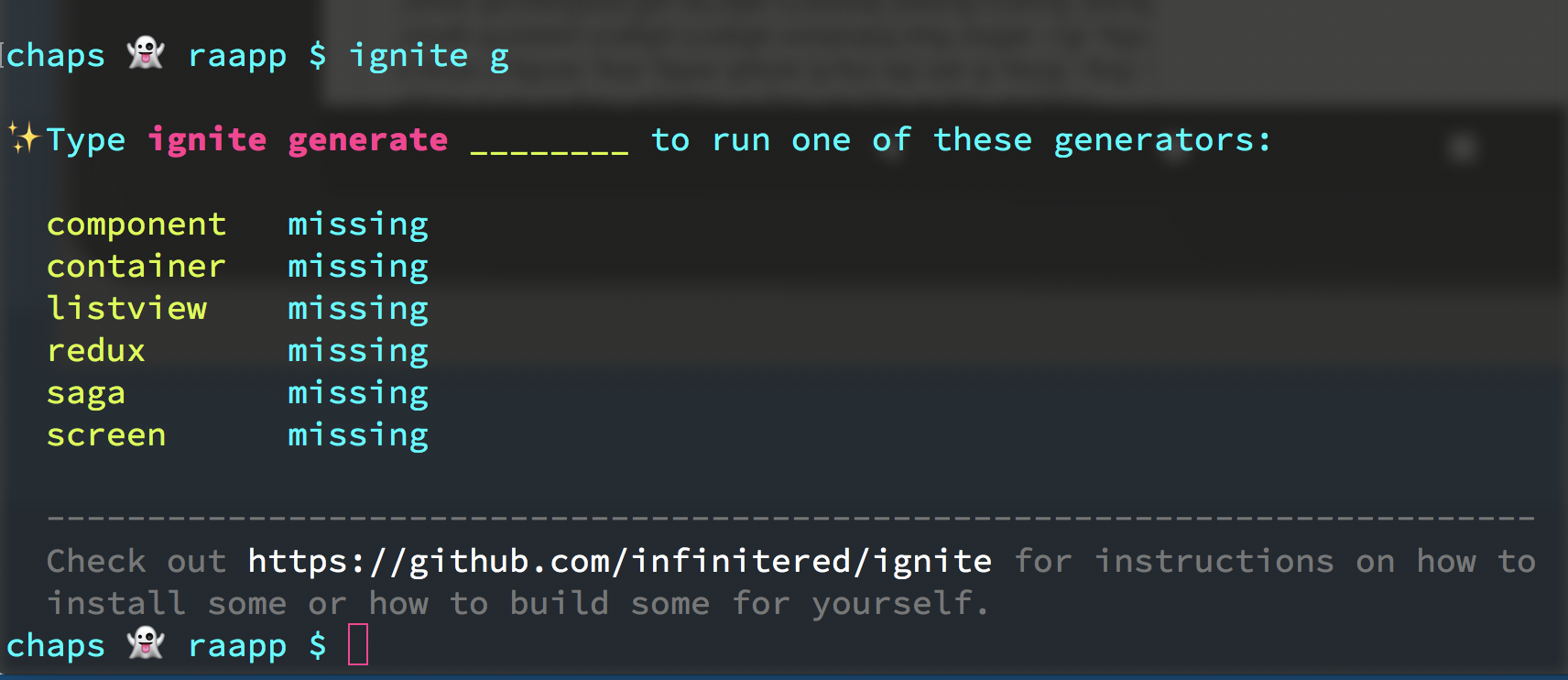
Any idea what’s going on?
ignite doctor results:
System
  platform           darwin
  arch               x64
  cpu                8 cores                               Intel(R) Core(TM) i7-6820HQ CPU @ 2.70GHz
  directory          /Users/chapeljuice/Documents/repos/raapp

JavaScript
  node               9.3.0        /Users/chapeljuice/.nvm/versions/node/v9.3.0/bin/node
  npm                5.5.1        /Users/chapeljuice/.nvm/versions/node/v9.3.0/bin/npm
  yarn               0.23.2       /usr/local/bin/yarn

React Native
  react-native-cli   2.0.1
  app rn version     0.51.0

Ignite
  ignite             2.0.0-beta.8   /usr/local/bin/ignite

Android
  java               1.8.0_121    /usr/bin/java
  android home       -            /Users/chapeljuice/Library/Android/sdk

iOS
  xcode              9.2
About this issue
- Original URL
- State: closed
- Created 6 years ago
- Reactions: 1
- Comments: 22 (4 by maintainers)
@skellock no such luck 😦
I should also add that when I actually try to generate a component like so:
Nothing happens. The terminal just gives me a new prompt.
The solution for v2.1.1 is adding the generators to the ignite/ignite.json, as shown below ( when using andross ).
Thanks @ericklarac
@akhil-geekyants @LuisUrrutia @chapeljuice The solution is adding the generators to the ignite/ignite.json
I have the same problem:
Thanks for your response!
So I ran
npm installand double checked my devDependencies. I have:…but it’s still behaving the same way.
Any other thoughts?
What you described happens if you don’t have the node dependencies installed. Try running
yarnornpm installand then generating the component. Also make sureignite-ir-boilerplateis in your package.json underdevDependencies