core: Tuya integration stopped working
The problem
Since 12:00AM GMT Tuya integration stopped working, tried to remove and add the intergation / change versions of HA up to 3 ago, also tried to create a new developer account.
Result is the same:
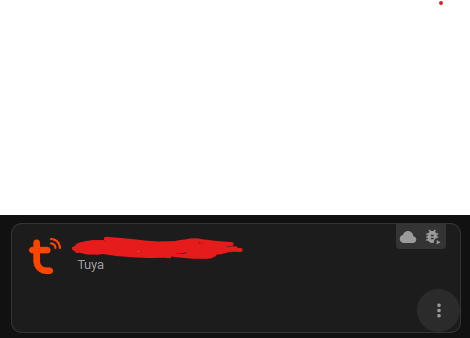
log is clean from errors / warnings, components set to debug.
What version of Home Assistant Core has the issue?
core-2023.2.5
What was the last working version of Home Assistant Core?
No response
What type of installation are you running?
Home Assistant Core
Integration causing the issue
Tuya
Link to integration documentation on our website
https://www.home-assistant.io/integrations/tuya/
Diagnostics information
{ “home_assistant”: { “installation_type”: “Home Assistant Container”, “version”: “2023.2.5”, “dev”: false, “hassio”: false, “virtualenv”: false, “python_version”: “3.10.7”, “docker”: true, “arch”: “x86_64”, “timezone”: “Asia/Jerusalem”, “os_name”: “Linux”, “os_version”: “5.15.0-58-generic”, “run_as_root”: true }, “custom_components”: { “hacs”: { “version”: “1.30.1”, “requirements”: [ “aiogithubapi>=22.10.1” ] }, “localtuya”: { “version”: “5.0.0”, “requirements”: [] }, }, “integration_manifest”: { “domain”: “tuya”, “name”: “Tuya”, “documentation”: “https://www.home-assistant.io/integrations/tuya”, “requirements”: [ “tuya-iot-py-sdk==0.6.6” ], “dependencies”: [ “ffmpeg” ], “codeowners”: [ “@Tuya”, “@zlinoliver”, “@frenck” ], “config_flow”: true, “iot_class”: “cloud_push”, “dhcp”: [ { “macaddress”: “105A17*” }, { “macaddress”: “10D561*” }, { “macaddress”: “1869D8*” }, { “macaddress”: “381F8D*” }, { “macaddress”: “508A06*” }, { “macaddress”: “68572D*” }, { “macaddress”: “708976*” }, { “macaddress”: “7CF666*” }, { “macaddress”: “84E342*” }, { “macaddress”: “D4A651*” }, { “macaddress”: “D81F12*” } ], “integration_type”: “hub”, “loggers”: [ “tuya_iot” ], “is_built_in”: true }, “data”: { “endpoint”: “https://openapi.tuyaeu.com”, “auth_type”: 0, “country_code”: “972”, “app_type”: “tuyaSmart”, “mqtt_connected”: true, “disabled_by”: null, “disabled_polling”: false, “devices”: [] } }
Example YAML snippet
No response
Anything in the logs that might be useful for us?
No response
Additional information
I wrote a code to integrate to Tuya 2 months ago, working great, so it’s not an issue of Tuya servers nor my account.
Don’t know if that is related, but also tried to activate Tuya Local and it failed, the reason was:
When tried to use LocalTuya, it didn’t work as well, the endpoint they are trying to get the list of devices returns an error:
/v1.0/users/{self._user_id}/devices
if the problem is from the same reason there is a simple solution, instead of accessing it with the user_id, there should be a call to get list of homes and with the home ID, get the list of devices:
/v1.0/users/{self._user_id}/homes
/v1.0/homes/{self._home_id}/devices
About this issue
- Original URL
- State: closed
- Created a year ago
- Reactions: 3
- Comments: 31
Same issue here. Tuya’s new service agreement update completely broke the integration.