harvester: [BUG] VM with unschedule disks doesn't show clear warning message
Describe the bug VM with unschedule disks doesn’t show clear warning message
To Reproduce Steps to reproduce the behavior:
- Create a VM that exceed the storage capacity, e.g. 100T
- VM failed to start, but no error message giving to the user
- The only available information in the event is
| Reason | Resource | Date |
|---|---|---|
| FailedMount | Pod virt-launcher-test-nzg65Unable to attach or mount volumes: unmounted volumes=[disk-0], unattached volumes=[container-disks sockets disk-0 cloudinitdisk-ndata public ephemeral-disks hotplug-disks libvirt-runtime cloudinitdisk-udata private]: timed out waiting for the condition | 1.3 mins ago |
| FailedAttachVolume | Pod virt-launcher-test-nzg65AttachVolume.Attach failed for volume “pvc-db775cbb-a5a2-4479-83f6-d7d9af85bfb7” : rpc error: code = Aborted desc = volume pvc-db775cbb-a5a2-4479-83f6-d7d9af85bfb7 is not ready for workloads | 1.3 mins ago |
| FailedMount | Pod virt-launcher-test-nzg65Unable to attach or mount volumes: unmounted volumes=[disk-0], unattached volumes=[ephemeral-disks private libvirt-runtime cloudinitdisk-udata public container-disks hotplug-disks cloudinitdisk-ndata disk-0 sockets]: timed out waiting for the condition |
Expected behavior
VM should show similar warning information to the user like insufficent storage
Support bundle
Environment:
- Harvester ISO version: v1.0.0
- Underlying Infrastructure (e.g. Baremetal with Dell PowerEdge R630): any
Additional context Add any other context about the problem here.
About this issue
- Original URL
- State: closed
- Created 3 years ago
- Comments: 24 (18 by maintainers)
Commits related to this issue
- Check volume's real state before adding it to running VM If pvc's StorageClass has nil VolumeBindingMode, the replica schedule result is uncertain during this phase. We log warning message, and the h... — committed to WebberHuang1118/harvester by WebberHuang1118 a year ago
- Check volume's real state before adding it to running VM If pvc's StorageClass has nil VolumeBindingMode, the replica schedule result is uncertain during this phase. We log warning message, and the h... — committed to harvester/harvester by WebberHuang1118 a year ago
Another related issue https://github.com/harvester/harvester/issues/1346
It looks, we need to add kind of enhancement to reflect the real status of PVC/PV, and control the usage from UI. @johnliu55tw @WuJun2016 please also take a look of 1#695
On the longhorn side we should prevent the volume creation, if there is no node capable of hosting it during the api volume creation call. We could return the Out of Range error, for this case during the CreateVolume csi call. This evaluation should be done by the backend api creation call.
ref: https://github.com/container-storage-interface/spec/blob/master/spec.md#createvolume-errors
Verified fixed on
master-b0d883ce-head(11/22). Close this issue.Result
Case 1 (PASS)
Exceed maximum size999999999Gi!Case 2 (PASS)
NotReadyCase 3 single node (PASS)
When we create a vm have os image volume with
replica scheduling failedand another volume withinsufficient diskDegradedandNot readyreplica scheduling failedandinsufficient diskCase 4 multiple nodes (PASS)
Same result as single node but in multi nodes cluster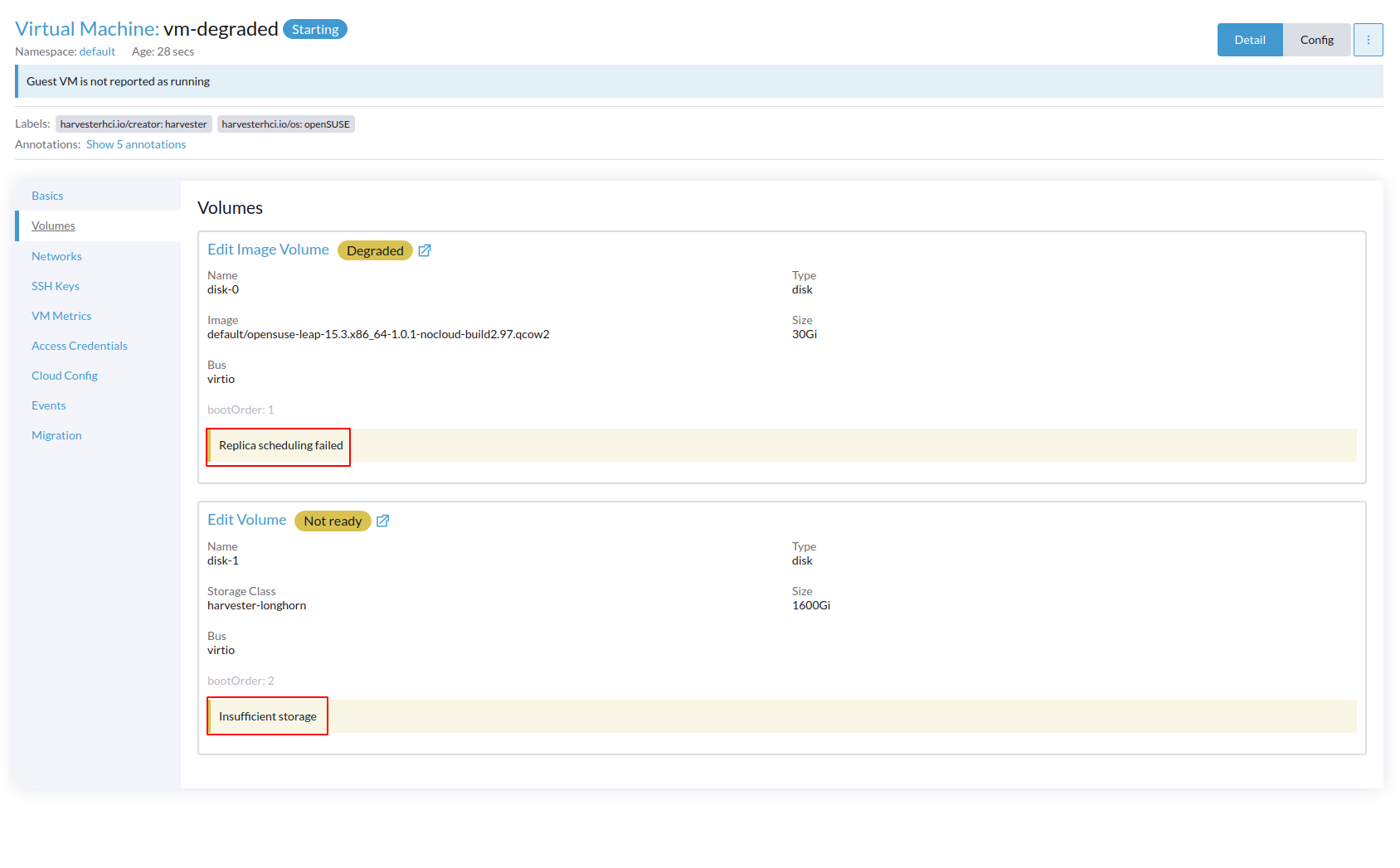
Test Information
master-b0d883ce-head(11/22)Verify Steps
Case 1
999999999Gi!Case 2
Case 3 (Single node)
DegradedandNot readyreplica scheduling failedandinsufficient diskCase 4 (multi nodes)
Disable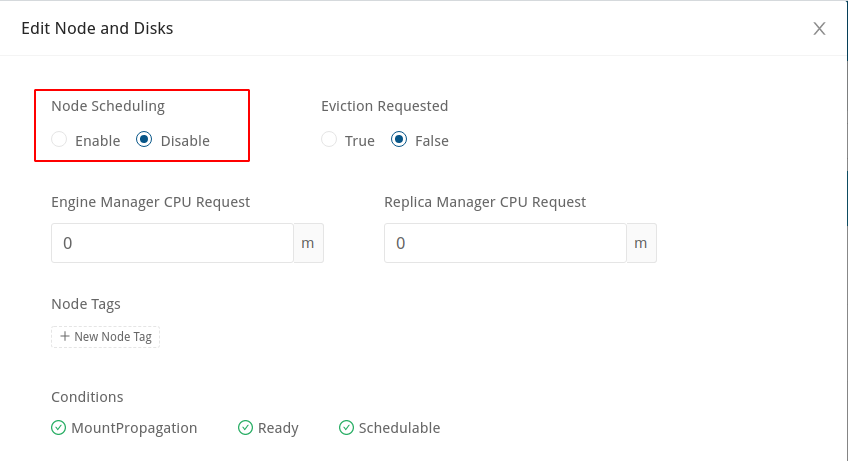
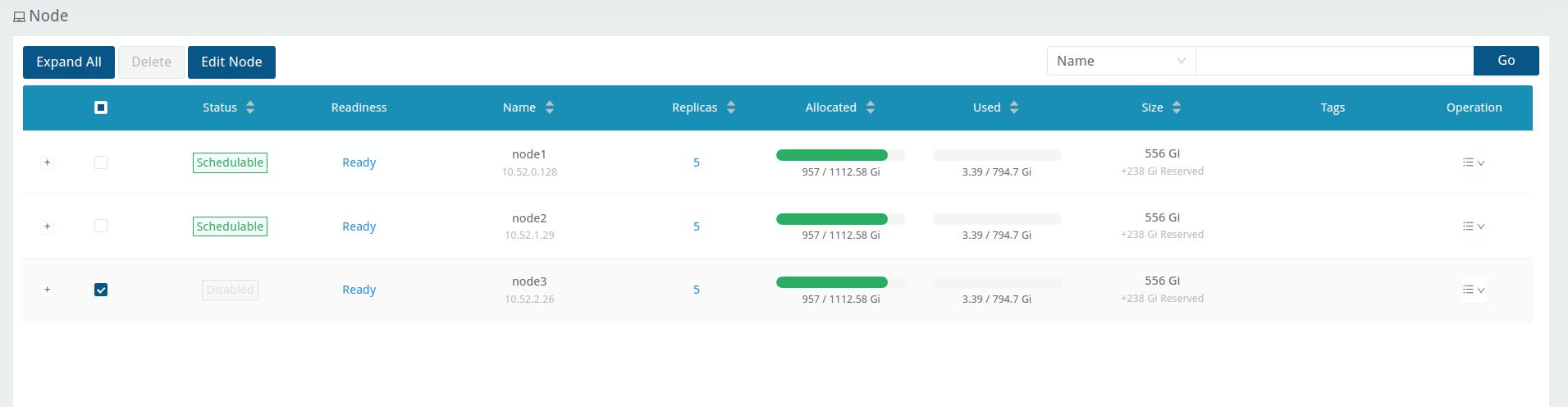
Node schedulingon node 3 in Longhorn UIGive os image volume 30Gi and add another volume 1600Gi of harvester-longhorn storage class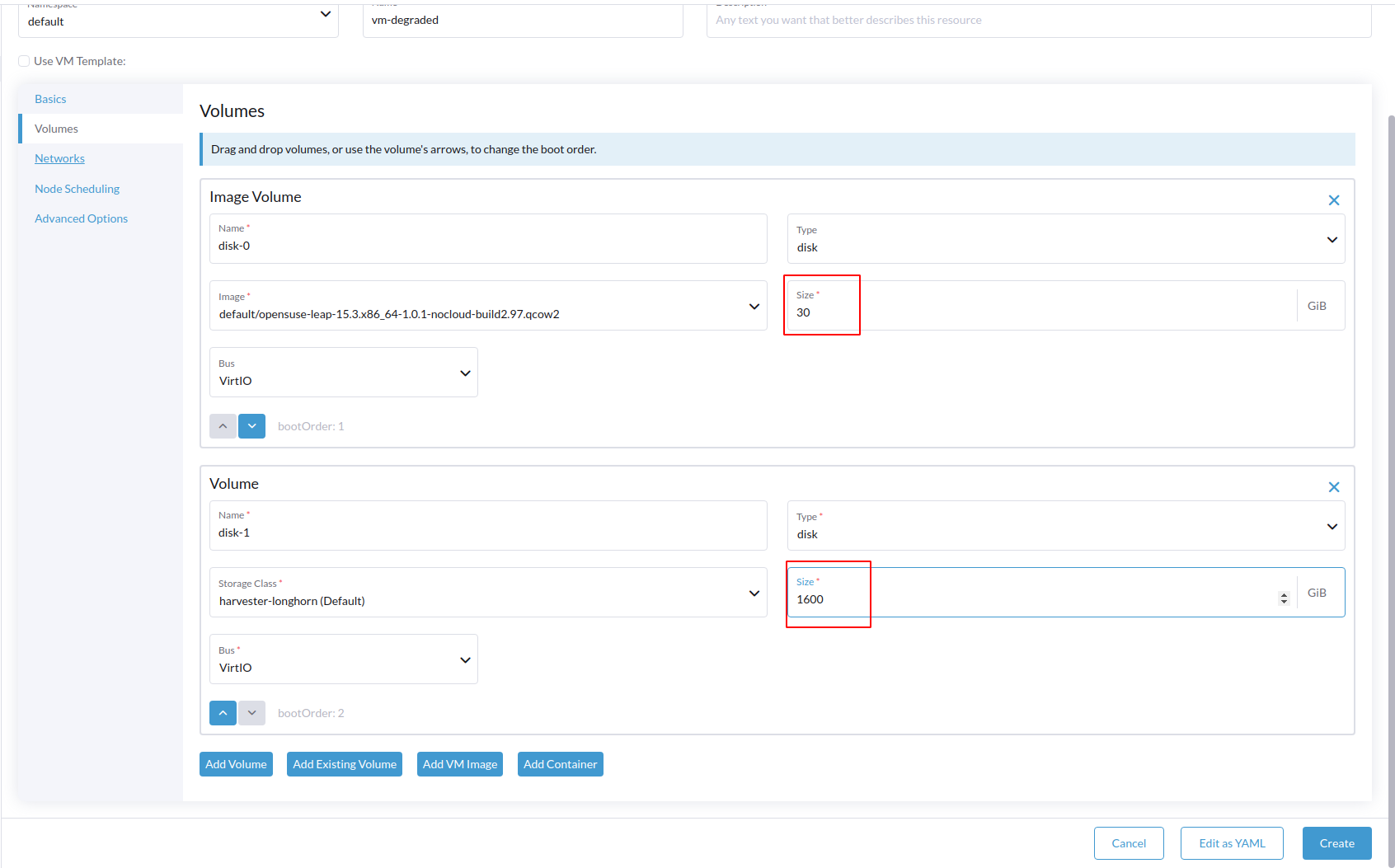
OS image disk display
degradedwhile another disk displayNot readywith corresponding error