harvester: [BUG] Virtual Media Installation Hangs For 2+hrs With "containerd.sock" Connection Error
Describe the bug
When adding “Virtual Media” with the Harvester v1.0.3 iso as a mapped virtual media drive (in this case DVD read only) to boot from the bare-metal machine for installing - it hangs for 2+hrs on ctr: failed to dail "/run/k3s/containerd/containerd.sock: connect: connection refused. Then when power-cycling the bare-metal device via Dell iDRAC 7 and that boots into Harvester v1.0.3, the pod harvester-cluster-repo-RANDOM in the cattle-system gets hung on errors after container creating - Harvester never becomes available. Errors in pod of "Failed to pull image “rancher/harvester-cluster-repo:v1.0.3” (ImagePullBackOff).
To Reproduce Prerequisite: Have a Dell PowerEdge Device That Allows for Virtual Media Drives to be mapped to iso’s from HTML5 window Steps to reproduce the behavior:
- Map a virtual media device, load the iso
- Boot, selecting that virtual media device
- Allow install to run
Expected behavior
Virtual Media based installs on bare-metal servers like Dell PowerEdge systems to succeed.
Install not to be hung on k3’s containerd.sock connection issue for 2+hrs.
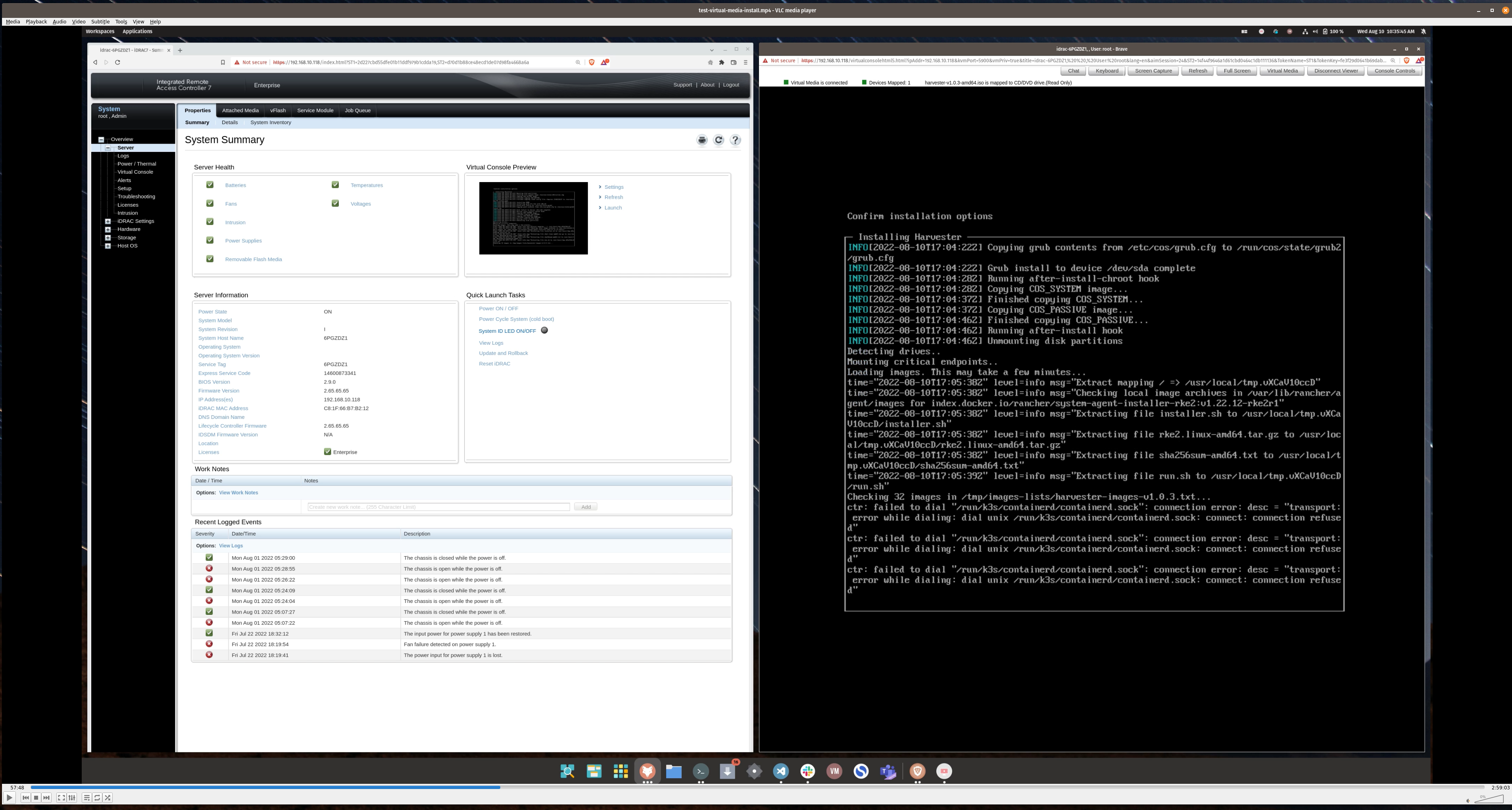
57:48, in install when it first started to occur shown here:
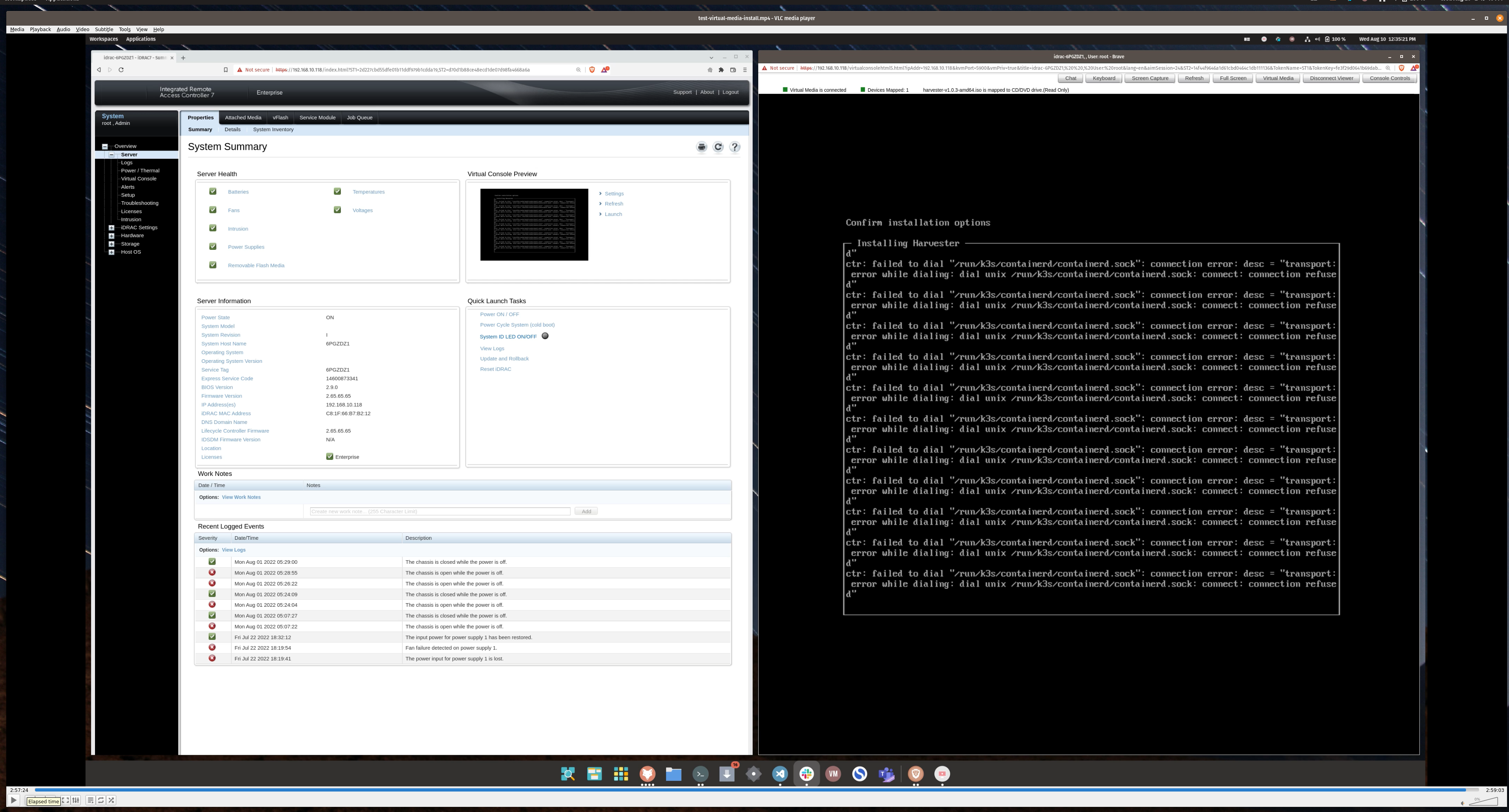
 2:57:24, while it was still occurring shown here, prior to powercycle (iDRAC 7 powercycle command):
Support bundle
- scc_dell-poweredge-harvester-r720_220810_2037.tar.gz
Generated with
supportconfig -k -c. Then scp’d the file to local machine.
Environment
- Dell PowerEdge R720:
- 2 x Intel® Xeon® CPU E5-2670 v2 @ 2.50GHz (total of 20cores)
- 64GB DDR3 ECC RAM
- 1TB Samsung SSD
Additional context
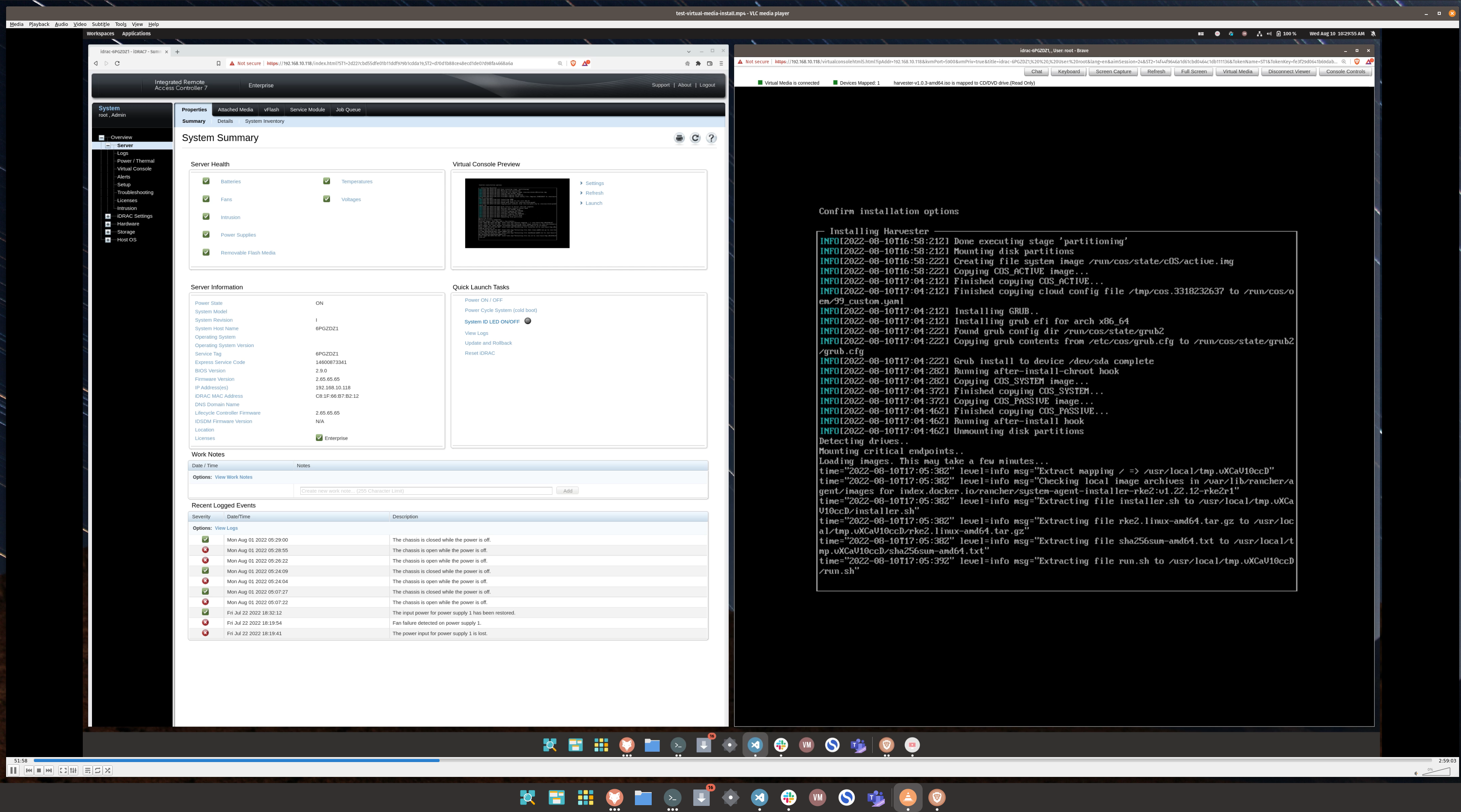
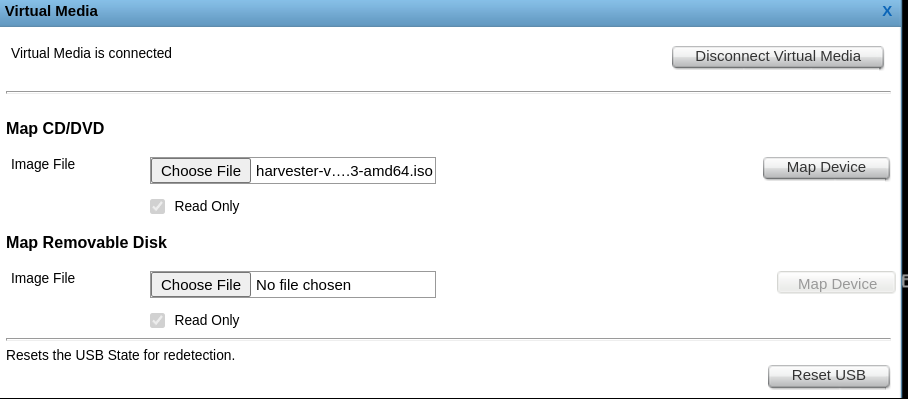
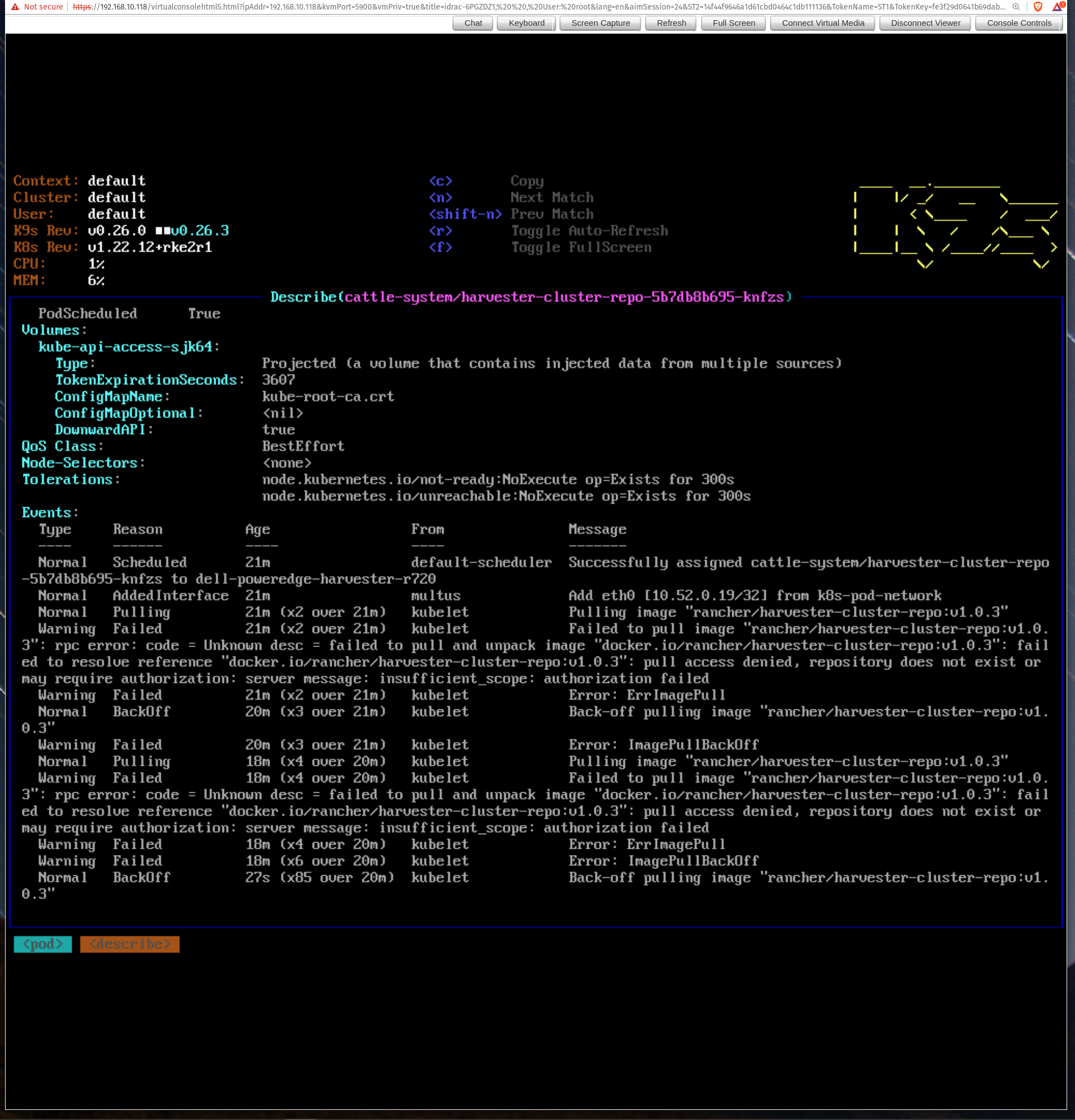
About this issue
- Original URL
- State: closed
- Created 2 years ago
- Comments: 38 (7 by maintainers)
@irishgordo, Interesting workaround!
I finally got it to work, using a few workarounds too… Here are the steps I took:
Everything then went smoothly, rebooted and everything worked just fine.
I have a few guess here:
Basically, using the IPMI to boot up the installer, then downloading the iso on the node and mounting it where the virtual cdrom is fixed it for me.
I hope this helps someone else and helps the awesome harvester dev team to resolve this issue…
Regards, Regis
The timeout of
rke2 serveris 15 mins.https://github.com/k3s-io/k3s/blob/01ea3ff27be0b04f945179171cec5a8e11a14f7b/pkg/util/api.go#L30-L34
I tried mounting the ISO image via the RFS feature of iDRAC on a DELL server (thanks to @irishgordo) and managed to reproduce the issue.
From the rke2-2.log, we can observe that
rke2 servercost ~6 mins to extract the binaries (ctr,containerd, etc.) to the target location, and it tore itself down after running about 15 mins due to the timeout:Soon after the
rke2 serverdied, the familiarcontainerd.sock connection refusederror messages were shown on the screen because another script was actively polling the image preloading progress usingctr.P.S. the data transfer speed is about 5MB/s in such circumstances. The installation will likely fail no matter what kind of media you use (USB or IPMI) if the transfer speed is lower than 5MB/s.
validation passed
@starbops this looks great! 😄 👍 🙌 Tested on Harvester Version: master-2ba017d4-head
I’m so excited for this as this will open up Harvester to so many - for HTML5 based mounted virtual drive installs - definitely allowing our installation process to be more accessible to others that are utilizing that.
I was seeing an average speed of around 1.2ish Mbps on the install process, you can note with the attached screenshots. So it was a “stable” but very “slow” connection. It did take some time, around 2hrs to preform the install but it did succeed 😄 - all using HTML5 mounted virtual drive.
Testing, this on my R720, I believe we can close this out.
@RegisHubelia thanks!
I actually noticed from yesterday, that when the node experienced the hang, seeing the repeat:
from the installer window.
That once those errors started popping up -
Logging Into The Live OS Via Ctrl + Alt + F2 Or in a terminal shelling into the node directly at
rancher@ip_addrwith pw:rancherAs a workaround. I was able to ‘assist’ the stuck install / help it along via (without powercycling):
chroot /run/cos/targetfind / | grep -ie "rke2"to find where the rke2 binary exists, I believe I found it somewhere like in a temp usr directoryrke2 serverwhich will spin up the rke2 serverchroot /run/cos/targetcrictl images --allto see the images getting loaded inWhat should happen is eventually you’ll see the messages like above of:
(in the rke2 server running command in that one window)
As images get loaded in, and at the end they will probably say something llike:
as the connection gets cut since the process stops: https://github.com/harvester/harvester-installer/blob/v1.0.3/package/harvester-os/files/usr/sbin/harv-install#L202-L208
Then just exiting one of the terminal windows, and in another exit chroot and just run something like a:
And reboot the node.
I hadn’t rebooted the node when I made that previous post - and rebooting the node, Harvester was able to come up as expected and start up.
So it seems to be possible to save the node when the installation gets into that “containerd” sock issue state with the workaround.
@atul-tewari Thanks for the reporting. It seems that the iLo mount can’t even copy the tarball to disks (that’s the tweak we did in this ticket). Can you try to let the iLo mount the ISO from an HTTP server? We found that’s more stable. The feature locates like this:
To add to @axsms, I think that if all the docker images within the iso are pulled from the registry instead of providing it trough the ISO, it will fix most over-wan issues (see https://github.com/harvester/harvester/issues/2670) in my opinion. My guess is that pulling the image from the iso times out over virtual-attached medias over wan. If it pulls all the images from the registry, I’m pretty confident it will fix this issue.
Acknowledging this to be accurate for my company. If we can get this working consistently, we expect to be running this on around 100 remote hosted dedicated servers. Unfortunately, at this time, we have to bootstrap a fairly expensive node to either place the ISO on an http server or setup PXE to get the Harvester nodes started. Serving an ISO over WAN is painfully slow and sometimes fails, requiring a new attempt from scratch, getting more than two attempts in a workday is not likely, IME. This is further frustrated by the fact that we have to wait for one node to fully install before getting joining nodes started. So, Harvester is usually a two day install for one cluster when remote over WAN.
It would be nice if we could install a vanilla distro that would take a few minutes to load and then run scripts to install and do initial configs. We’d be able to ditch the multi-hour ISO installs and extra servers. ISOs are great for air gapped, of course.
I know much of this will be worked out as use cases and issues related to common ones reveal themselves.