harvester: [BUG] RKE2 provisioning fails when Rancher has no internet access (air-gapped)
Rancher 2.6.3 Harvester 1.0.0
Expected behavior
The driver binaries of “built-in” node drivers are included in the Rancher release and do not have to be downloaded post-install.
This is the case for other node drivers of type “built-in”, such as AWS, Azure, etc. The url field of these node drivers is set to "url": "local://",
Actual behavior
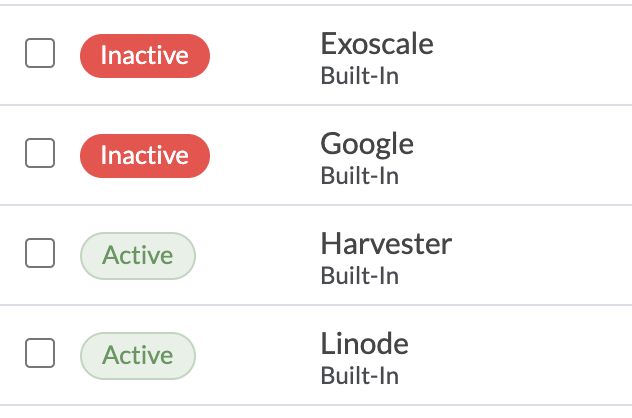
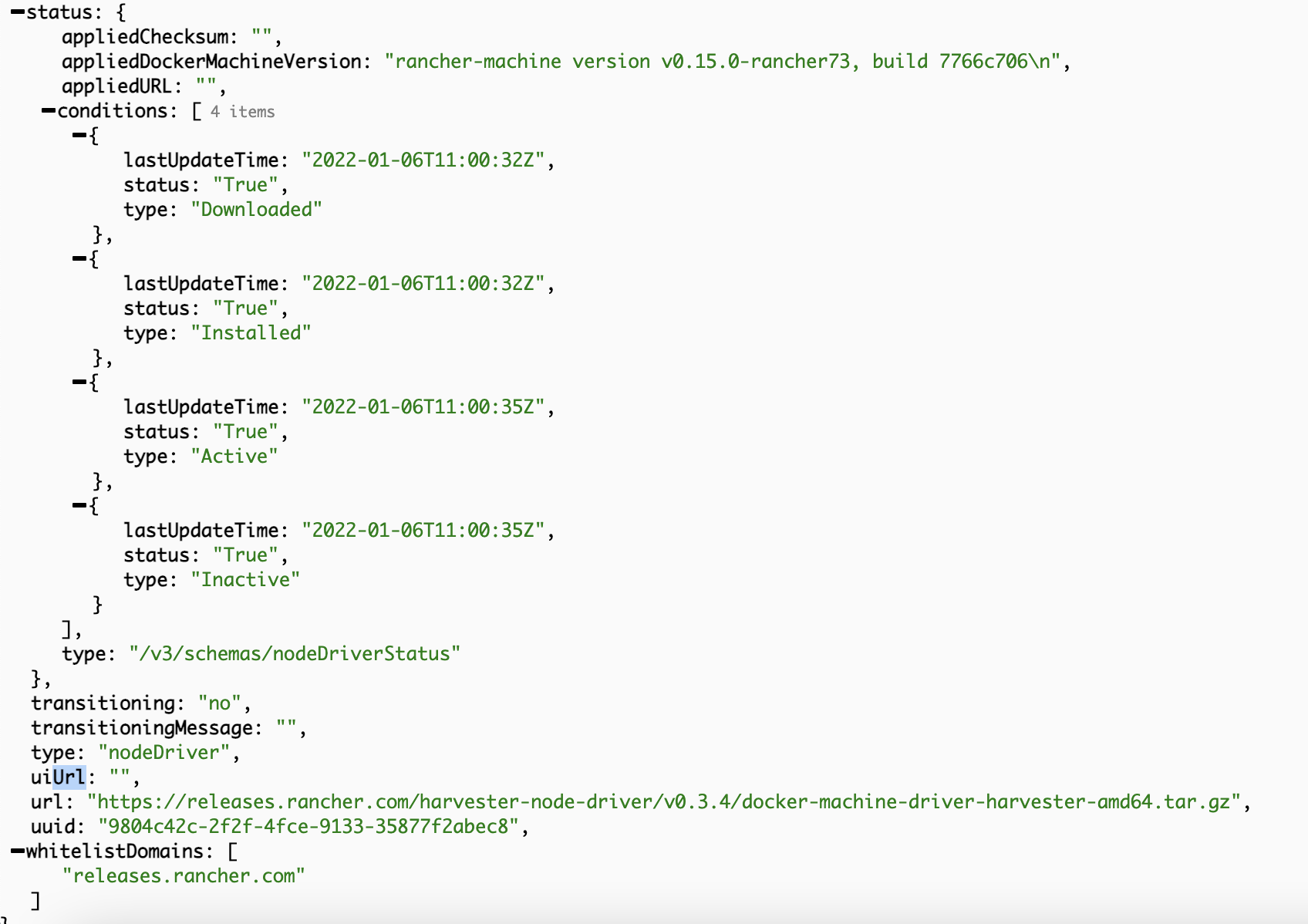
In Rancher 2.6.3 the Harvester node driver is marked as “built-in” driver, yet the url field is set to a external URL https://releases.rancher.com/harvester-node-driver/v0.3.4/docker-machine-driver-harvester-amd64.tar.gz.
When provisioning a Harvester RKE2 cluster from Rancher, the provisioning will fail on air-gapped Rancher instances since the driver can’t be downloaded from the internet.
[INFO ] provisioning bootstrap node(s) qxn2533-test-pool1-654f8d44c5-txjqd: waiting to schedule machine create
[INFO ] provisioning bootstrap node(s) qxn2533-test-pool1-654f8d44c5-txjqd: creating server (HarvesterMachine) in infrastructure provider
[INFO ] failing bootstrap machine(s) qxn2533-test-pool1-654f8d44c5-92t59: failed creating server (HarvesterMachine) in infrastructure provider: CreateError: Failure detected from referenced resource rke-machine.cattle.io/v1, Kind=HarvesterMachine with name "qxn2533-test-pool1-33b61c5f-5nxbm": Downloading driver from https://releases.rancher.com/harvester-node-driver/v0.3.4/docker-machine-driver-harvester-amd64.tar.gz
ls: cannot access 'docker-machine-driver-*': No such file or directory
downloaded file failed sha256 checksum
download of driver from https://releases.rancher.com/harvester-node-driver/v0.3.4/docker-machine-driver-harvester-amd64.tar.gz failed and join url to be available on bootstrap node
About this issue
- Original URL
- State: closed
- Created 2 years ago
- Comments: 16 (3 by maintainers)
I finally can setup RKE2 in pure air-gapped environment, but we need some weird steps. Base on David’s setup.
sudo vim /var/lib/rancher/k3s/server/manifests/coredns.yaml.SLES15-SP3-JeOS.x86_64-15.3-OpenStack-Cloud-GM.qcow2to Harvester./etc/rancher/agent/tmp_registries.yaml:/etc/rancher/agent/config.yaml./etc/rancher/rke2/registries.yaml:kube-system/rke2-coredns-rke2-corednsin RKE2.kube-system/rke2-coredns-rke2-coredns.The 4th to 6th steps are weird. Theoretically, we can create
/etc/rancher/agent/registries.yamlin cloud-config, but I am not sure which process will overwrite my content. Users can update/etc/rancher/agent/registries.yamland restart rancher-system-agent to see the overwriting behavior.If we can write
/etc/rancher/agent/registries.yamland/etc/rancher/rke2/registries.yamlin cloud-config, then we only need to operate step 8th and 9th manually for provisioning RKE2.per @thedadams, CI build that should have fixes for this is
rancher/rancher:v2.6-a49b9d913555d59834a30f6e2ae676f0bd54bba6-head@alexdepalex wrote:
I believe that this will revert every time a server/control node started in the cluster. That said, this is the best workaround at this time. /cc @oats87