harvester: [BUG] Can't upload large image files via web UI
Describe the bug
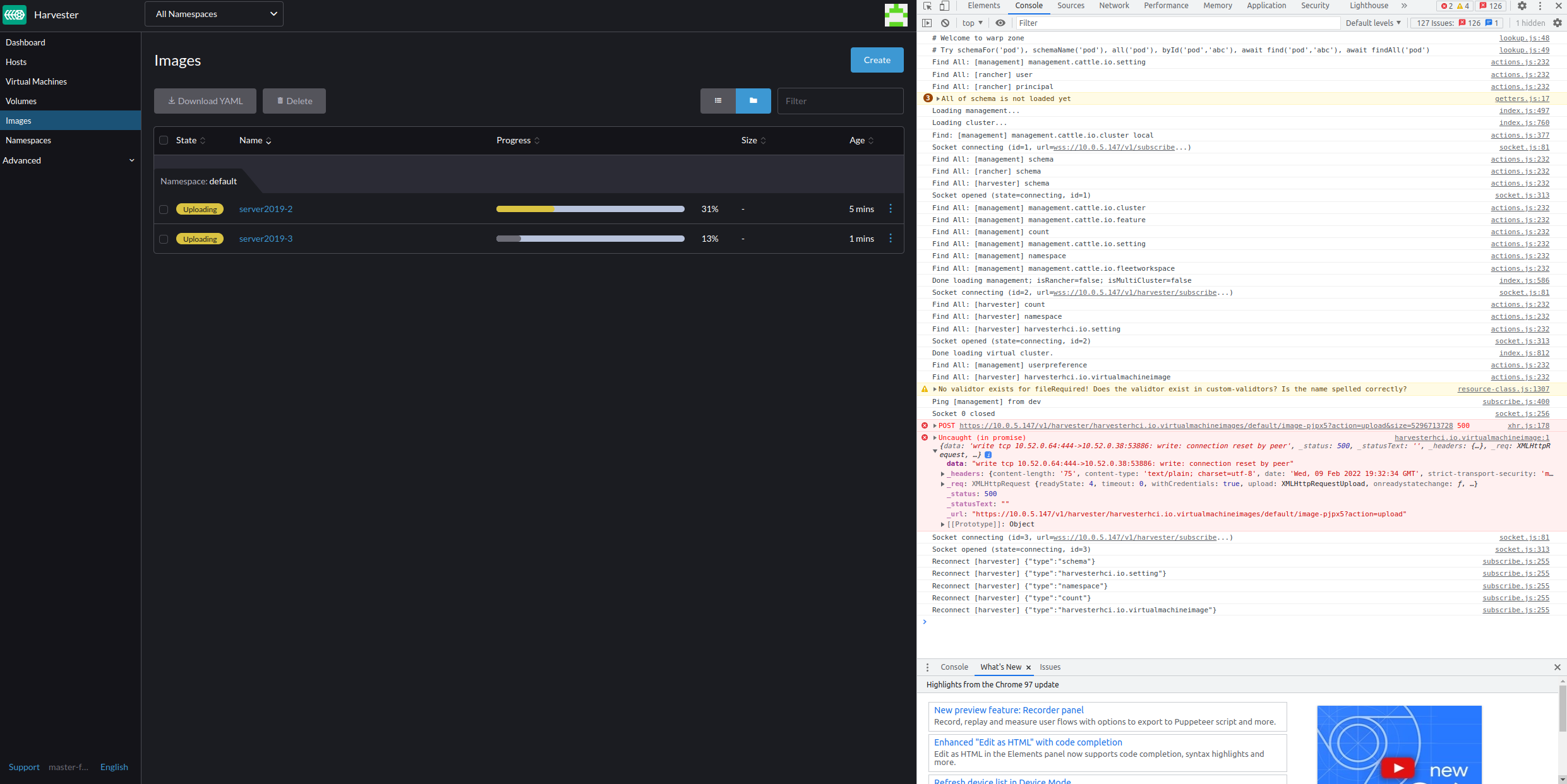
When you try to upload large ISO or image files it errors out To Reproduce Steps to reproduce the behavior:
- Navigate to the images page
- Select upload file
- Upload a file that is larger than 2 GB. I tested it with a server2019 ISO
Expected behavior
The upload should complete successfully. Support bundle
supportbundle_c2f07121-0b02-46ef-8114-d5867098fd10_2022-02-09T19-34-58Z.zip
Environment:
- Harvester ISO version: master-f303b27e-head
- Underlying Infrastructure (e.g. Baremetal with Dell PowerEdge R630): KVM virtualized environment
Additional context
Add any other context about the problem here.
This doesn’t happen on v1.0.0. It was working fairly recently and stopped working in the last few days while I was testing. It appears to start uploading then resets the connection with a 500 error.
About this issue
- Original URL
- State: closed
- Created 2 years ago
- Comments: 22 (17 by maintainers)
Why OOM?
When networking speed is fast enough (e.g, Harvester and uploading PC are in same/near network), the networking transport is faster than disk writing, the data will be cached in Harvester POD, that is in memory. Especially when multi uploading are in parallel.
In my local test, I encountered following message in Harvester POD, it is when Harvester saving data :
Timeline of what happened.
The Harvester POD is killed when uploading was ongoing, that’s why the WebUI shows 500 error, and the uploading failed.