harvester: [BUG] Can't display monitoring dashboard after upgrade, alertmanager, prometheus and grafana monitoring pods Terminating
Describe the bug
After upgrade from v1.0.3 to v1.1.0-rc3 finished, we found the grafana monitoring dashboard display empty with error
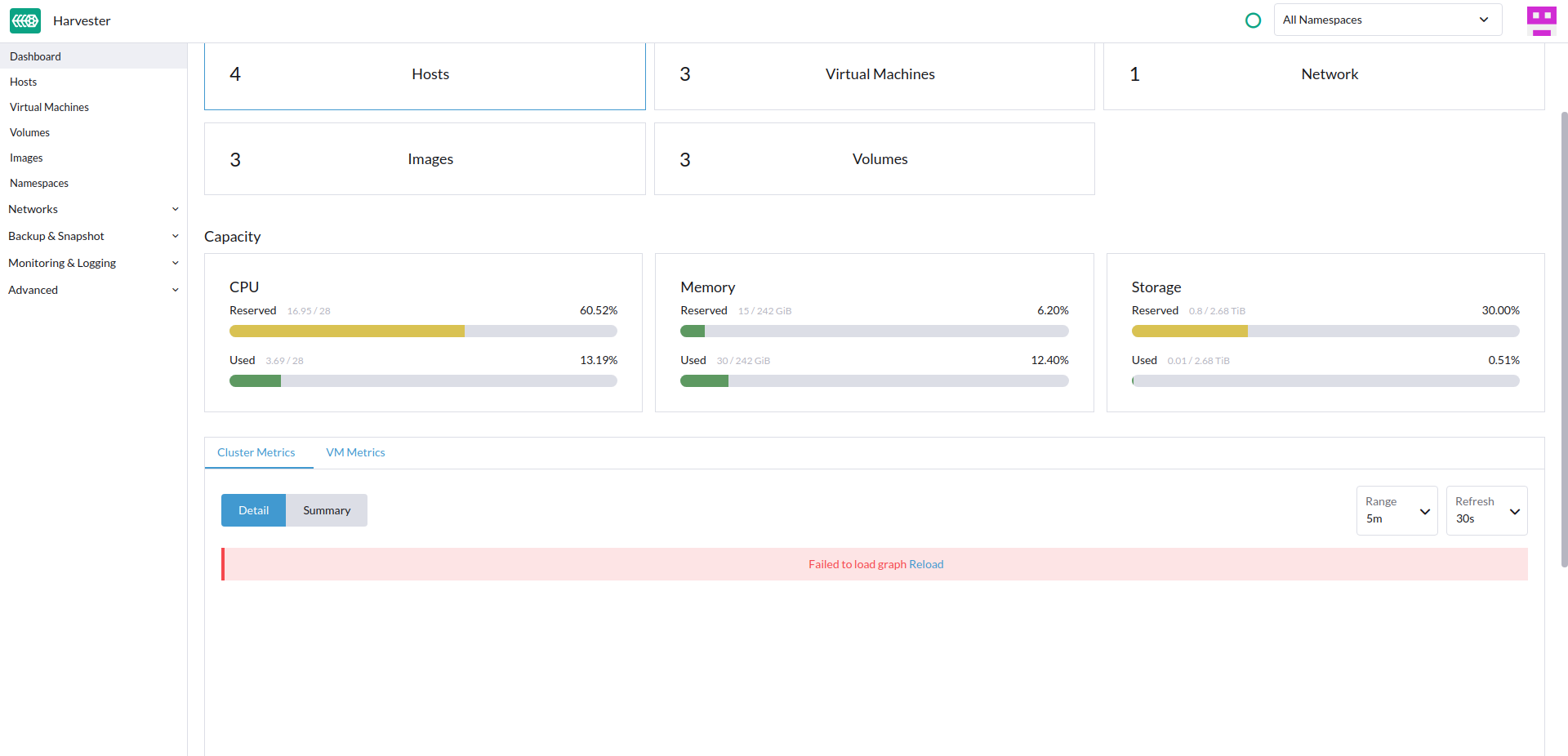
Further check the following pods display Terminating status:
- alertmanager-rancher-monitoring-alertmanager
- prometheus-rancher-monitoring-prometheus-0
- rancher-monitoring-grafana-647fd577f4-mszdm
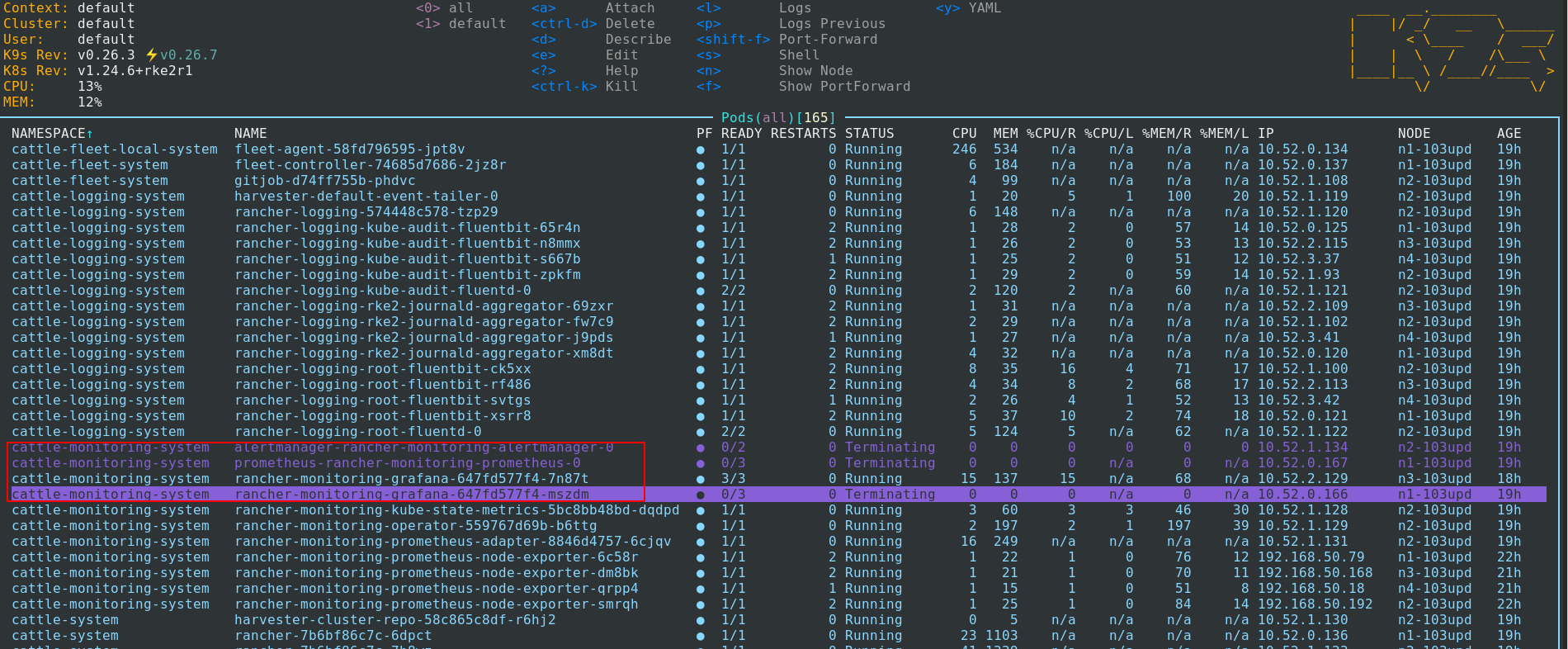
To Reproduce
- Steps to reproduce the behavior:
- Prepare a 4 nodes v1.0.3 Harvester cluster
- Install several images
- Create three VMs
- Enable Network
- Create vlan1 network
- Shutdown all VMs
- Upgrade to v1.1.0-rc3
Expected behavior
- The Grafana motoring dashboard of cluster and VM metrics should display correctly after upgrade complete
- The
alertmanager-rancher-monitoring-alertmanager,prometheus-rancher-monitoring-prometheus-0andrancher-monitoring-grafana-647fd577f4-mszdmpods have correct running status
Support bundle
supportbundle_d28e7921-aa9a-40e9-8e4f-55404b168291_2022-10-19T07-33-59Z.zip
Environment
- Harvester ISO version:
v1.1.0-rc3 - Underlying Infrastructure (e.g. Baremetal with Dell PowerEdge R630): 4 nodes bare metal machines
Additional context After the upgrade, the vip connection lost for several hours, then it come back to normal
About this issue
- Original URL
- State: closed
- Created 2 years ago
- Comments: 18 (13 by maintainers)
I found a way to reproduce this, but it can’t always be successful.
systemctl stop rke2on each node.systemctl restart rke2on each node.prometheus-rancher-monitoring-prometheus-0andalertmanager-rancher-monitoring-alertmanager-0.We still investigate the root cause of this issue. And looks like this issue does not easy to reproduce.
There is a workaround that forces delete the pods that are stuck on the terminating status.
using the following command for it:
kubectl delete pod <name of pod that is stuck on the terminating status> --force -n <related namespace>e.g.kubectl delete pod kuberancher-monitoring-grafana-647fd577f4-mszdm --force -n cattle-monitoring-systemkubectl delete pod alertmanager-rancher-monitoring-alertmanager --force -n cattle-monitoring-systemkubectl delete pod prometheus-rancher-monitoring-prometheus-0 --force -n cattle-monitoring-system