nexus-plugin-prisma: Getting error: Expression produces a union type that is too complex to represent
Getting Error: Expression produces a union type that is too complex to represent.ts
"typescript": "^3.5.1"
Code
import { prismaObjectType } from 'nexus-prisma';

export const User = prismaObjectType({
  name: 'User',
  definition(t) {
    t.prismaFields({ filter: ['password'] });
  }
});
tsconfig.json
{
  "compilerOptions": {
    /* Basic Options */
    "target": "ESNEXT" /* Specify ECMAScript target version: 'ES3' (default), 'ES5', 'ES2015', 'ES2016', 'ES2017','ES2018' or 'ESNEXT'. */,
    "module": "commonjs" /* Specify module code generation: 'none', 'commonjs', 'amd', 'system', 'umd', 'es2015', or 'ESNext'. */,
    "lib": [
      "esnext",
      "dom"
    ] /* Specify library files to be included in the compilation. */,
    "sourceMap": false /* Generates corresponding '.map' file. */,
    "outDir": "./dist" /* Redirect output structure to the directory. */,
    "rootDir": "./src" /* Specify the root directory of input files. Use to control the output directory structure with --outDir. */,
    "strict": true /* Enable all strict type-checking options. */,
    "typeRoots": [
      "./node_modules/@types"
    ] /* List of folders to include type definitions from. */,
    "types": [
      "node"
    ] /* Type declaration files to be included in compilation. */,
    "esModuleInterop": true /* Enables emit interoperability between CommonJS and ES Modules via creation of namespace objects for all imports. Implies 'allowSyntheticDefaultImports'. */,
    "skipLibCheck": true
  },
  "exclude": ["prisma", "migrate.ts"]
}
About this issue
- Original URL
- State: closed
- Created 5 years ago
- Reactions: 47
- Comments: 31 (1 by maintainers)
Commits related to this issue
- Roll back typescript to 3.4.5 (see https://github.com/prisma/nexus-prisma/issues/291 for details) — committed to ben-walker/fractal-fish by ben-walker 5 years ago
- pinning vscode to installed typescript version due to this issue when linting the Mutation type: https://github.com/prisma/nexus-prisma/issues/291 — committed to spotfire-io/spotfire-api by divideby0 5 years ago
- 🏷️ fix Expression produces a union type that is too complex to represent.ts(2590) Based on https://github.com/prisma/nexus-prisma/issues/291 — committed to hiaux0/coding-3 by hiaux0 5 years ago
+1
I was still receiving the error after downgrading to ts 3.4.5, however, I realized VS code was using its own version of typescript instead of my project’s. To fix, I ran the command palette (shift+cmd+p) and typed in “Select Typescript Version”. You would then select your workspace or project typescript version rather than vscode’s.
I am running into this exact error. My code:
I downgraded to 3.4.5 and also changed TS version in vscode (vsc does allow to change ts version even in 1.36.1) and now it’s working for me
This might work:
I’m getting this too! In the mean time I fixed it by rolling back typescript to 3.4
Installing Typescript 3.4.5 into my package.json and using the workspace’s typescript for my project in VS Code solved this problem for me.
If your not sure how to change your VS Code TypeScript version to use your workspace, here is a great stack overflow post explaining how to do this.
https://stackoverflow.com/questions/39668731/what-typescript-version-is-visual-studio-code-using-how-to-update-it
when I use Typescript 3.7.5 it was nothing error like this issue, but now, I update latest Typescript 3.8.2 I got this error
I’m in the same position as @blackxored and I can’t update to prisma2 due to this issue https://github.com/prisma/prisma2/issues/254 … Pls fix
Any updates on this? Still present on 3.6.x. Locking 3.4 for now but fp-ts requires 3.5 so I’m in for a world of pain.
The server is start correctly, but build doesn’t work.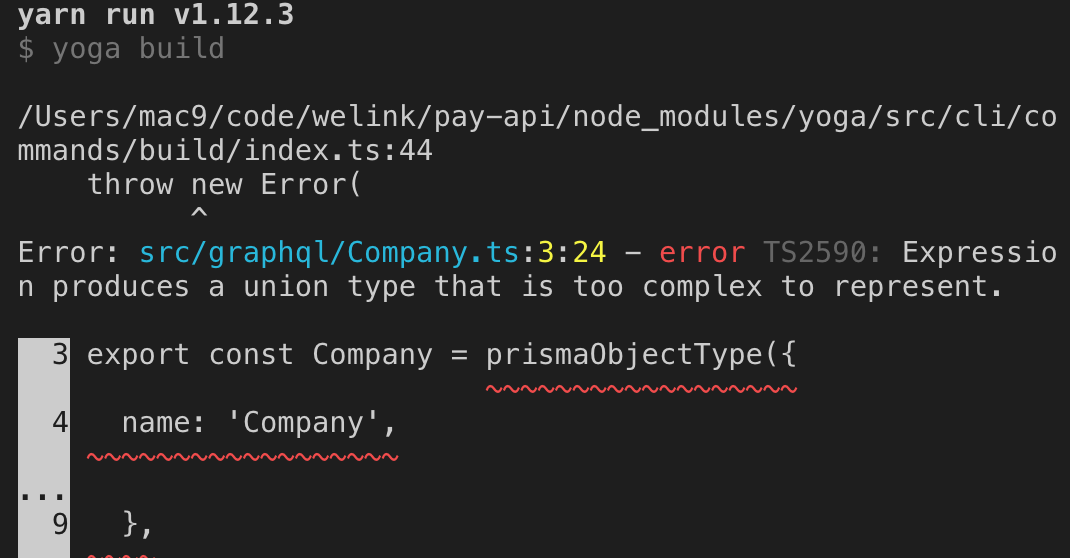 and ts version is 3.4.5
ts version 3.4.5 works for me.
Latest VScode (1.37) uses 3.5.2 by default, remember to switch to workspace version for using ts 3.4.5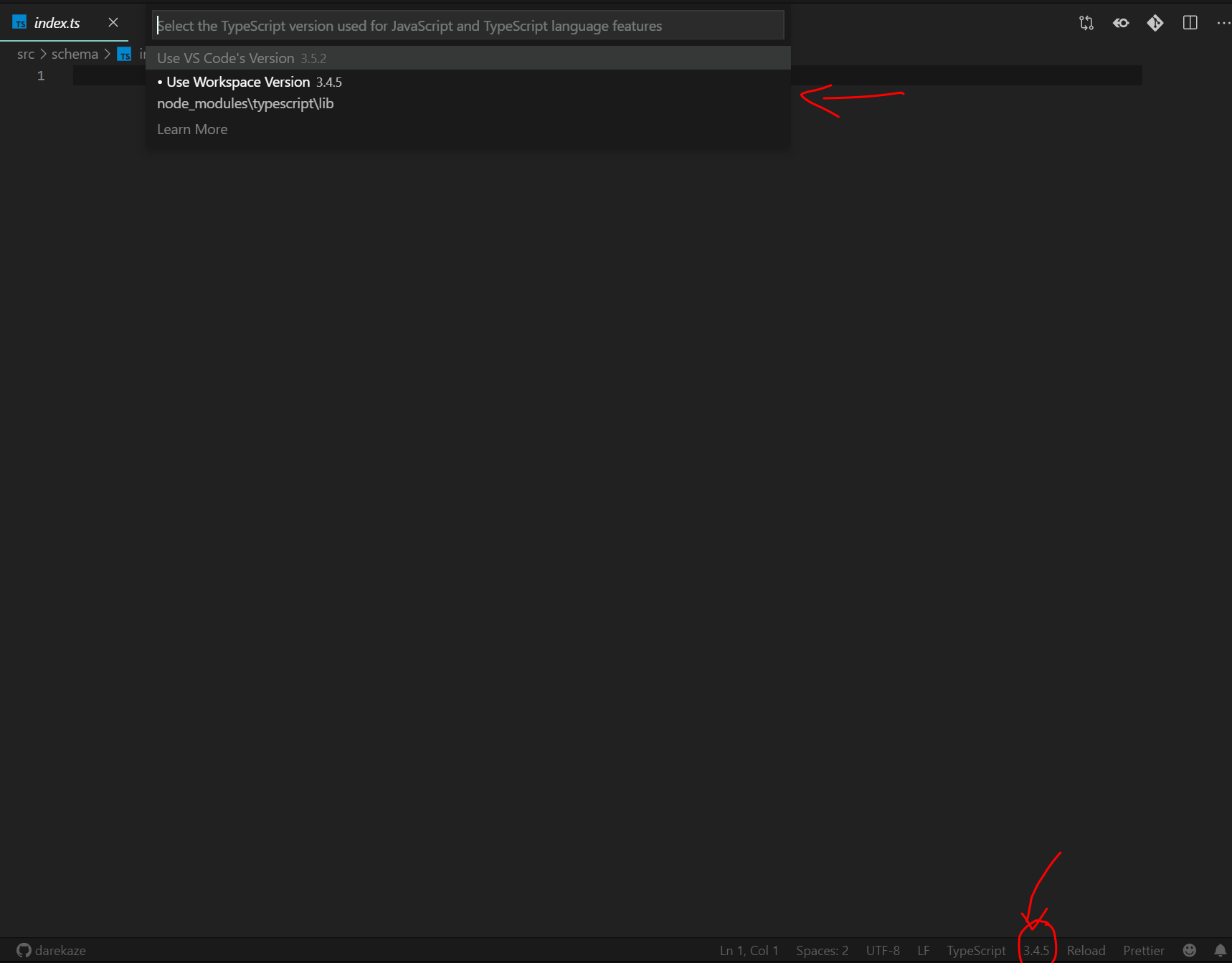
Btw, the problem also exist in the new ts version 3.6, seems we need to lock ts version at 3.4.x until this issue is fixed…
@darrylyoung Yes, they are moving fast!
My primary development project uses Prisma 1 before Nexus or even the generated Prisma Client. That version of Prisma has been rock solid, but it’s time to update for new development. I expect to rebuild that server pretty much from scratch using prisma 2.
The only examples at prisma/photon that use nexus-prisma are graphql and graphql-auth.
I’m just getting started with Prisma2, and it’s going well so far. The best advice I can give is to look to the prisma/photon project for examples. All the other stuff (including nexus-prisma with prisma2 preview) is out of date regarding Prisma2. At least I was unable to get it working. but the prisma/photon examples worked pretty much “out of the box”.
@ar1a Thanks for that 😃 Configuring dependency versions as you have them, deleting
node_modulesand re-installing did not resolve the issue for me.However, I cloned your project, opened
server/resolvers/Mutations.tsand.../Queries.tsand the error does not appear. (still scratching head)My project is from the ‘Prisma Getting Started’ tutorial.
Glad I’m not alone here as I’m also having the same problem.
My TypeScript-related dependencies are:
My Nexus-related dependencies are:
Odd, I’ve had the same issue at times while running ts-node-dev and instead end up running nodemon ts-node [file] to success.
same issue with typescript 3.5.1