filament: getUV0() for an ExternalTexture always returns zero
In Android, loaded a plane from a glb file and when applying a material instance with video from an ExternalTexture, the video is not rendered edge to edge of the plane. It looks like this:
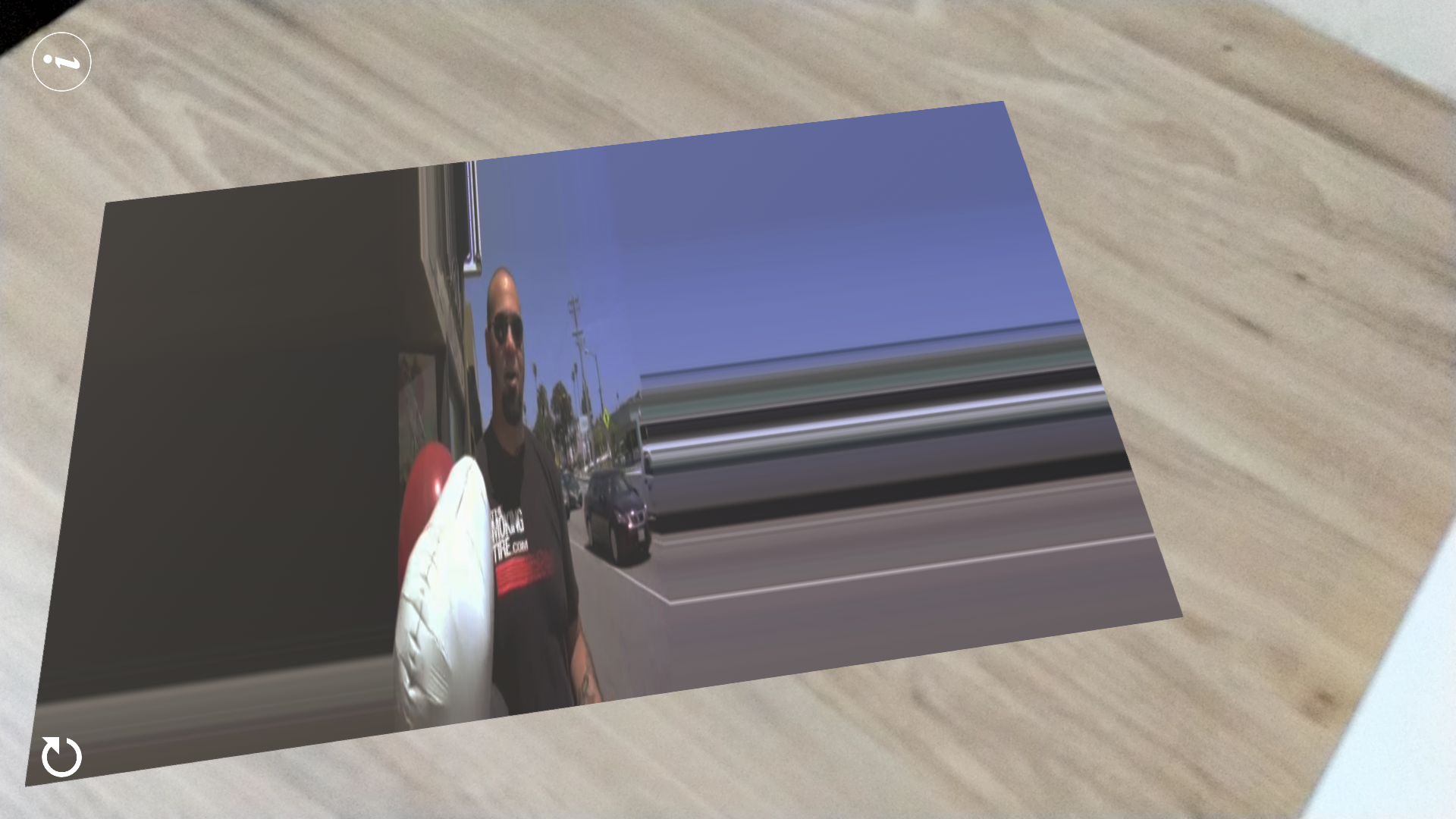
The actual video is here: http://commondatastorage.googleapis.com/gtv-videos-bucket/sample/SubaruOutbackOnStreetAndDirt.mp4
The plane’s vertices are like this(not unit vec3) and as you can see it is not symmeterical at origin:
o Plane
v -3.449268 0.000000 2.000000
v 4.636948 0.000000 2.000000
v -3.449268 0.000000 -2.975009
v 4.636948 0.000000 -2.975009
vt 0.000000 0.000000
vt 1.000000 0.000000
vt 1.000000 1.000000
vt 0.000000 1.000000
vn 0.0000 1.0000 0.0000
Inspired from the lit.mat from sample-hello-camera, used getPosition() to convert it into uv(0 to 1). But this getPosition() method will work only if the vertices fall within -1 to +1.
My actual glb is complicated and it cannot be easily reduced to -1 to +1. So I tried using the getUV0() to get external texture material as it isn’t but it always returns 0,0.
- Am I missing something for getUV0() to work properly? Any reference will help.
- Or how to make the video texture display edge to edge irrespective of the vertices and scale?
Smartphone (please complete the following information):
- Device: Pixel 2
- OS: Android 10.0
Please clarify.
About this issue
- Original URL
- State: closed
- Created 4 years ago
- Comments: 16 (2 by maintainers)
Commits related to this issue
- gltfio: enable unused UV attributes when possible. I reproduced the problem and verified the fix by viewing TexturedCube in ubershader mode, then hacking the shading with matdbg to visualize texture ... — committed to google/filament by prideout 4 years ago
- gltfio: enable unused UV attributes when possible. Reproduced the issue by hacking the TexturedCube glTF file. Verified the fix by viewing TexturedCube in ubershader mode, then hacking the shader wi... — committed to google/filament by prideout 4 years ago
- gltfio: enable unused UV attributes when possible. Reproduced the issue by hacking the TexturedCube glTF file. Verified the fix by viewing TexturedCube in ubershader mode, then hacking the shader wi... — committed to google/filament by prideout 4 years ago
- gltfio: enable unused UV attributes when possible. Reproduced the issue by hacking the TexturedCube glTF file. Verified the fix by viewing TexturedCube in ubershader mode, then hacking the shader wi... — committed to google/filament by prideout 4 years ago
- gltfio: enable unused UV attributes when possible. Reproduced the issue by hacking the TexturedCube glTF file. Verified the fix by viewing TexturedCube in ubershader mode, then hacking the shader wi... — committed to google/filament by prideout 4 years ago
Ok I found the problem. Your cube mesh data is normalized in the glTF file. But there is a scale transform (2.0/2.0/3.0). Because .obj doesn’t support transforms, your 3D package applies it to the vertices. But when exporting the glTF file, the transform is left as is. In Blender you can apply the transform at export time, it’s an option in the glTF export panel, or you can use Ctrl-A in the viewport to apply the scale transform before export. Filament and
getPosition()are behaving as expected here.getUV0()is the correct way. If it’s always returning 0,0 there might be an issue with your glTF file. That’s how this sample (sample-gltf-viewer) works for instance: https://github.com/google/filament/blob/master/docs/images/samples/sample_gltf_viewer.jpgThe first step would be to output your UVs as the color of your object so you can see what they look like.