godot: Godot v4 (beta 10) crashes when loading project with classes with inheritance
Godot version
v4.0.beta10.official [d0398f62f]
System information
macOS Ventura 13.1 (22C65)
Issue description
I closed Godot and when I opened my project again, it just shows an empty project and seconds later it crashes.
I recorded the error it outputs and took a screenshot of it. What you see is the last frame before crashing:
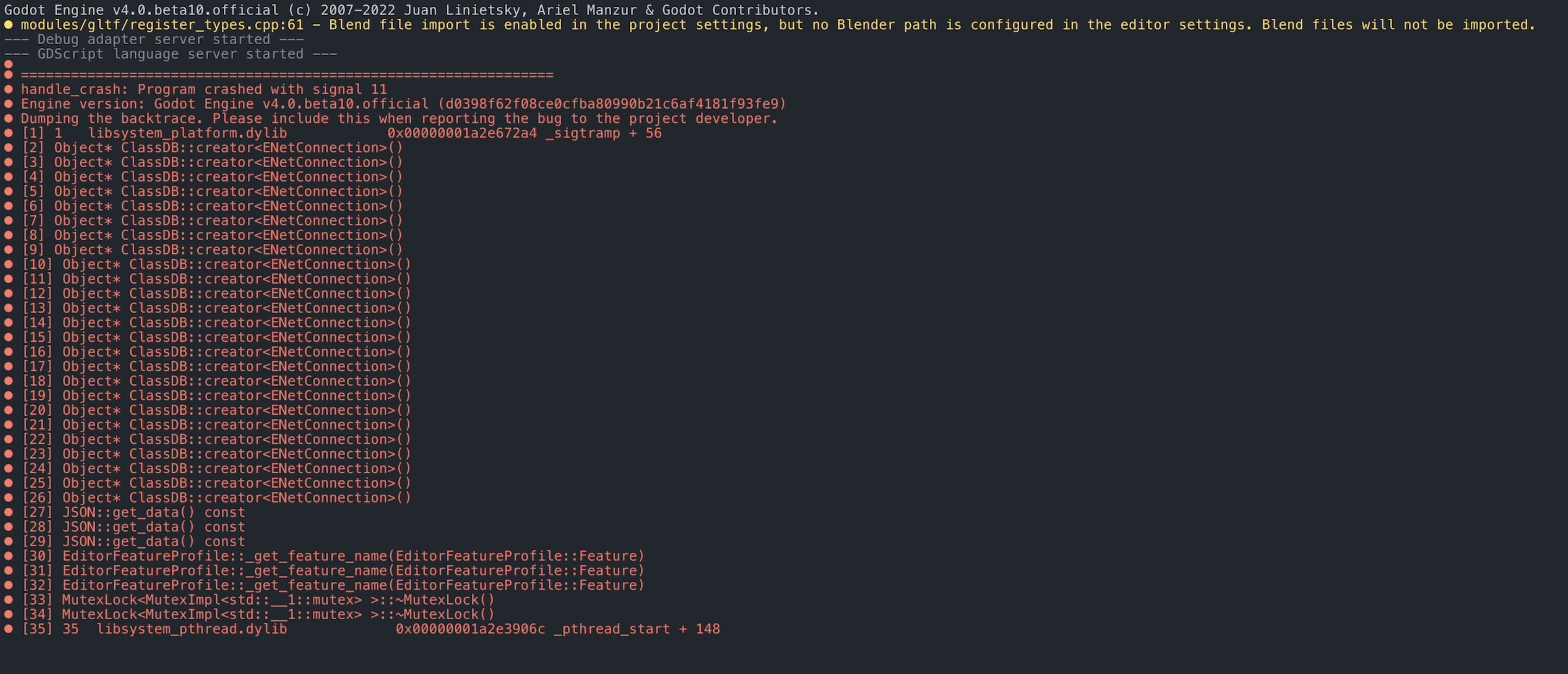
Unfortunately this only happens on my project, which I cannot share, so I apologize for that.
I tried removing @tool on two scripts that use this, but this doesn’t seem to be the cause. The only thing I believe it’s worth noting is that I use class_name for a lot of objects, which always seems to behave unexpectedly on Godot.
Workaround: I can get Godot to load by:
- Editing one of my GDScripts on an external editor and commenting out any random
functhat another func calls. - This causes the parser to throw an error since the function doesn’t exist, allowing the project to load normally.
- I can then proceed to uncomment the function and run my project just fine without any errors.
If you think I can provide any more specifics, please let me know.
Steps to reproduce
No clear steps to reproduce.
Minimal reproduction project
(Edit) https://github.com/godotengine/godot/files/10449995/Godot.Crash.Project.zip
About this issue
- Original URL
- State: closed
- Created 2 years ago
- Comments: 26 (11 by maintainers)
I was able to confirm the crash (thanks for the MRP!) and I’m trying to figure out why it happens.
I’ll work on it tomorrow and hope to be able to provide one. I’ll inform you when done and if I was able to 😉
I took your suggestion and tried doing that for a while. But I couldn’t, since I can’t just remove code: if there is a parse error (i.e: a missing method) then the editor will load just fine. So I had to constantly refactor the code on every attempt to make sure no file had errors caused by deleting code or files, to see if it should still be crashing on startup or not.
However, I started to comment out things on my project again and was finally able to narrow it down. I’ve copied the files to a new project that simplified it down to almost the bare minimum.
So I’m happy to finally share a minimal reproduction project 🎉 :
Godot Crash Project.zip
I’ve left it in a state that should crash in all the recent betas on startup.
I left a couple comments in the scripts with
[CRASH]in them, so anyone can quickly search the project for[CRASH]and find the pain points, with instructions on how to make it work again, or crash again.Please note that the project might not actually run, since I’ve removed so many things, and that’s fine.
In the end, I think it might be related to a cyclic reference, although it is odd how you can avoid these (i.e: mentioning a random variable from such class).
This should help debug. Please let me know if you need anything else.
Yeah, it’s related to cyclical references I believe.
Last working Godot version is v4 beta6
Since yesterday I encounter something similar with my project. I have a node which is used as a base for another node in the scene tree (inherited scene) and all was working as expected since yesterday. I use Godot RC1 (official) but I tested my project on many Betas and the result is the same. Godot is used on Manjaro Linux 64 Bits (DE: Cinnamon v5.6.7)
I don’t have any error / message when I try to start the game (from the editor), the window just popup blank and closes immediately. Nothing is written in the Output window of Godot (in the editor) nor in the debugger.
If I close the project and try to reopen it, the same behavior happens with the editor itself! After the project selection list window, (when double-clicking on a project in the list), the project window (editor) opens up and instantly closes.
If I do as said above and place a:
in the inheriting node script, I can open the project. Then if I try to launch the game, I have an error on the
my_varline as it considers the variable is not found (the variable exists in the base class and is even used elsewhere in the inheriting script, I just renamed it here in Github). Also, as soon as I comment out the above unused function, the game does not start anymore without any error / message (as I mentioned above) and if I close the editor, I’m unable to reopen the project again until I un-comment the above code.Terminal output when I launch the game from the editor is this (using the --verbose flag):
Similar output is printed if I try to open my project from the projects list without the “unused function” code above. The following errors:
suggest a cyclic dependency (found some google results pointing in that direction), I tried to remove all that I can found, but it seems to still print these errors. (I though cyclic dependencies where behind us?)
I tested to revert back to Godot Beta 14 (from betas to betas) and all of them act the same. I was updating Godot each time a new Beta was released and I was using The RC1 (some hours, maybe days) without trouble before the problem arose.
All was working fine 2 days ago, I don’t understand what I did to get this behavior to occur… If more infos are needed, I can provide some as I’m unable to work on my project, so I have plenty of time 😄
I will continue to investigate during that time.
Interestingly enough, it only crashes the first time it opens. If I open it again it doesn’t crash anymore. I suspect this might be related to the global scripts/filesystem cache, since deleting the
.godotfolder and opening again also makes it crash.Any chance of an MRP based on those findings? 😃 That’d be ideal 😃
Can you try to duplicate your project and remove code until you can create a MRP of sorts? It could really help.