expo: expo-updates must be configured with a valid update URL or scope key
🐛 Bug Report
I created a project with expo,but want to eject it.
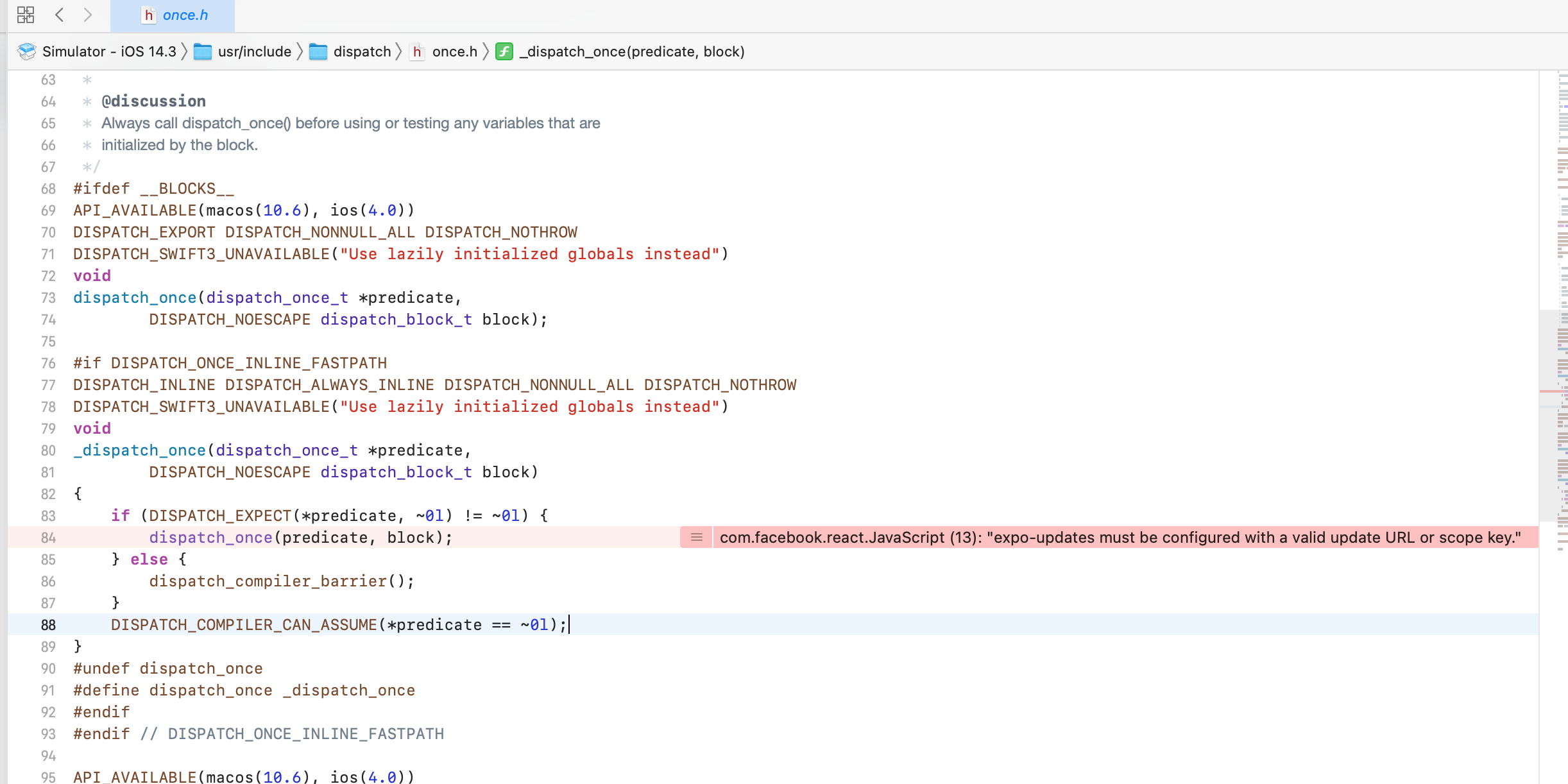
everthing looks very well,but i run the project in xcode,finally,it report “expo-updates must be configured with a valid update URL or scope key”
package.json
{
  "scripts": {
    "start": "react-native start",
    "android": "react-native run-android",
    "ios": "react-native run-ios",
    "web": "expo start --web",
    "eject": "expo eject"
  },
  "dependencies": {
    "expo": "~40.0.0",
    "expo-splash-screen": "~0.8.0",
    "expo-status-bar": "~1.0.3",
    "expo-updates": "~0.4.0",
    "react": "16.13.1",
    "react-dom": "16.13.1",
    "react-native": "~0.63.4",
    "react-native-gesture-handler": "~1.8.0",
    "react-native-reanimated": "~1.13.0",
    "react-native-screens": "~2.15.0",
    "react-native-unimodules": "~0.12.0",
    "react-native-web": "~0.13.12"
  },
  "devDependencies": {
    "@babel/core": "~7.9.0",
    "babel-jest": "~25.2.6",
    "jest": "~25.2.6",
    "react-test-renderer": "~16.13.1"
  },
  "private": true,
  "name": "expo-eject-test",
  "version": "1.0.0"
}
About this issue
- Original URL
- State: closed
- Created 3 years ago
- Comments: 19 (1 by maintainers)
I just ran into this issue with a new project created and ejected today. In my case I had
ios/<AppName>/Supporting/Expo.plist. I tried setting theEXUpdatesEnabledkey to false, but the app still crashed with this error. I did notice I did not have a key forEXUpdatesURLso I added one with a fake value ofhttps://example.comand that step worked for me. My app now loads correctly.ok after investigating I found the reason why , the update url is put in the android manifest generated by
expo ejectONLY if you have doneexpo loginbefore , so adding aexpo loginstep before solved my issueJust ran into this issue myself but in android. I never logged in via expo, and I’ve already ejected. The most frustrating thing was that I didn’t see a build error nor an error during debugging. Only when I listened to my device using
adb logcatdid I find out about the issue:I built a fresh expo ejected app and I still got the error. Follow this guide and make sure
expo-updateshas been configured properly. In my case, only theAndroidManifest.xmllacked the following 2 linesHence the most likely reason is the fact that I never logged in to Expo.
For me the fix was in app.json
I was missing the url in the expo updates object. Not sure why it never broke builds before, but this change helped me.
Would be nice if expo didn’t let you eject without logging in, or at least handled this case correctly.
I was able to get around this issue without doing
expo loginby editingios/<AppName>/Supporting/Expo.plistand adding a key forEXUpdatesURLlike so:This causes the update check to fail, but the build to succeed. I tried setting
EXUpdatesEnabledtofalseandEXUpdatesCheckOnLaunchtoNEVER, but I didn’t find those had any impact on the process.@byCedric was it closed because there’s a workaround ?
because as the other said, that’s a pitfall really easy to fall in, and at least the documentation should mention it, at best expo eject should warn or forbid from doing it without expo login
Hi @chinavane, thanks for writing in. I’m not sure why the
expo-updatesconfiguration isn’t applied on eject, I can’t reproduce that when I eject a new project fromexpo init.One thing to check is the
ios/<AppName>/Supporting/Expo.plistfile. This file is the (missing) configuration this error is telling you about. Over here you can find an example file that you can copy if it’s not there. You should use40.0.0forEXUpdatesSDKVersionand your expo username + app name forEXUpdatesURL.Hope this helps!