App: [Hold for payment Sep 10 if no regressions] Improve spacing between routing/account number fields in VBA flow
If you haven’t already, check out our contributing guidelines for onboarding and email contributors@expensify.com to request to join our Slack channel!
Action Performed:
- Add account to
freePlanbeta - Login to new.expensify.com
- Create a workspace
- Select
Get Startedin Expensify Card tab of workspace - Choose “Connect Manually” option
Expected Result:
There should be some space between the two field outlines for routing/account number.
Actual Result:
The two field outlines are basically overlapping with each other.
Notes/Photos/Videos: Any additional supporting documentation
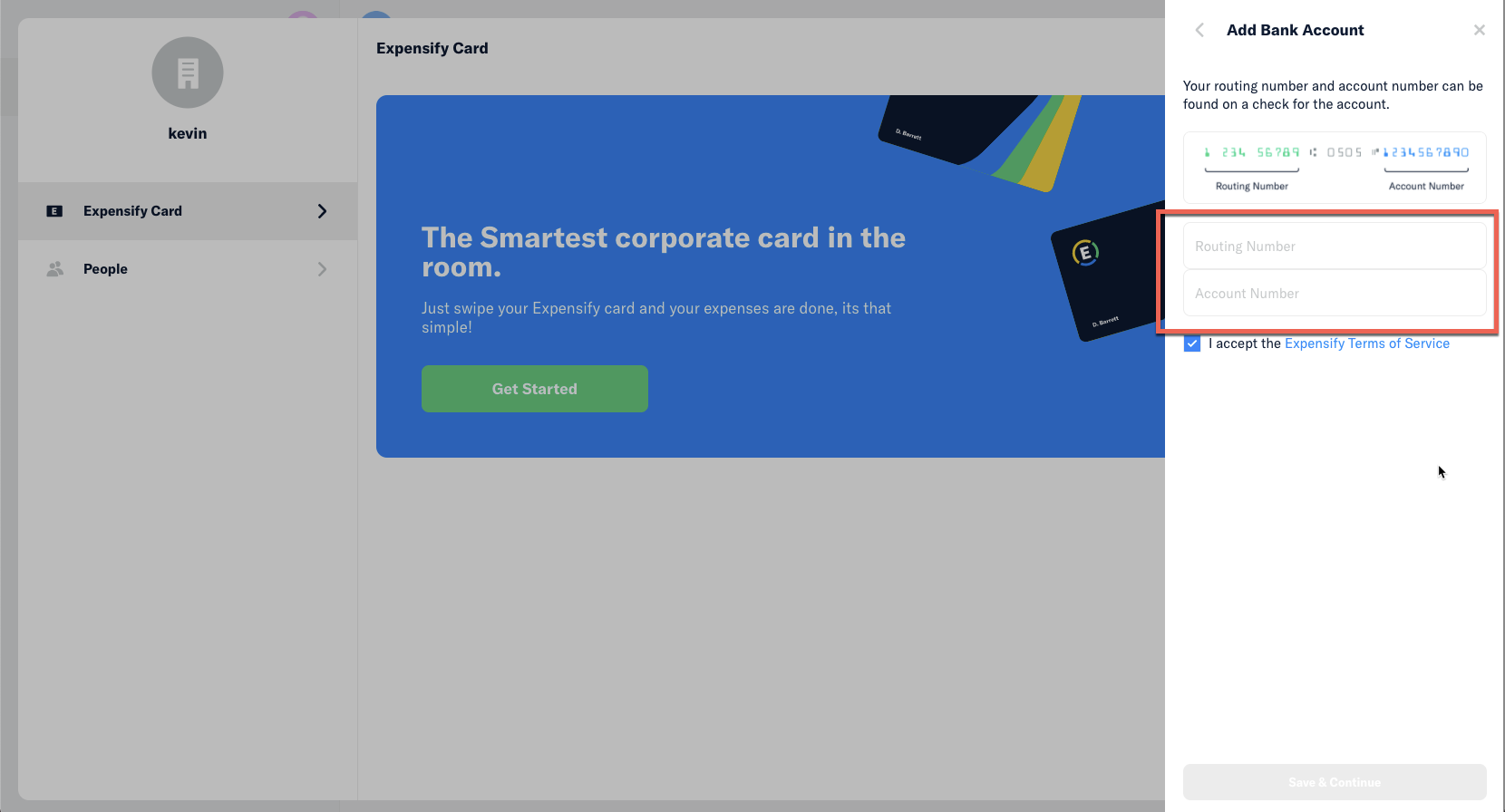
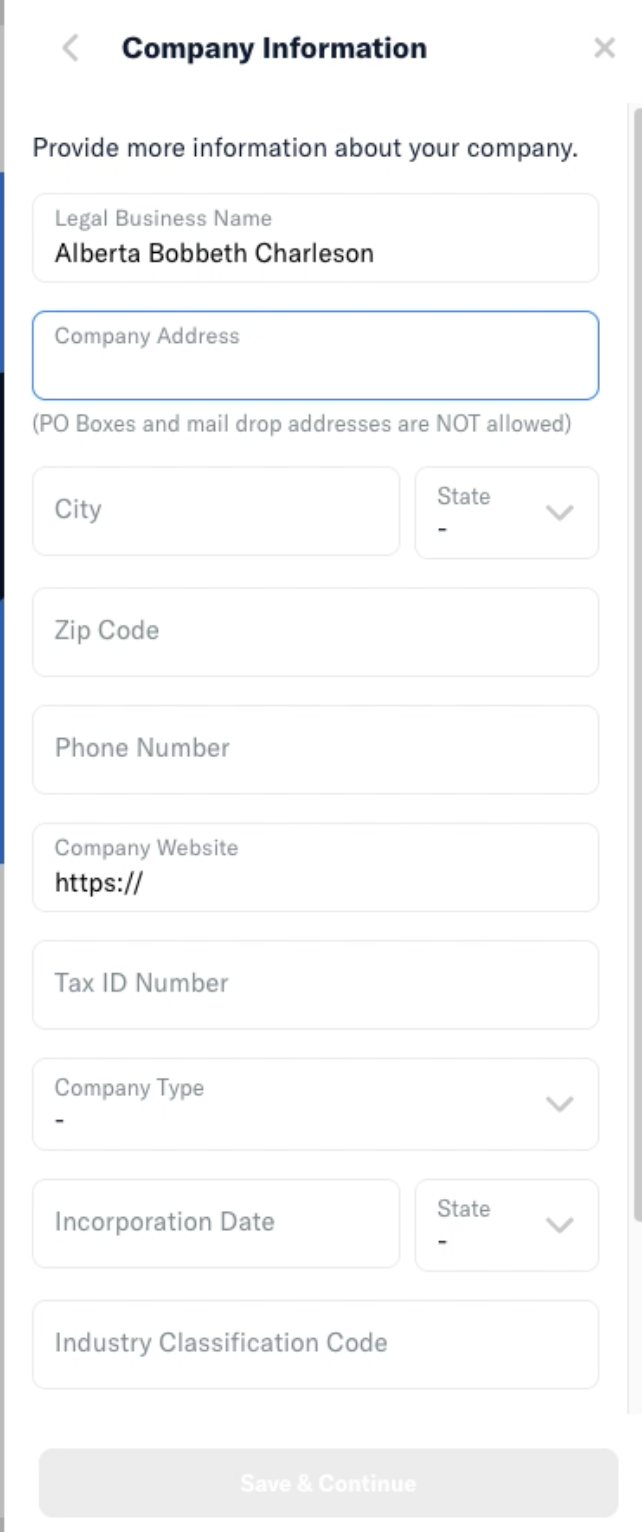
@shawnborton curious for your thoughts here, but I would expect some spacing between these two fields, similar to how we space out all other fields in subsequent steps of this flow. For example, in the Company Information Step:
About this issue
- Original URL
- State: closed
- Created 3 years ago
- Comments: 15 (7 by maintainers)
Upwork job is here: https://www.upwork.com/jobs/~015478a4fe5c914f26
@Santhosh-Sellavel your proposal seems good to me. Please go ahead and apply to the job on Upwork and you can begin.
Let’s just reuse the same spacing that we’re using in this form: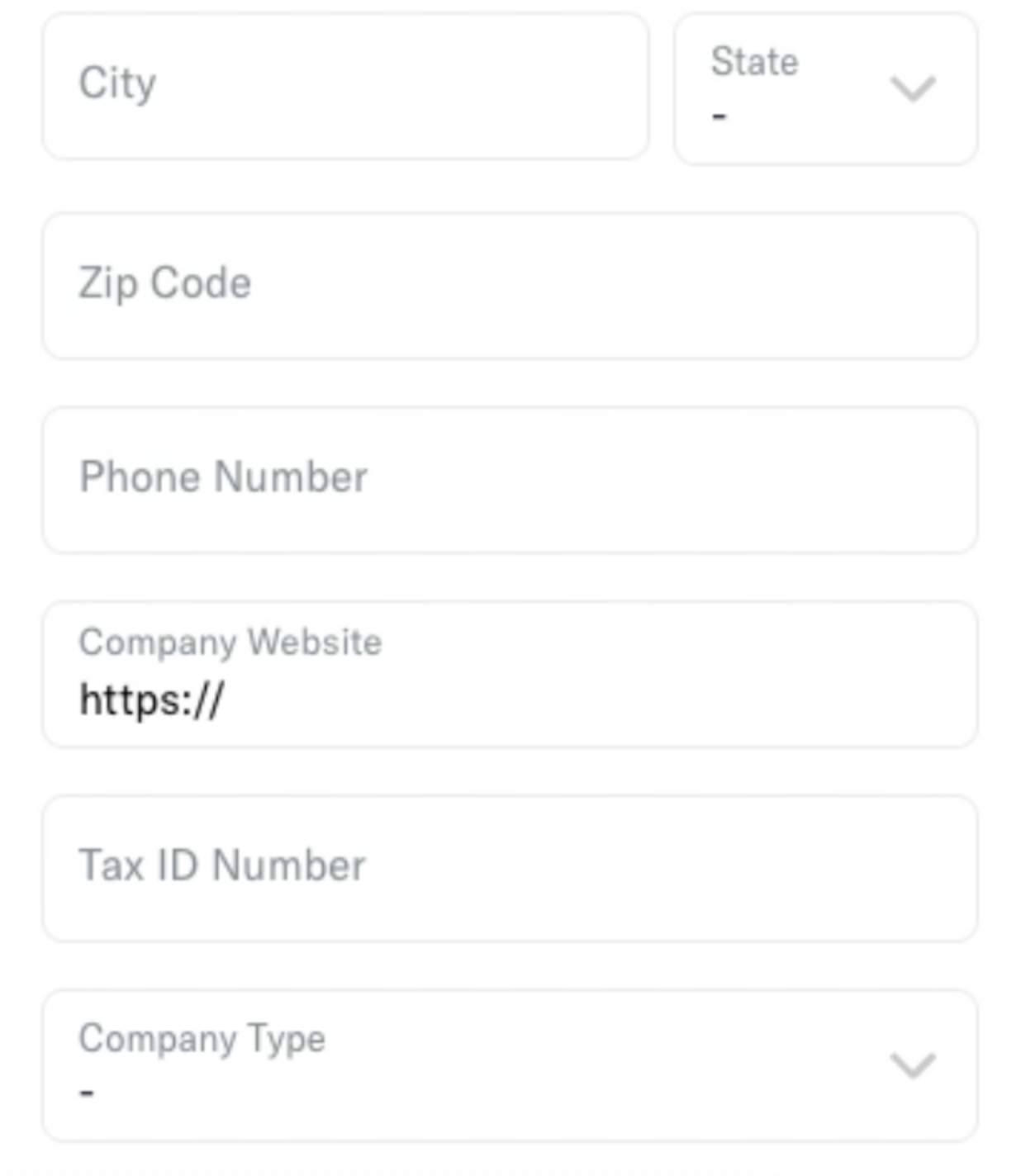
Will defer to @Expensify/design on the spacing specifics, otherwise looks good!
Proposal
Simple & straightforward! For these inputs, we need to pass
containerStyleswith margin spacing https://github.com/Expensify/App/blob/170ec90da57e81c6020118377cc5eb5fc842ad39/src/pages/ReimbursementAccount/BankAccountStep.js#L210-L226Like we do here https://github.com/Expensify/App/blob/170ec90da57e81c6020118377cc5eb5fc842ad39/src/pages/ReimbursementAccount/ValidationStep.js#L123-L150
Let me know what spacing, I’ll do it!
Fixed Demo:
(This is a demo with
containerStyles={[styles.mb3]})