App: [$250] Mac / Firefox - Composer height increases on adding emoji reported by @daraksha-dk
If you haven’t already, check out our contributing guidelines for onboarding and email contributors@expensify.com to request to join our Slack channel!
Action Performed:
- Open a chat
- Add emoji to the message composer
Expected Result:
Composer height should not increase
Actual Result :
Composer height increases
Workaround:
unknown
Platform:
Where is this issue occurring?
- Web - Mac / Firefox
Version Number: v1.2.28
Reproducible in staging?: y
Reproducible in production?: y
Email or phone of affected tester (no customers):
Logs: https://stackoverflow.com/c/expensify/questions/4856
Notes/Photos/Videos:

Upwork URL: https://www.upwork.com/jobs/~01275834e00548fe27 Issue reported by: @daraksha-dk Slack conversation: https://expensify.slack.com/archives/C049HHMV9SM/p1668510274384019
About this issue
- Original URL
- State: closed
- Created 2 years ago
- Comments: 28 (24 by maintainers)
Nice find. Would each browser use a different default though?
@trjExpensify a quick look, you can reproduce in the edit input too , the
scrollHeightfor emojis in Firefox is greater thanlineHeightthis will make number of rows = 2 for first inputThe solution is to increase
lineHeightto match the scrollHeight , but make sure to run tests against any changes when editing the compose styles as it is easy to introduce regressionshttps://github.com/Expensify/App/blob/12dd4c6ea78e2454938ca9bf720d4e1b64d31ef0/src/styles/styles.js#L1396
Test Firefox
Before
After
I can reliably reproduce this on
Web - FireFox(stagingv1.2.28-0, using a Mac):Confirmed the issue is not present on
Web - Chrome&Web - Safarinor the desktop app. Confident this is anexternalissue, so adding the label.Tagging a few people that were involved in this recent issue for any potential clues. CC: @Santhosh-Sellavel @fedirjh @Julesssss
Thanks for the investigation really appreciate @fedirjh!
I try a solution by adding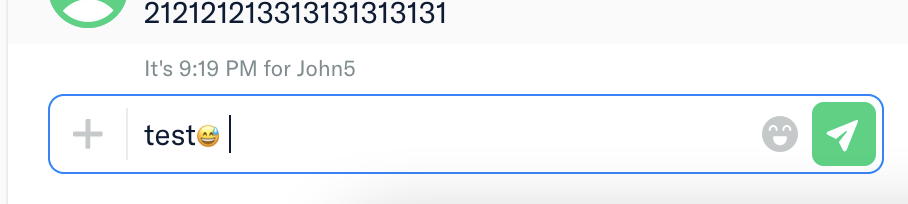
font-size-adjust: 0.5;to our composer input, and this fix the line height issue but the emoji is kinda small to me. With font-size-adjustWithout font-size-adjust
Here’s my opinion:
font-size-adjust: 0.5;is the best option because is not change the size of the text and only applied to Firefox. But the downside is the emoji look smaller than the text.22so it resolves the mWeb and applies it only to Firefox?cc @trjExpensify @tgolen
After investigation , i found two other solutions to fix 1st issue
font-size-adjust: 0.5;applied totextInputCompose: this css property works only on firefox browser_compatibility so i think it’s the best option heresize-adjust: 90%;applied to thefont-face: i don’t recommend this solution as this change will affect the whole app and maybe it will create regression , check this source and size-adjust for more infoAll proposed solutions will only fix the first issue , i think that 2nd issue is a different one , I found that Firefox Android has an option to apply android font size instead of our font , this option when enabled will scale font by
x 1.1, so instead of15pxthere is16.5pxapplied , this font scaling will affect thescrollHeightThis is the log when the option is enabled
This is the log when the option is disabled :
This is the option
@mollfpr modifying padding will create regression on android #10202
It’s from Firefox. I just crop it 😅
I just test the INPUT scroll height on each Mac Chrome, Safari, and Firefox. On Chrome and Safari, the INPUT scroll height remains the same after adding a text or emoji. But on Firefox as @fedirjh is adding an extra
1pxafter adding an emoji to the INPUT.This means that changing the
lineHeightstyle value will not resolve the issue in all devices.So if we remove the
font-smoothingit will resolve the issue?One thing that I found in my Firefox if I set the browser to not allow the pages to choose the fonts, the input is working fine.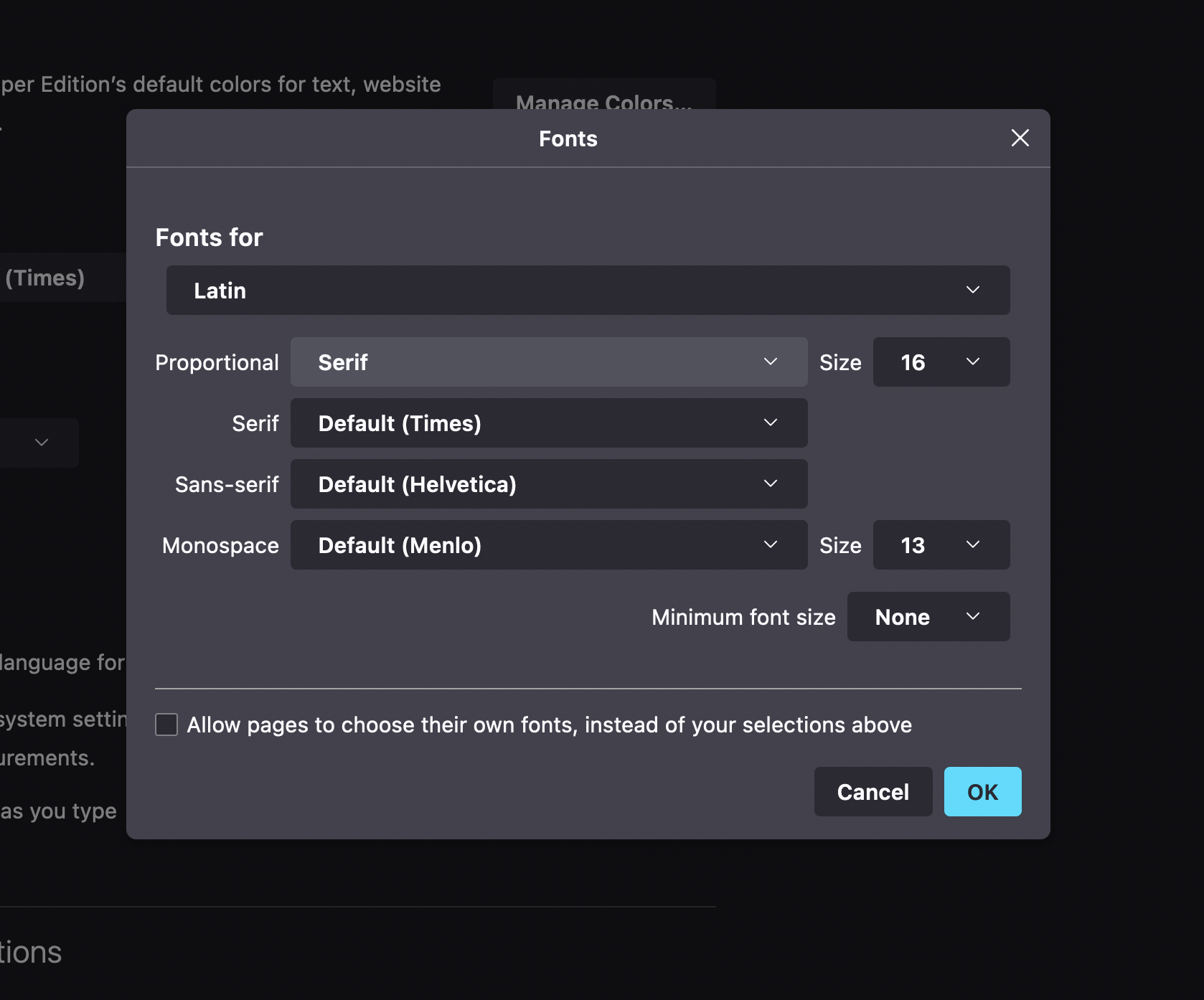
https://user-images.githubusercontent.com/25520267/202350901-ecbe37f5-fd78-4e0a-9e35-b99918b51a5f.mov
@fedirjh are you interested in taking point on this issue?
Also, sounds like we have another firefox issue being reported here, this time on mWeb. I’ve tagged you all for thoughts. If the root cause is the same, let’s combine and increase the bounty for tackling both 😃