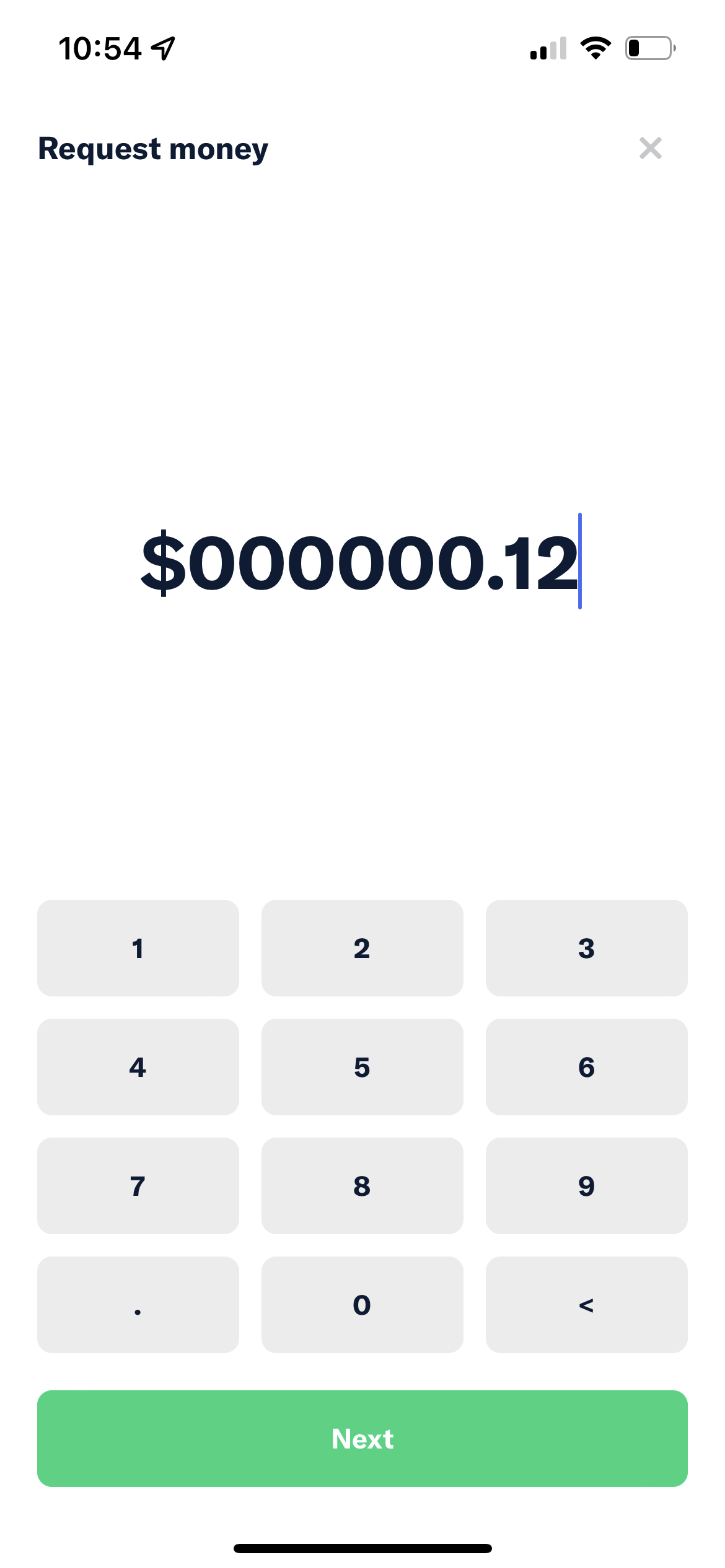
App: [$250] IOU - User can enter a number with few leading zeros like 0000.12 in money request field
If you haven’t already, check out our contributing guidelines for onboarding and email contributors@expensify.com to request to join our Slack channel!
Action Performed:
- Open App
- Click the FAB button and select
Request Money - Enter a number with a few leading zeros, like 000000.12 or 0000012.12
Expected Result:
The user cannot enter a number with a few leading zeros, like 0000.12
Actual Result:
User can enter a number with few leading zeros, like 0000.12 and this number will be saved when user returns to this screen.
Workaround:
Unknown
Platform:
Where is this issue occurring?
- Web
- iOS
- Android
- Desktop App
- Mobile Web
Version Number: 1.1.98-0 Reproducible in staging?: Y Reproducible in production?: Y Email or phone of affected tester (no customers): Logs: https://stackoverflow.com/c/expensify/questions/4856 Notes/Photos/Videos:
 https://user-images.githubusercontent.com/43996225/189175076-3044c87d-8ef3-4af0-a22a-bd9bce46ac25.mp4
Expensify/Expensify Issue URL: Issue reported by: Applause internal team Slack conversation:
About this issue
- Original URL
- State: closed
- Created 2 years ago
- Comments: 22 (11 by maintainers)
Thanks for the proposals, everyone. I think this is a regression from some PR. Let me find that first. Oops, there are a few proposals above, I missed those. I will review them as well.
Proposal
We should add REGEX to check the entered value on
IOUAmountPageand also give message or error message if entered value doesn’t match REGEX.