caddy: pki.ca.local - failed to install root certificate
I’m experimenting with Caddy on OSX but it seems I’m having issues with installing the root/intermediate certificates into the keychain.
It seems to work for Firefox because there it’s recognized correctly but all other browser’s do not. I did took a look already at #3205 and #3534 but I’m still stuck.
I have tried:
- brew uninstall caddy + remove the
/Application Support/Caddydirectory - Adding the root crt into the keychain (system) and trust it manally
- Adding the intermediate crt into the keychain (system) and trust it manually
I am running:
- Catalina 10.15.5
- caddy version:
v2.1.1 h1:X9k1+ehZPYYrSqBvf/ocUgdLSRIuiNiMo7CvyGUQKeA= - Browsers: Safari, Opera, Chrome, Firefox
Caddyfile
customer3.company.local {
    tls internal

    reverse_proxy * customers.live-domain.com:443 {
        header_up Host customers.live-domain.com
        header_up X-Forwarded-Host {host}
        header_up X-Forwarded-Port {port}
        header_up X-Forwarded-Proto {proto}
        header_up X-Forwarded-Proto-Custom {proto}
        header_up CloudFront-Forwarded-Proto {proto}

        transport http {
            tls_server_name customers.live-domain.com
        }
    }
}
Logs when adding a new local domain (before manually trusting certificates)
2020/07/11 05:37:43.815 INFO    watcher config file changed; reloading  {"config_file": "Caddyfile"}
2020/07/11 05:37:43.815 INFO    using provided configuration    {"config_file": "Caddyfile", "config_adapter": ""}
2020/07/11 05:37:43.816 INFO    admin   admin endpoint started  {"address": "tcp/localhost:2019", "enforce_origin": false, "origins": ["localhost:2019", "[::1]:2019", "127.0.0.1:2019"]}
2020/07/11 05:37:43.816 INFO    admin   stopped previous server
2020/07/11 07:37:43 [INFO][cache:0xc000723080] Started certificate maintenance routine
2020/07/11 05:37:43.817 INFO    http    server is listening only on the HTTPS port but has no TLS connection policies; adding one to enable TLS {"server_name": "srv0", "https_port": 443}
2020/07/11 05:37:43.817 INFO    http    enabling automatic HTTP->HTTPS redirects        {"server_name": "srv0"}
2020/07/11 05:37:43.817 WARN    pki.ca.local    installing root certificate (you might be prompted for password)        {"path": "storage:pki/authorities/local/root.crt"}
2020/07/11 05:37:43.889 ERROR   pki.ca.local    failed to install root certificate      {"error": "certificate cannot be installed in NSS security databases", "certificate_file": "storage:pki/authorities/local/root.crt"}
2020/07/11 05:37:43.889 INFO    http    enabling automatic TLS certificate management   {"domains": ["customer2.company.local"]}
2020/07/11 07:37:43 [INFO][cache:0xc000797f20] Stopped certificate maintenance routine
2020/07/11 05:37:43.889 INFO    autosaved config        {"file": "/Users/christophkluge/Library/Application Support/Caddy/autosave.json"}
2020/07/11 07:37:43 [INFO][customer2.company.local] Obtain certificate; acquiring lock...
2020/07/11 07:37:43 [INFO][customer2.company.local] Obtain: Lock acquired; proceeding...
2020/07/11 07:37:43 [INFO][customer2.company.local] Certificate obtained successfully
2020/07/11 07:37:43 [INFO][customer2.company.local] Obtain: Releasing lock
2020/07/11 07:37:43 [WARNING] Stapling OCSP: no OCSP stapling for [customer2.company.local]: no OCSP server specified in certificate
Logs when adding a new local domain (after manually trusting certificates)
2020/07/11 05:56:09.544 INFO    watcher config file changed; reloading  {"config_file": "Caddyfile"}
2020/07/11 05:56:09.544 INFO    using provided configuration    {"config_file": "Caddyfile", "config_adapter": ""}
2020/07/11 05:56:09.545 INFO    admin   admin endpoint started  {"address": "tcp/localhost:2019", "enforce_origin": false, "origins": ["127.0.0.1:2019", "localhost:2019", "[::1]:2019"]}
2020/07/11 07:56:09 [INFO][cache:0xc000c5d920] Started certificate maintenance routine
2020/07/11 05:56:09.545 INFO    admin   stopped previous server
2020/07/11 05:56:09.546 INFO    http    server is listening only on the HTTPS port but has no TLS connection policies; adding one to enable TLS {"server_name": "srv0", "https_port": 443}
2020/07/11 05:56:09.546 INFO    http    enabling automatic HTTP->HTTPS redirects        {"server_name": "srv0"}
2020/07/11 05:56:09.546 INFO    pki.ca.local    root certificate is already trusted by system   {"path": "storage:pki/authorities/local/root.crt"}
2020/07/11 05:56:09.546 INFO    http    enabling automatic TLS certificate management   {"domains": ["customer3.company.local"]}
2020/07/11 07:56:09 [INFO][cache:0xc00011c360] Stopped certificate maintenance routine
2020/07/11 05:56:09.546 INFO    autosaved config        {"file": "/Users/christophkluge/Library/Application Support/Caddy/autosave.json"}
2020/07/11 07:56:09 [INFO][customer3.company.local] Obtain certificate; acquiring lock...
2020/07/11 07:56:09 [INFO][customer3.company.local] Obtain: Lock acquired; proceeding...
2020/07/11 07:56:09 [INFO][customer3.company.local] Certificate obtained successfully
2020/07/11 07:56:09 [INFO][customer3.company.local] Obtain: Releasing lock
2020/07/11 07:56:09 [WARNING] Stapling OCSP: no OCSP stapling for [customer3.company.local]: no OCSP server specified in certificate
Logs when opening the website in the browser (2x refreshed)
2020/07/11 07:54:17 http: TLS handshake error from 127.0.0.1:62849: EOF
2020/07/11 07:54:17 http: TLS handshake error from 127.0.0.1:62850: EOF
2020/07/11 07:55:27 http: TLS handshake error from 127.0.0.1:63176: EOF
2020/07/11 07:55:27 http: TLS handshake error from 127.0.0.1:63177: EOF
Screenshots:
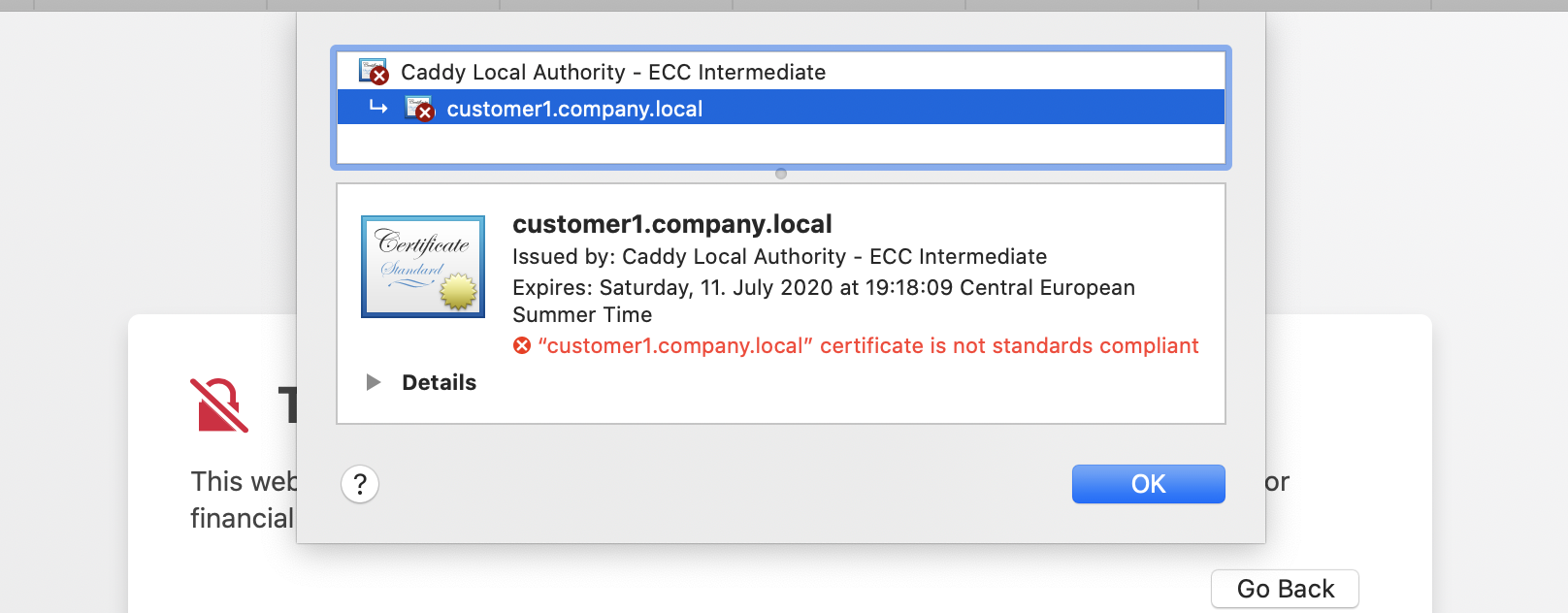
Before adding certitficates
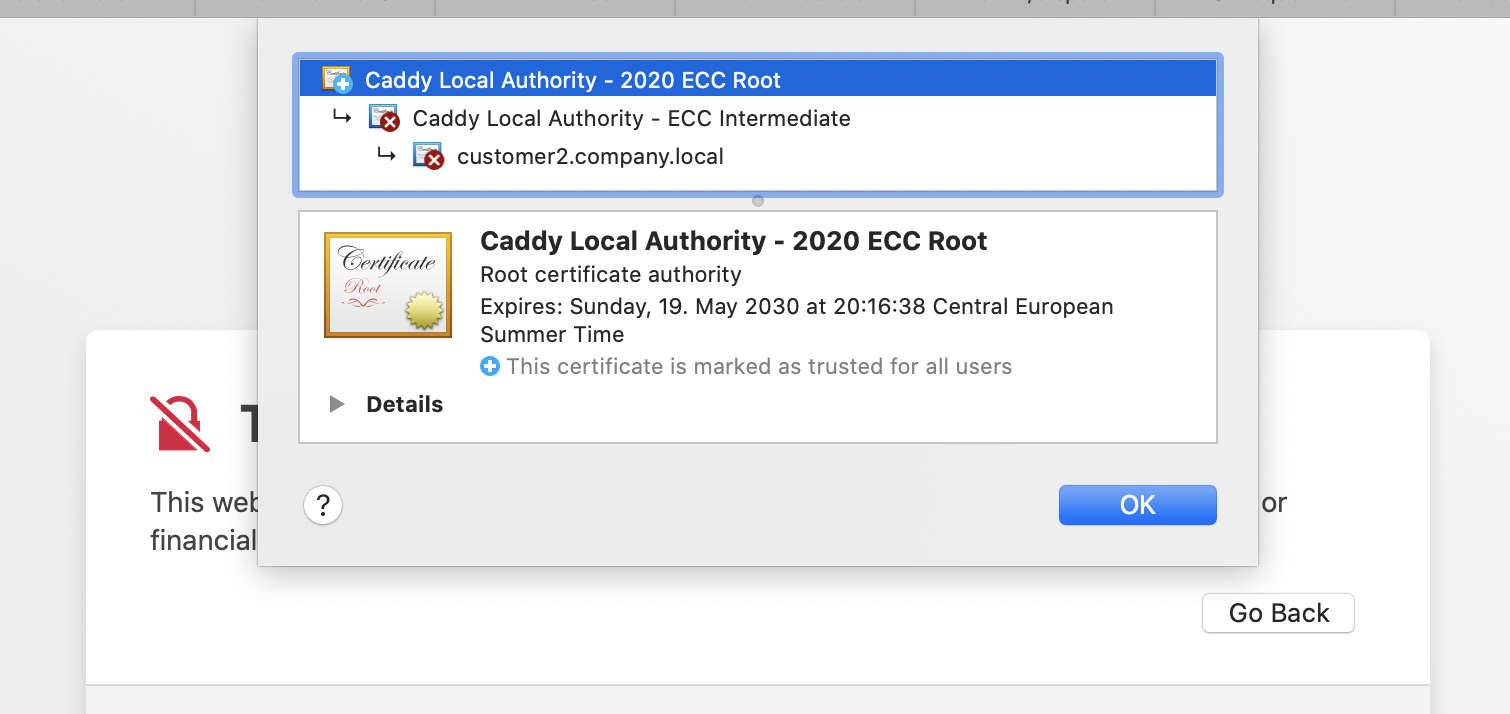
After adding root certificate
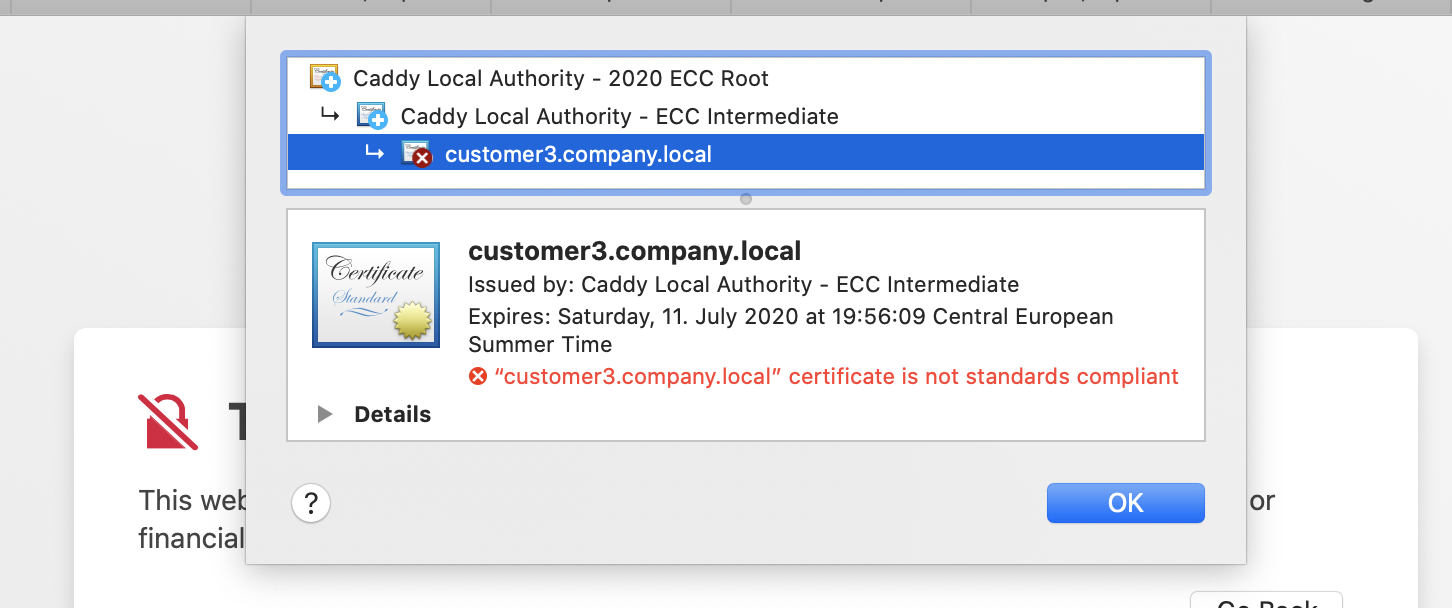
After adding intermediate certificate
About this issue
- Original URL
- State: closed
- Created 6 years ago
- Comments: 15 (13 by maintainers)
Small update: I have digged into the
smallstep/trustcertpackage and checked the raw commands. They work as expected.Reference: https://github.com/smallstep/truststore/blob/master/truststore_darwin.go#L55 Example:
sudo security add-trusted-cert -d -k /Library/Keychains/System.keychain ~/Library/Application\ Support/Caddy/pki/authorities/local/root.crtAfter deleting the certificate manually from the keychain and executing the above command manually: The certificate is correctly added correctly and set to trusted.
I’m not much an expert in golang which results in some starting difficulties to follow the code but I have the feeling there could be some cache/flag which prevents the command from beeing re-executed. This is perhaps the reason why I’m not recieving the sudo-promt anymore when running
caddy trust.Do you think it’s an issue related to this project or related to
smallstep/truststore?It “just works” for me consistently – but the installation is merely best-effort. If you can figure out why it’s not working for you, I’d be happy to see an explanation and review a PR.