homebridge-cmd4: [Bug] Manufacturer Info set to Default
Describe The Bug:
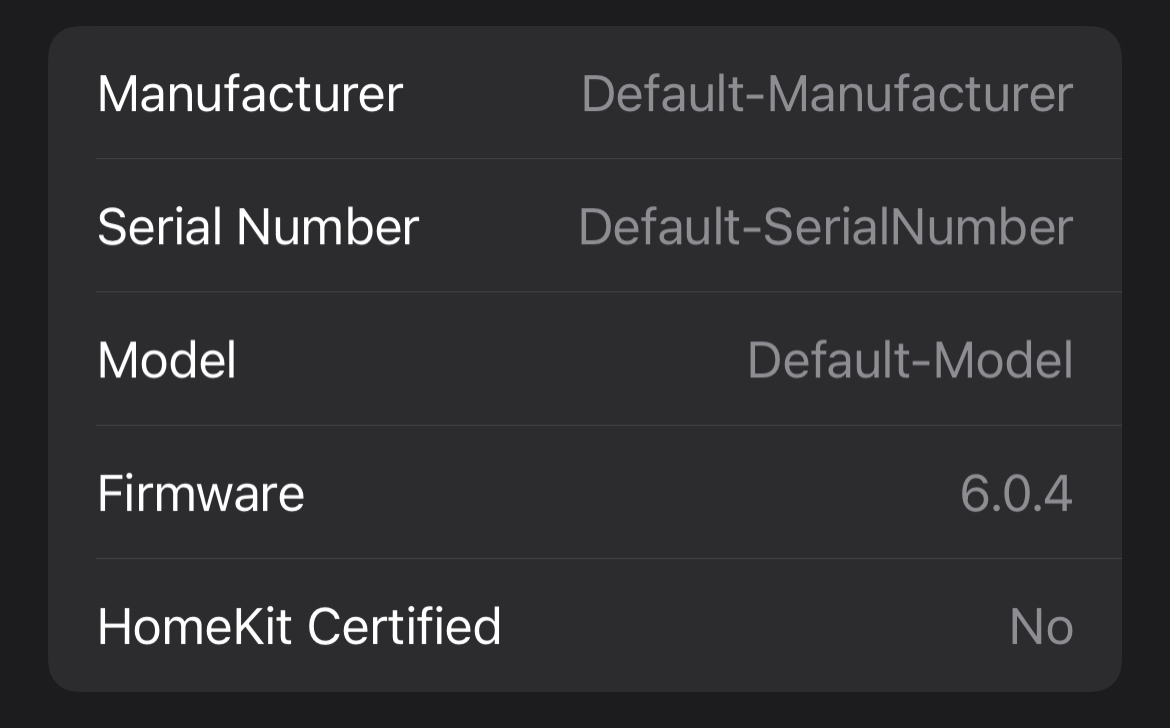
Hey John, I have noticed in the last few weeks and have only had the time to bring it up now; but it appears that the Manufacturer, SerialNumber and Model for all my accessories shows as Default-Manufacturer, Default-SerialNumber and Default-Model. They used to show as what I have defined in my config.json, but no longer seem to.
Expected Behaviour:
Should display what I have set in my config.json.
Cmd4 Config: Example of one accessory (you know how my config looks):
                {
                    "type": "Switch",
                    "displayName": "Living",
                    "on": "FALSE",
                    "name": "Living",
                    "manufacturer": "Advantage Air Australia",
                    "model": "e-zone",
                    "serialNumber": "Fujitsu e-zone2",
                    "queue": "A",
                    "polling": true,
                    "state_cmd": "'/usr/local/lib/node_modules/homebridge-cmd4-advantageair/AdvAir.sh'",
                    "state_cmd_suffix": "z01 ${IP}"
                }
Screenshots:
Environment:
- Node.js Version: v16.13.2
- NPM Version: v8.1.2
- Homebridge Version: 1.4.0
- homebridge-cmd4 Version: v6.1.0
- Operating System: Raspbian
- Process Supervisor: hb-service
About this issue
- Original URL
- State: closed
- Created 2 years ago
- Comments: 21 (11 by maintainers)
Commits related to this issue
- fix: bug #125 Manufacturer, serialNumber and Model not displaying in Home — committed to ztalbot2000/homebridge-cmd4 by ztalbot2000 2 years ago
- chore: Merge branch 'master' into b_homebridge_ui * master: chore: packaging for v6.1.1 fix: bug #125 Manufacturer, serialNumber and Model not displaying in Home chore: v6.10 packaging fix: b... — committed to ztalbot2000/homebridge-cmd4 by ztalbot2000 2 years ago
Hi Mitch,
Just release v6.1.1
Enjoy, John
On Mon, Jan 31, 2022 at 1:49 PM Mitch Williams @.***> wrote:
Hi Mitch,
So I changed a switches manufacturer to “zarfLand”. Eve picks it up, but HomeKit does not.
Still poking.
John
On Mon, Jan 31, 2022 at 11:06 AM Mitch Williams @.***> wrote: