wandb: [CLI]: wandb.finish() stuck when uploaded all data

Describe the bug

When running a training loop multiple times and calling wandb.finish() after each run, although it shows that all data is uploaded, the program is still stuck for a very long time.

def run_multiple_times():
    while True:
        wandb.init(reinit=True, ...)
        # training code...
        wandb.finish()


wandb: Waiting for W&B process to finish... (success).
wandb: | 20.180 MB of 20.180 MB uploaded (0.000 MB deduped)

Additional Files

No response

Environment

WandB version: 0.13.9

OS: 5.4.0-135-generic #152-Ubuntu

Python version: 3.10.9

Versions of relevant libraries:

Additional Context

No response

About this issue

  • Original URL
  • State: open
  • Created a year ago
  • Reactions: 16
  • Comments: 43

Most upvoted comments

Encountered the same issue and try some steps as below:

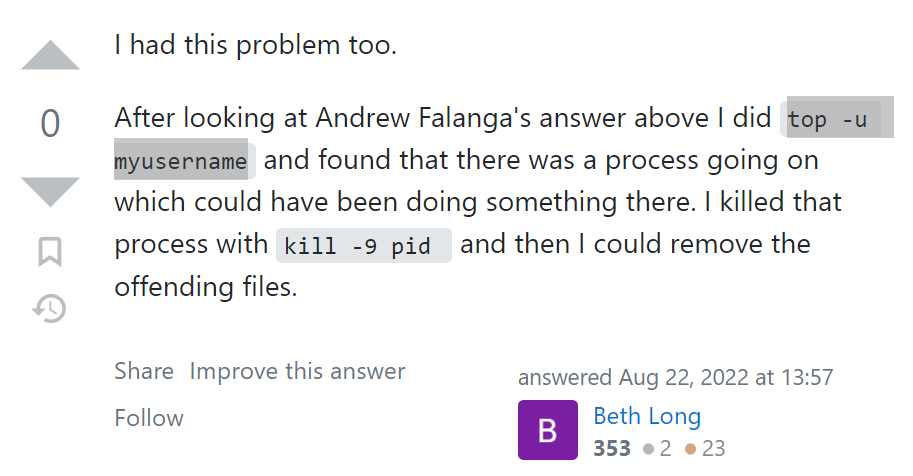
  1. Typing top -u myusername in the command line will show the PID 1754207 for wandb-service (you may have multiple wandb-service, so assume this PID causes the issue) like figure below image

  2. Typing kill -9 1754207 to stop this wandb-service process

Problem luckily solved.

Reference here: https://stackoverflow.com/questions/54752710/nfs-file-cant-be-removed-resource-busy-but-pid-unknown image
I believe the issue is slow upload speed, if you give it a couple hours the process should finish on it’s own

On Sun, Jun 18, 2023 at 7:28 PM rkn @.***> wrote:

I had the same issue when logging matplotlib.Figure with wandb.log(). Although it is not an essential solution, the following method automatically kills the wandb process.

This function forcibly kills the remaining wandb process.

def force_finish_wandb(): with open(os.path.join(os.path.dirname(file), ‘…/wandb/latest-run/logs/debug-internal.log’), ‘r’) as f: last_line = f.readlines()[-1] match = re.search(r’(HandlerThread:|SenderThread:)\s*(\d+)‘, last_line) if match: pid = int(match.group(2)) print(f’wandb pid: {pid}’) else: print(‘Cannot find wandb process-id.’) return

try:
    os.kill(pid, signal.SIGKILL)
    print(f"Process with PID {pid} killed successfully.")
except OSError:
    print(f"Failed to kill process with PID {pid}.")

Start wandb.finish() and execute force_finish_wandb() after 60 seconds.

def try_finish_wandb(): threading.Timer(60, force_finish_wandb).start() wandb.finish()

trainning scripts

use try_finish_wandb instead of wandb.finish

try_finish_wandb()

— Reply to this email directly, view it on GitHub https://github.com/wandb/wandb/issues/4929#issuecomment-1596392607, or unsubscribe https://github.com/notifications/unsubscribe-auth/AXONPOLEYTMPWE67CK53DMTXL62OJANCNFSM6AAAAAAUU6F6DU . You are receiving this because you commented.Message ID: @.***>

Same problem.

I am also experiencing this issue, which makes it impossible to use sweeps because the runs get stuck on a wandb sync. In my case, this also results in extremely long syncs during the run (not just at the end), and sometimes the workspace does not update for 10-20 minutes. I am using wandb version 0.14.0, and I am not having any issues with my internet connection.

same issue

same issue…

while waiting for the official fix, here is my script to quickly kill wandb-service

#!/bin/bash

USERNAME=<your_user_name_here>
PATTERN=wandb-service
pgrep -u $USERNAME -f "^$PATTERN" | while read PID; do
    echo "Killing process ID $PID"
    kill $PID
done

same problem. During the training, the metrics are uploaded to wandb’s server without issues. When wandb.finish() is called, program stuck.

I had the same issue when logging matplotlib.Figure with wandb.log(). Although it is not an essential solution, the following method automatically kills the wandb process.

# This function forcibly kills the remaining wandb process.
def force_finish_wandb():
    with open(os.path.join(os.path.dirname(__file__), '../wandb/latest-run/logs/debug-internal.log'), 'r') as f:
        last_line = f.readlines()[-1]
    match = re.search(r'(HandlerThread:|SenderThread:)\s*(\d+)', last_line)
    if match:
        pid = int(match.group(2))
        print(f'wandb pid: {pid}')
    else:
        print('Cannot find wandb process-id.')
        return
    
    try:
        os.kill(pid, signal.SIGKILL)
        print(f"Process with PID {pid} killed successfully.")
    except OSError:
        print(f"Failed to kill process with PID {pid}.")

# Start wandb.finish() and execute force_finish_wandb() after 60 seconds.
def try_finish_wandb():
    threading.Timer(60, force_finish_wandb).start()
    wandb.finish()

# trainning scripts

# use try_finish_wandb instead of wandb.finish
try_finish_wandb()

I have met a similar issue. WandB version: 0.14.2. Python: 3.10.10 OS: CentOS7

log

截屏2023-04-14 11 40 16

debug.log

截屏2023-04-14 11 44 57

debug-internal.log

截屏2023-04-14 11 37 01
