wandb: [App]: Can't log table - won't show up in Run Tables
Current Behavior
I am trying to log a dataset from a Jupyter notebook as a Table. When I run the code it creates a Table in my Workspace but says “No rows to display” instead of showing the data I tried to log. However, I can tell that the data is passed to WandB because if I navigate to Files/media/table and download the .json file located there I can see the data I am trying to pass in the .json file. To make sure it wasn’t my code causing issues I tried running this sample notebook https://colab.research.google.com/github/wandb/examples/blob/master/colabs/tables/W%26B_Tables_Quickstart.ipynb and still was not able to see the table populated for the runs I did.

Expected Behavior
I am expecting to see the Iris dataset from the example notebook linked above populated into the Table created by running this code.
Steps To Reproduce
- Run the notebook linked in Current Behavior
- Check if the table is created as expected in the WandB web application
Screenshots
.json file found under Files:
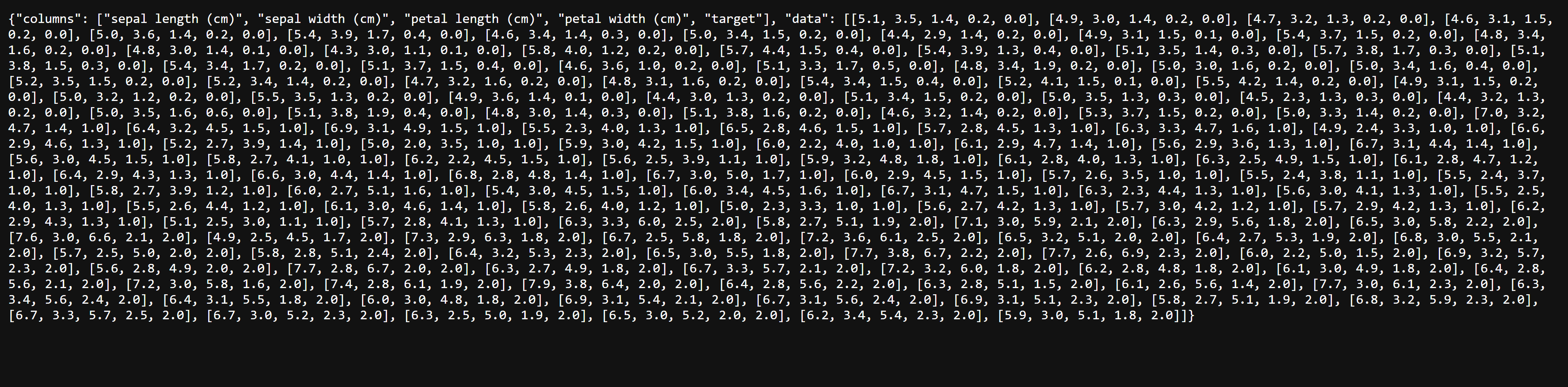
Screenshot of notebook used:

Environment
OS: Windows 10
Browsers: Google Chrome
Version: 0.13.10
Additional Context
I am using Weights and Biases through Run.AI so perhaps something about this setup is causing this issue. Normal Keras training logging is working as expected. So far it’s only the Tables that I have seen not work.
About this issue
- Original URL
- State: open
- Created a year ago
- Comments: 19
I seem to be having a similar issue. I am running a training script (not a notebook) and initialize and populate the table as below:
later
where
wandb_datais a list of lists, as in the documentation.As in the OP, the table data shows up in “artifacts” under “files” in the UI, but the table inside the “runs” will not populate:
Having the same problem. I noticed earlier that the table would populate after a run finishes, but while the run is active the table only contains the above mentioned message “No rows to display”.
If I navigate to the the table under artifacts it does render correctly, however it makes it difficult to compare different runs as the bars for each key in the combined table view are the same color.