WalletWasabi: UI scale is really big (cannot make smaller) on Ubuntu and lower resolution
General Description
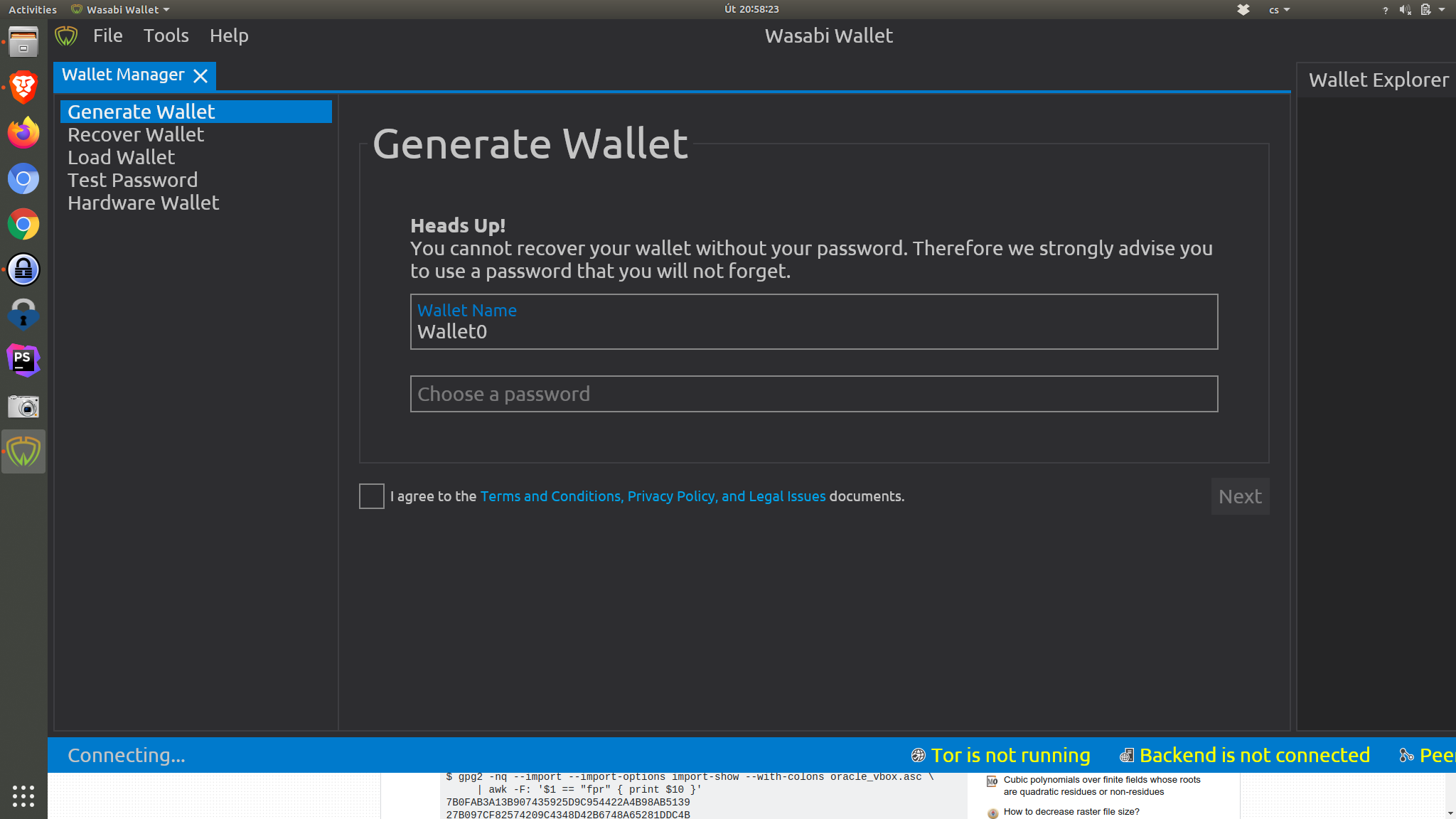
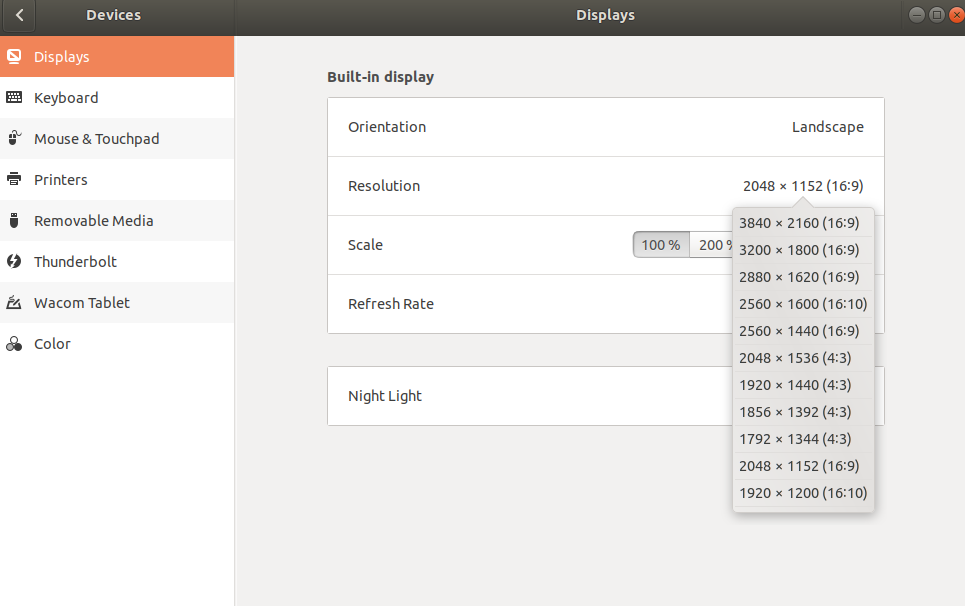
I have laptop with 4k display, but I have downscaled resolution to 2048x1152. The minimal size of app is then bigger than the screen and cannot be viewed.
How To Reproduce?
- Run Wasabi on Ubuntu with resolution
2048x1152on display that supports 4k
Screenshots
Operating System
Distributor ID:	Ubuntu
Description:	Ubuntu 18.04.3 LTS
Release:	18.04
Codename:	bionic
Wasabi Version
1.1.10.1
About this issue
- Original URL
- State: closed
- Created 7 years ago
- Comments: 20 (5 by maintainers)
https://github.com/AvaloniaUI/Avalonia/wiki/Configuring-X11-per-monitor-DPI
Thanks, this worked.
@piratoskratos we are currently refactoring the whole UI and the UI engine. We will focus on that as the current UI will be obsoleted. I am happy that you could make it work. thx for elaborating on it.
Ok, I make it work by launching wasabi this way : AVALONIA_SCREEN_SCALE_FACTORS=‘eDP-1=2’ /usr/local/bin/wasabiwallet/wassabee
Still don’t know why it doesnt use my profile variables. Anyway, I’ll use it this way from now.
EDIT : also export AVALONIA_SCREEN_SCALE_FACTORS=‘eDP-1=2’ in profile file is working. the “export” keyword was required.
same problem here. Even worst; I can’t see the “Wallet explorer” at all… I have to set my resolution to 1980x1200 at 100% to see the full window. Really annoying.