wails: [v2]An error occurs when creating a new project with a template generated by the Generate Template command
Description
Using the template generated by the wails generate template command to create a new project will cause errors in the generated project file.
To Reproduce Steps to reproduce the behaviour:
- Run
wails generate template wails-template-demo - Run
wails init -n Wails-Demo -t ./wails-template-demo - Run
wails dev - See error
Expected behaviour It is hoped that the steps of the third step can be optimized so that the program can run the build process correctly.
Screenshots
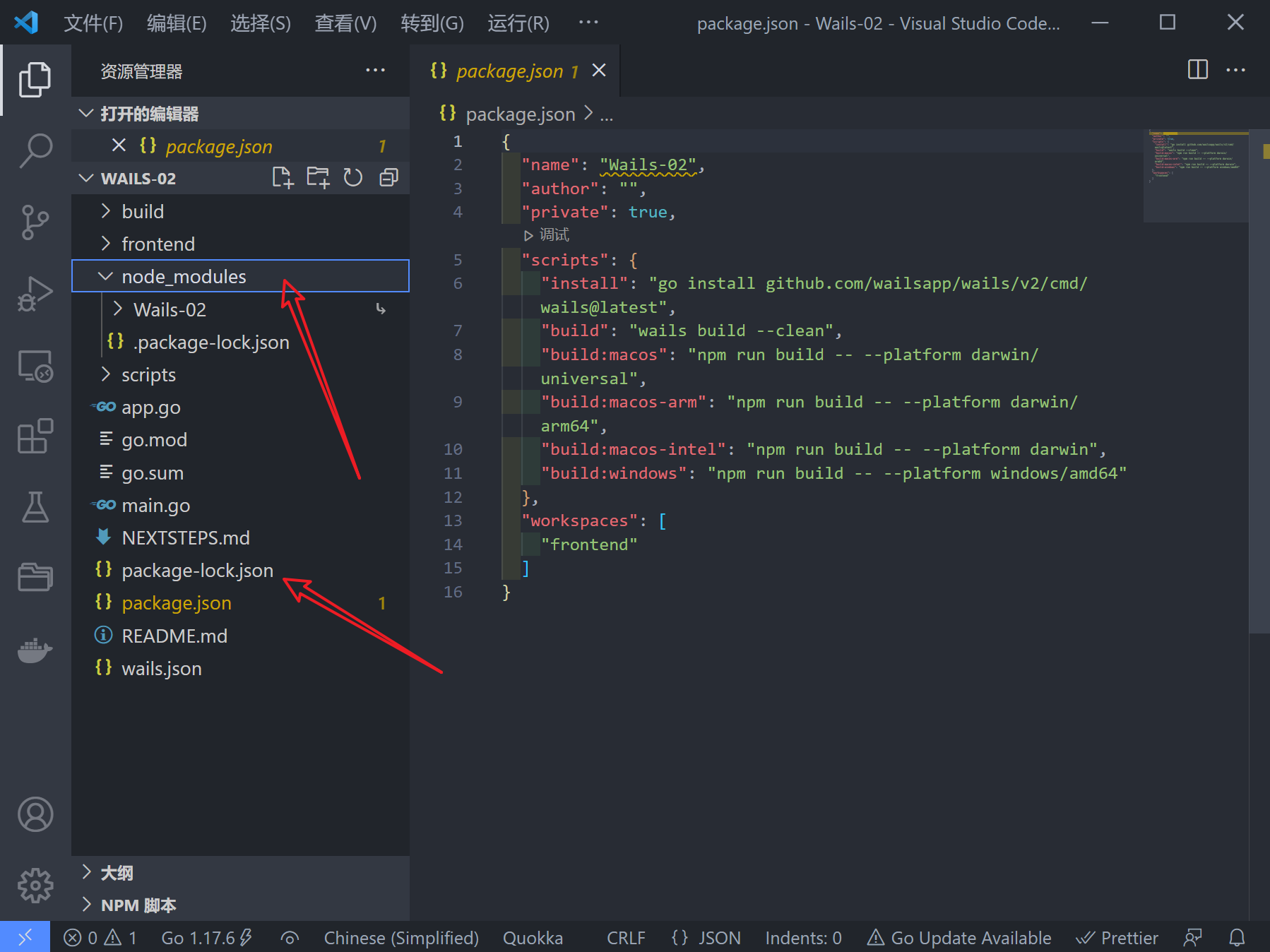
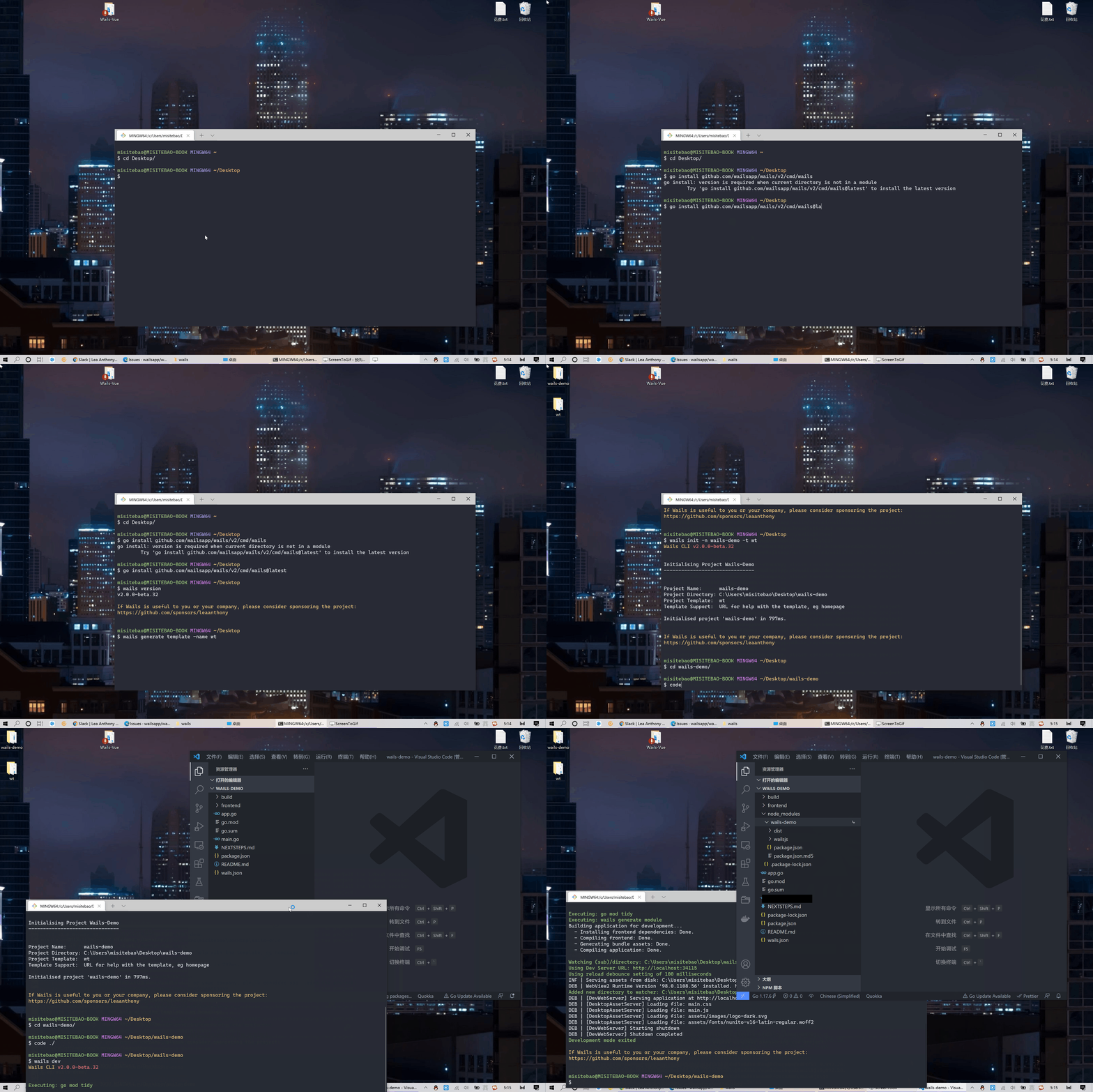
This is the file generated after running the wails dev command.
System Details
$ wails doctor
Wails CLI v2.0.0-beta.30


Scanning system - Please wait (this may take a long time)...Done.

System
------
OS:             Windows 10 Pro
Version:        2009 (Build: 19044)
ID:             21H2
Go Version:     go1.17.6
Platform:       windows
Architecture:   amd64

Dependency      Package Name    Status          Version
----------      ------------    ------          -------
WebView2        N/A             Installed       98.0.1108.56
npm             N/A             Installed       8.5.1
*upx            N/A             Available

* - Optional Dependency

Diagnosis
---------
Your system is ready for Wails development!
Optional package(s) installation details:
  - upx : Available at https://upx.github.io/

If Wails is useful to you or your company, please consider sponsoring the project:
https://github.com/sponsors/leaanthony
Additional context
As to why this error occurs, I’m guessing because running wails dev causes the frontend:install command in wails.json to be run, which is supposed to be in frontend directory operation, probably because wails does not limit the directory, so this command is run in the project root directory, so unnecessary files (package-lock.json and node_modules directories) are generated.
There are two suggestions for a solution to this problem:
- Optimize the
wails devandwails buildcommands so that they can correctly identify the directory where the front-end project is located instead of thepackage.jsonfile in all directories. For example, you can set a field to specify the directory where the front-end project is located. - The project build script files are uniformly moved to the
scriptsdirectory in the root directory.
About this issue
- Original URL
- State: closed
- Created 2 years ago
- Comments: 15 (15 by maintainers)
Commits related to this issue
- feat(cli): optimized template generation (#1166) * feat(cli): update base template configuration * feat: optimize template project script (https://github.com/wailsapp/wails/issues/1165) — committed to wailsapp/wails by misitebao 2 years ago
- feat(cli): optimized template generation (#1166) * feat(cli): update base template configuration * feat: optimize template project script (https://github.com/wailsapp/wails/issues/1165) — committed to wailsapp/wails by misitebao 2 years ago
@leaanthony As @Snider said, dependencies installed by projects in the
workspacedirectory will be stored in the directory where theworkspaceis defined. So executingnpm installin thefrontenddirectory will save thenode_modulesin the directory where theworkspaceis defined, which is the root directory of the project.Just remove the workspaces part and that will stop.
https://docs.npmjs.com/cli/v7/using-npm/workspaces
@leaanthony @misitebao
I don’t understand the bug. Does this have an error output or is it developer preference?
node_module aggregation is the expected behaviour of workspaces, using workspaces creates global node_modules for better dependency management;
It should work in
cmd.exe, not just git bash etc so I’m not sure replacing NPM is an answer, but id loves to talk over some data.If it’s causing an issue id vote to remove the
package.jsonas it was meant to “be helpful” to others; within a format, they are already used to; nodejs’s package.jsonbut yea, it all good to remove if it’s not helping the majority.
@bh90210 This problem occurs on the windows platform. The reason for the problem is that
wails devfound apackage.jsonfile in the root directory, so it rannpm install, so this problem will occur, if you try to run in the root directorynpm install, you will see the content as shown in the figure.