wagtail: Cannot create root-level Page instance when having deleted the default root-level Page
Cross-posted from Reddit: https://www.reddit.com/r/django/comments/i3amz3/root_page_and_wagtail_cms/
When working with a fresh Wagtail instance, it is possible for the content editor to delete the site root page (the default Wagtail Page instance).
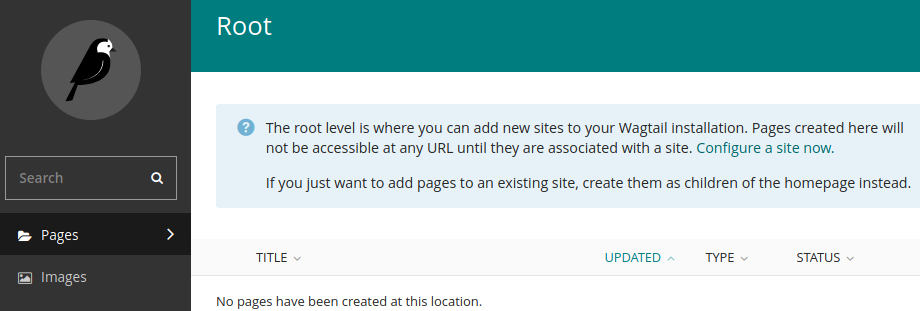
Deleting the site root page will automatically delete the default site as well.

With both the initial root Page and Site deleted, the user cannot initialize a new Page hierarchy or create a new site.
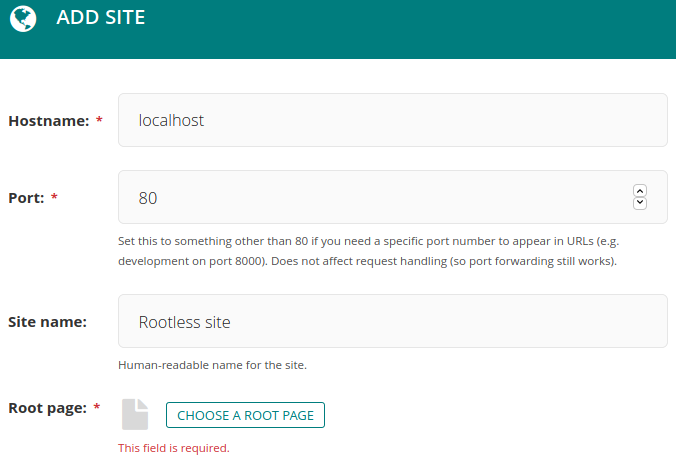
I believe this is a usability bug because it leaves the user with a broken site. There would ideally be a way to recover from this “rootless” state through the Wagtail Admin UI.
Steps to Reproduce
- Start a new project with
wagtail start myproject - Log in with superuser
- Delete the welcome page
- I have confirmed that this issue can be reproduced as described on a fresh Wagtail project: yes
Technical details
- Python version: 3.8.3
- Django version: 3.0.9
- Wagtail version: 2.9.3
- Browser version: Firefox 79.0
About this issue
- Original URL
- State: closed
- Created 4 years ago
- Reactions: 2
- Comments: 16 (5 by maintainers)
Hi @brylie - as far as I can see, this issue is about a usability gotcha that arises when integrating Wagtail into an existing site, and deleting the initial homepage without having first defined any page models of your own. I can’t see how that relates to unit testing - please can you open a new issue expanding on what you feel is missing from the documentation?