VictoriaMetrics: A small part of the time series is missing
Describe the bug We used the cluster version of the VM to transfer data through the http api provided by vm-insert.
We found that some of the same metric name have only one label and different time series. After storage in vmstorage, only one time series can be queried
for example: We insert the following two time series data by vminsert
cpu.idle{dc="lq", endpoint="1.1.1.1", ip="1.1.1.1", ipv6="1.1.1.1", psm="iaas.tosmix.compute", vdc="lq"}
cpu.idle{dc="lq", endpoint="1.1.1.1", ip="1.1.1.1", ipv6="1.1.1.1", psm="tos.mosaic.tos", vdc="lq"}
It can be seen that only the psm label is different.
There is only one time series when query
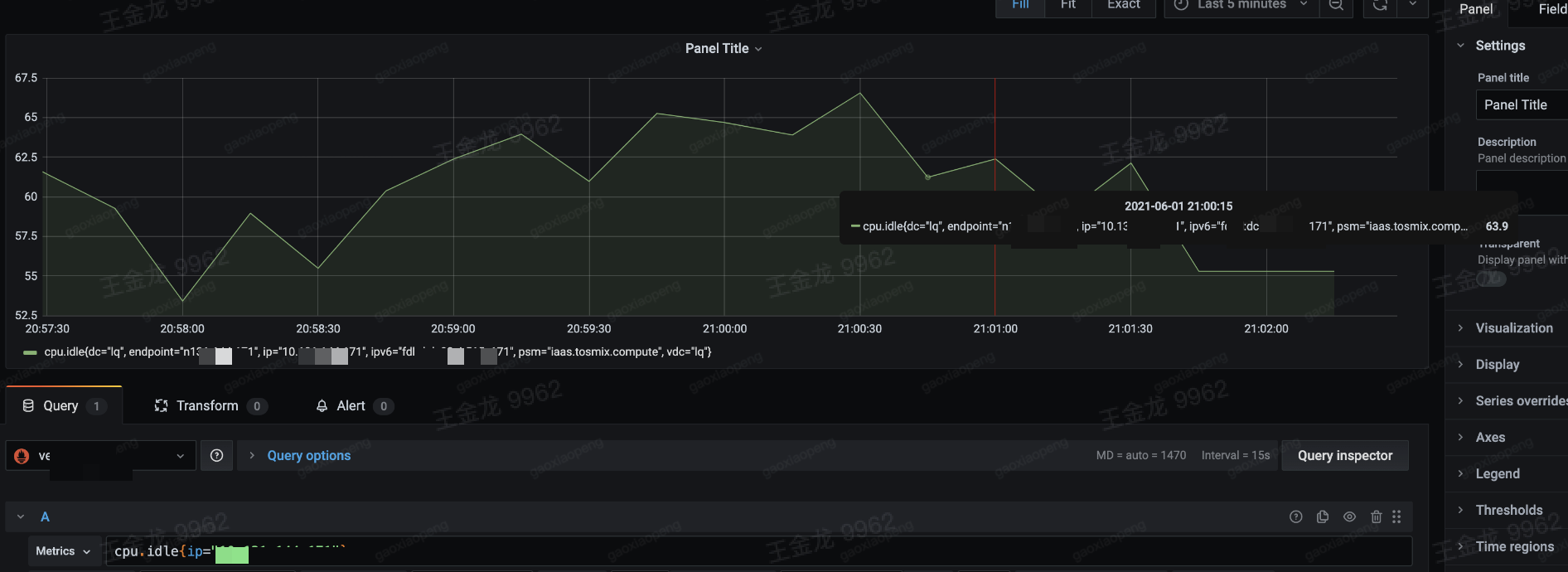
So based on the 1.60.0-cluster version, we added debug logs on insert, storage, and select components respectively
vminsert
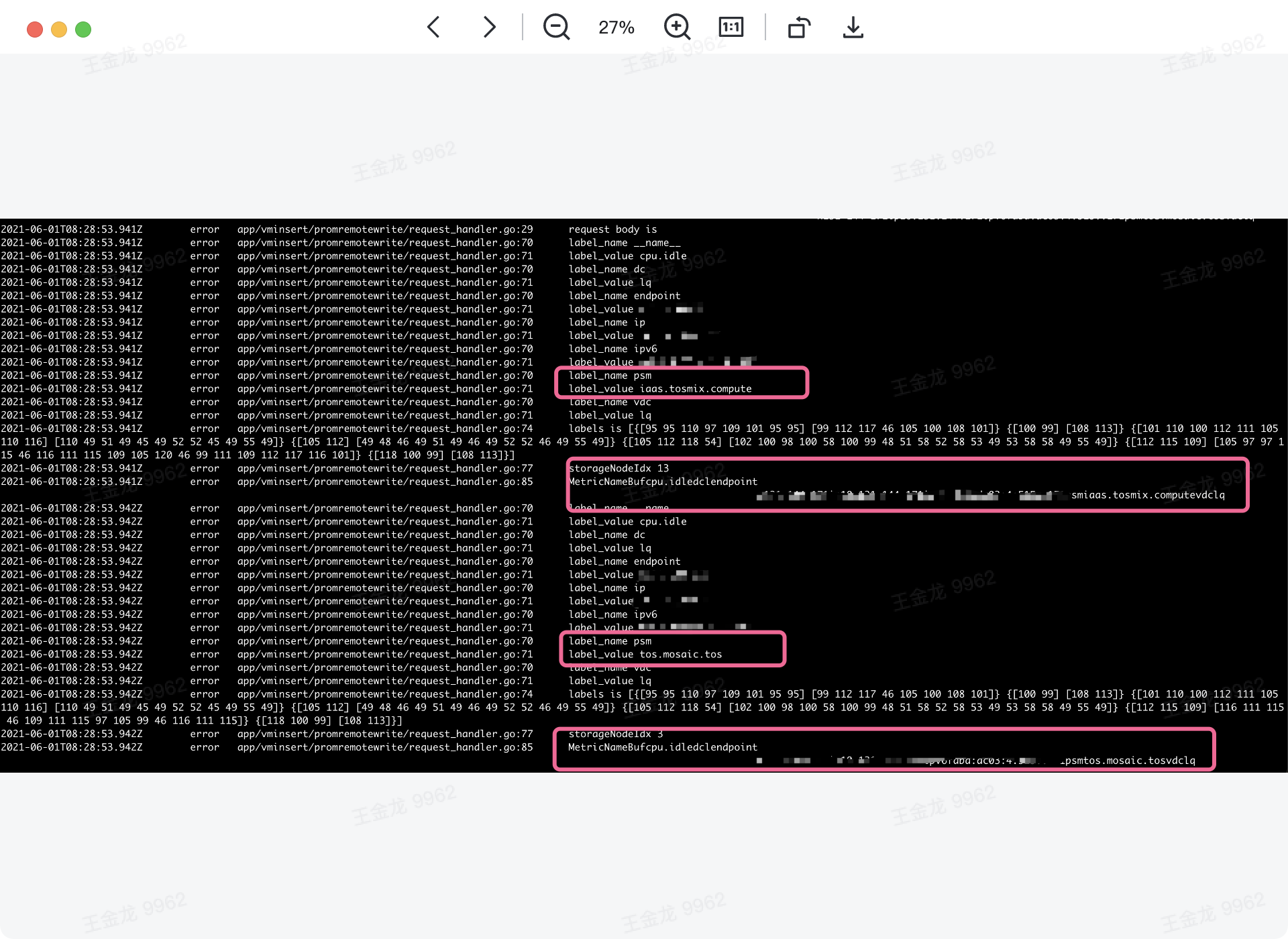 It can be seen that we insert two time series, and the value of the psm tag is different
vmstorage
 We caught the data on the third and thirteenth storage nodes
vmselect
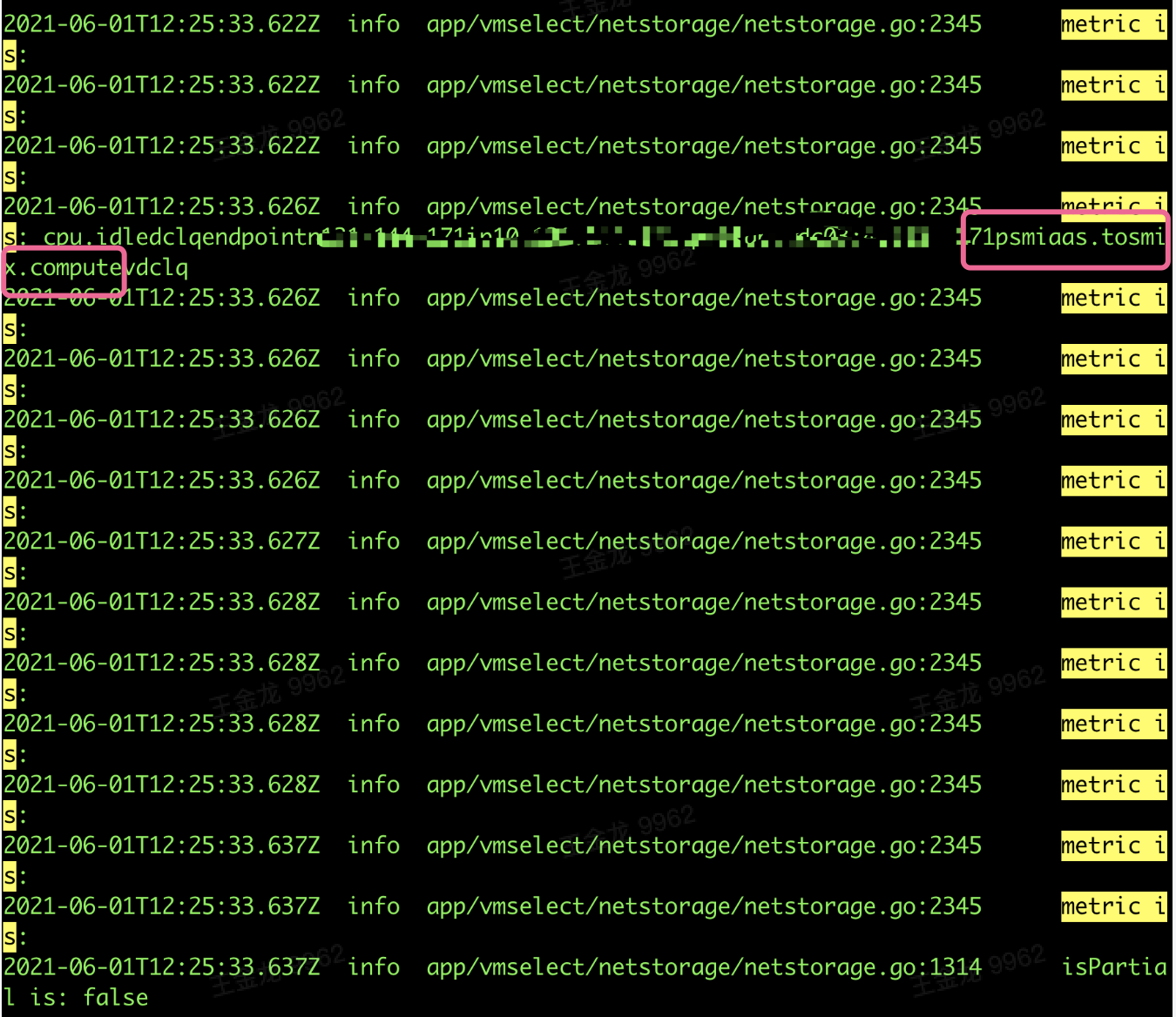 In the query node, only one time series is queried
So, what is the cause of this problem? We now suspect that there is a problem when the storage merges? Thanks
About this issue
- Original URL
- State: closed
- Created 3 years ago
- Reactions: 1
- Comments: 16 (3 by maintainers)
Commits related to this issue
- lib/storage: reset cache on disk during series deletion and during indexdb rotation This should prevent from inconsistent behavior (aka partially missing data for some time series) after unclean shut... — committed to VictoriaMetrics/VictoriaMetrics by valyala 3 years ago
- lib/storage: reset cache on disk during series deletion and during indexdb rotation This should prevent from inconsistent behavior (aka partially missing data for some time series) after unclean shut... — committed to VictoriaMetrics/VictoriaMetrics by valyala 3 years ago
- lib/storage: move deletedMetricIDs set from indexDB to Storage This makes consitent the list of deleted metricIDs when it is used from both the current indexDB and the previous indexDB (aka extDB). T... — committed to VictoriaMetrics/VictoriaMetrics by valyala 3 years ago
- lib/storage: move deletedMetricIDs set from indexDB to Storage This makes consitent the list of deleted metricIDs when it is used from both the current indexDB and the previous indexDB (aka extDB). T... — committed to VictoriaMetrics/VictoriaMetrics by valyala 3 years ago
The bugfix for this issue has been implemented in v1.61.1. Upgrading to
v1.61.1or to newer release should prevent from this bug in the future. Unfortunately the ongoing issue won’t be automatically fixed after the upgrade. You need to manually remove the cache as @f41gh7 mentioned in this comment. After that newly ingested data should become visible. The old data will remain invisible, since it is inserted under the deletedmetricID.@f41gh7 Thanks a lot for such a quick bug fix. In our issue, the TSID which should be marked deleted in both current and external storage is only marked in the current storage because of unclean shutdown. We think after using
func (db *indexDB) getTSIDByNameNoCreate(dst *TSID, metricName []byte) errorby external storage, we can check the search result with current storage’sdeletedMetricIDs. If the TSID searched from external storage is marked deleted in the currentdeletedMetricIDs,we should delete it in the external storage and create a new MetricId for the metric. Here is our PR link. Thx.hi @f41gh7 We found another information that might be useful. When we try to trace the the generation process of the lost metric(after reset the tsidCache), we find the lost metric’s TSID can be found in the external storage, and this TSID is marked for deletion in current DeletedMetricIDsSet, which leads the phenomenon of data cannot be written(new arrival metric use the deleted TSID,insead of creating a new one).Here is the debug log.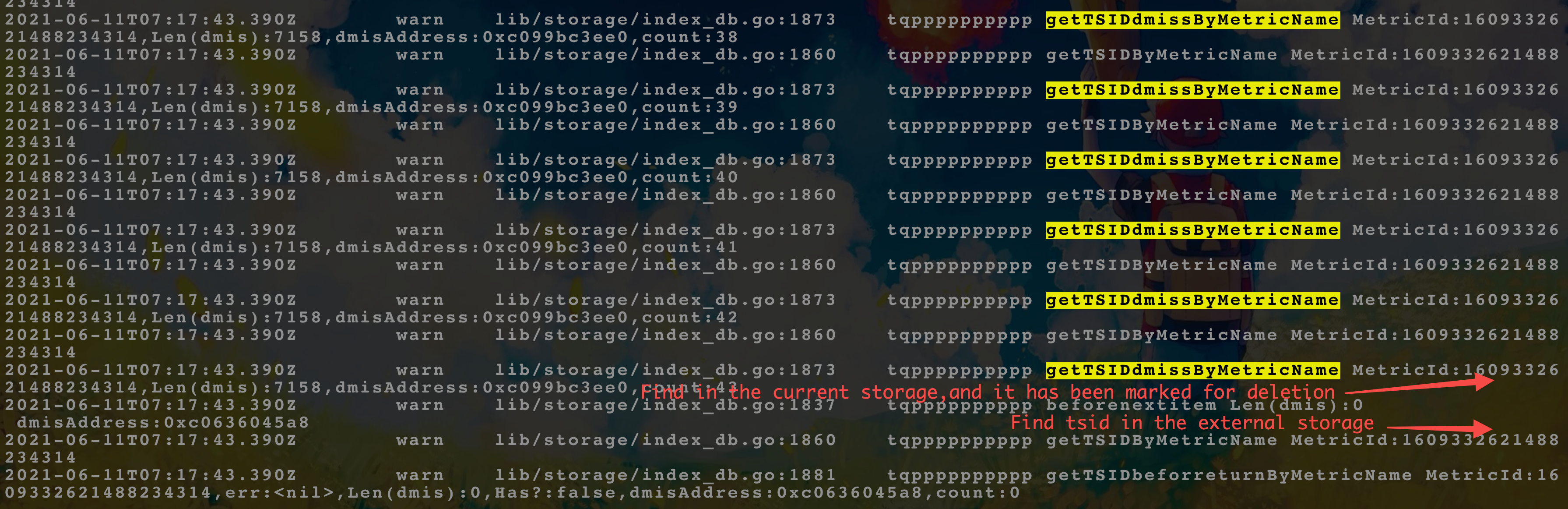 So far we do not know why there is a piece of data marked as deleted in current storage but not marked deleted in the external storage. But we think if check the TSID which is found in the external storage using current storage’s DeletedMetricIDsSet, we can get the lost mertric.