vercel: 14.0.0-14.0.2 does not work (npm/Windows)
I upgraded now cli to 14.0.0 using npm on Windows, but now cli does not work at all:
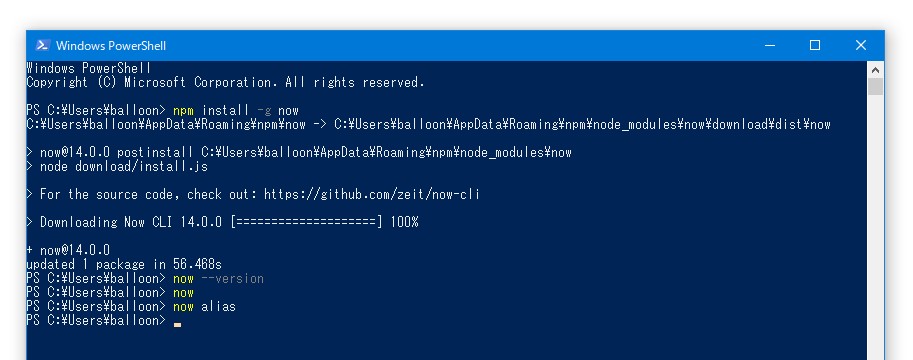 You do not have to worry about the upgrade time. I ran this after I booted Windows.
This problem can be temporarily avoided by downgrading to 13.1.3:
npm install -g now@13.1.3
About this issue
- Original URL
- State: closed
- Created 5 years ago
- Reactions: 32
- Comments: 16 (2 by maintainers)
Issue got fixed by https://github.com/zeit/now-cli/pull/1922 in release
14.1.0-canary.4.Awesome work!:
@subtleGradient contributed with this:
I confirmed the release of 14.0.1-canary.1 and tried it, but this problem is ongoing:
It was released in 14.0.1. Therefore 14.0.1 is still a problem.