uno: FontIcon does not Render Glyph that TextBlock Does
Current behavior
This is a fun one, and was expected to be an easy fix but turned into a complex issue. It started out that a single Glyph was not appearing when it should. It was assumed something was wrong in the binding or viewmodels but everything checked out. A simple switch from FontIcon to TextBlock actually solved the problem - how? FontIcon uses TextBlock internally.
<Grid
Background="{ThemeResource ApplicationPageBackgroundThemeBrush}">
<Grid.Resources>
<FontFamily
x:Key="AppSymbolFontFamily">ms-appx:///Assets/Fonts/FluentSystemIcons-Regular.ttf#FluentSystemIcons-Regular</FontFamily>
</Grid.Resources>
<StackPanel
Orientation="Horizontal"
BorderBrush="Pink"
BorderThickness="2">
<FontIcon
Glyph=""
Foreground="Blue"
FontSize="24"
FontFamily="{ThemeResource AppSymbolFontFamily}" />
<TextBlock
Text=""
Foreground="Green"
FontSize="24"
FontFamily="{ThemeResource AppSymbolFontFamily}" />
<!-- This does not work -->
<FontIcon
Glyph="︦"
Foreground="Red"
FontSize="24"
FontFamily="{ThemeResource AppSymbolFontFamily}" />
<!-- Yet this does -->
<TextBlock
Text="︦"
Foreground="Black"
FontSize="24"
FontFamily="{ThemeResource AppSymbolFontFamily}" />
</StackPanel>
</Grid>
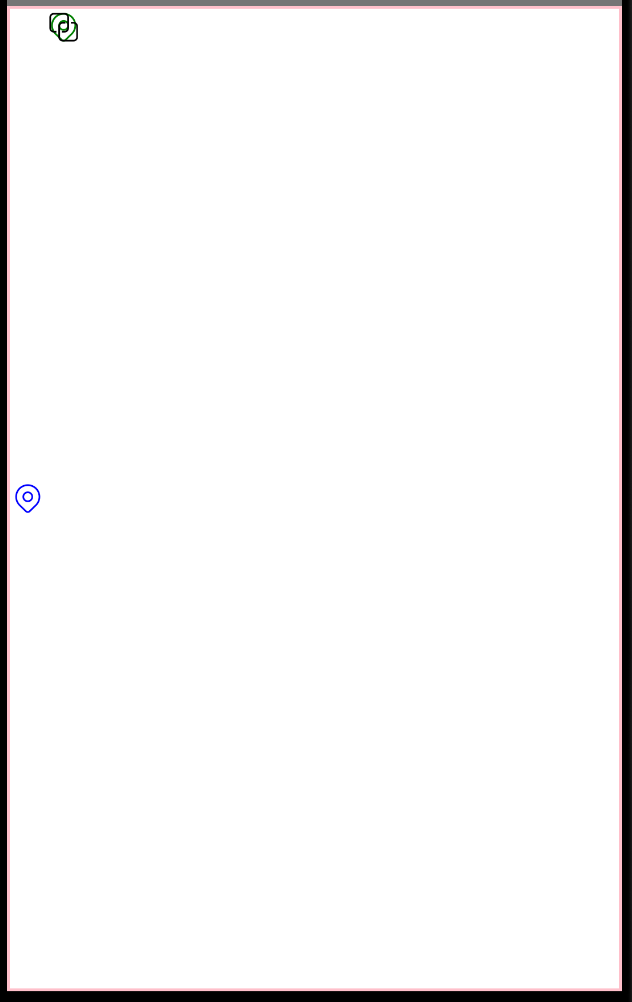
Produces:
Expected behavior
- FontIcon should show the red glyph for
0xFE26in the FluentSystemIcons-Regular font. Just the same as TextBlock does - There are major layout issue with StackPanel aparent in the repro app. Not all are covered by #3347
- The StackPanel is sizing to fix the parent. StackPanel should only size to children.
- The StackPanel is actually rendering two children on top of each other.
- The StackPanel is not vertically aligning all children the same. Some are top, others are center – for no aparent reason. Perhaps the font Unicode point is expecting top-to-bottom or left-to-right text ordering for other cultures.
I can break out point 2 into another issue if that seems best. It was all noticed at the same time and it’s late so didn’t feel like creating two 😃 It’s entirely possible that the layout issues are causing the missing Glyph to appear off the screen as well.
How to reproduce it (as minimally and precisely as possible)
See above XAML and attached repro:
Repro App
Workaround
A TextBlock can be used for the FontIcon issue. The Layout issues are not easy to fix.
Works on UWP/WinUI
Yes
Environment
Uno.UI / Uno.UI.WebAssembly / Uno.UI.Skia
NuGet package version(s)
3.9.1
Affected platforms
Android
IDE
Visual Studio 2019
IDE version
No response
Relevant plugins
No response
Anything else we need to know?
No response
About this issue
- Original URL
- State: closed
- Created 5 years ago
- Comments: 27 (27 by maintainers)
@robloo What I get with your sample code on Android 9 emulator:
The black one shows in the last column as expected.
But, in Android 11, I’m seeing this what you’re seeing:
@davidjohnoliver
I’m using the Fluent UI System font which does not have the same Unicode points, or glyphs, as the Segoe MDL2 Assets or Segoe Fluent that the Uno symbols font is based on. If I was using the other two fonts I don’t expect I would see this issue as Segoe MDL2 and Segoe Fluent stay within the private use areas correctly. https://github.com/microsoft/fluentui-system-icons/issues/321
That said, the Fluent UI System font includes many different glyph sizes so your suggested work-around is certainly a good idea. The difference in line widths would be negligible for some variants.
Additionally, there is an alternate of this symbol but it’s a bit harder to recognize and doesn’t match Segoe MDL2 / Segoe Fluent as well.
I’m not so sure quite yet 😃
@Youssef1313 Could you check your Android app again by moving the position of the LinearLayout to the center of the screen? Or moving the TextViews to the center (away from the left edge). I want to see if the symbol is rendered, it’s just rendering to the left of the visible area in the example you gave.
If it is, there is still a fix needed in Uno. Text measuring should account for the case of a negative width (right-to-left) and shift the text over and measure the bounds correctly. This will all have to be fixed for RTL support anyway.
@robloo Indeed!! Looks like an Android issue:
Yeah I actually just downloaded and installed Android Studio for this 😄
I think you are actually breaking things here with an unsupported scenario. Even in UWP that doesn’t make sense. It appears at first an issue with the Unicode point being interpreted in a way to change the text alignment for the blue FontIcon to RTL. This is likely because FontIcon is designed for ONLY a single Glyph. Specifying two 16-bit hex values in XAML is actually quite strange – it normally is only done for surrogate pairs (32-bit Unicode points). However, since a surrogate pair doesn’t make sense (out of the numerical range) it seems smart enough to compensate. Overall though, I’m not sure how this case is handled at all.
Edit: Also I thought StackPanel sizes to children? Even in UWP it is sizing to the entire Grid… really confused with this.
Actually, we know measure/arrange is broken because of the first screenshot I added showing a TextBlock on top of another TextBlock within the StackPanel. I bet this does have to do with the internals of how text measurement is done for the glyph in question.
I thought that the measurement could have been done after the text/glyph is set but before the font is. But I made sure to set the font family first and the issue remains. So indeed that doesn’t explain it. The is really very strange (and interesting 😃 )
@robloo It’s probably not related to
FontIconvsTextBlock.When I changed the orientation, a
TextBlockwas broken:It feels like, somehow, the measuring is broken for this glyph but not the other. But I’m not sure
Also keep in mind FontIcon is using TextBlock internally so it really doesn’t make any sense.