UnicornTranscoder: Unable to Play: Error code: s1002 (Network)
Hey team, was really hoping you could help me out.
My environment:
- Plex is a linuxserver container.
- Plex.yml for docker-compose:
version: "2"
services:
  plex:
    image: linuxserver/plex
    container_name: plexv2
    network_mode: host
    restart: always
    environment:
      - PUID=0
      - PGID=0
      - VERSION=docker
    volumes:
      - /root/docker/plexv2/config:/config
      - /root/docker/plexv2/transcode:/transcode
      - /root/docker/plexv2/tmp:/tmp
      - /root/media:/media
      - "/root/docker/plexv2/binaries/Plex Transcoder-linux:/usr/lib/plexmediaserver/Plex Transcoder"
    ports:
      - "32400:32400/tcp"
      - "3005:3005/tcp"
      - "8324:8324/tcp"
      - "32469:32469/tcp"
      - "1900:1900/udp"
      - "32410:32410/udp"
      - "32412:32412/udp"
      - "32413:32413/udp"
      - "32414:32414/udp"
- I set up the LoadBalancer on the same machine as the plex server with the following env variables:
export SERVER_PORT=23001
export SERVER_PUBLIC=http://127.0.0.1:23001/
export PLEX_HOST=127.0.0.1
export PLEX_PORT=32400
export PLEX_PATH_USR=/root/docker/plexv2/config
export PLEX_PATH_SESSIONS=/root/docker/plexv2/config/Library/Application\ Support/Plex\ Media\ Server/Cache/Transcode/Sessions
export DATABASE_MODE=sqlite
export DATABASE_SQLITE_PATH=/root/docker/plexv2/config/Library/Application\ Support/Plex\ Media\ Server/Plug\-in\ Support/Databases/com.plexapp.plugins.library.db
export CUSTOM_SCORES_TIMEOUT=10
export CUSTOM_DOWNLOAD_FORWARD=false
- I set the “Custom Server Access URL” to:
http://192.168.2.13:23001/ - I turned off Relay
- I manually deleted the relay binary in the container by renaming it to an unrecognized name.
- I blocked port 32400, but was unsure about how to access plex outside the network.
- I used nginx to set up SSL to the LoadBalancer at
https://chuck-lb.example.comwhich proxies to http://plexhostlocalip:23001
-
I compiled UnicornFFMPEG, which was saved to
/root/docker/plexv2/binaries/Plex Transcoder-linux. This is passed into the container replacing the default Plex Transcoder found in/usr/lib/plexmediaserver -
I configured UnicornTranscoder (I think).
- Cloned the project and edited the config.js with the following:
/**
 * Created by drouar_b on 27/04/2017.
 */

const env = require('getenv');

module.exports = {
    port:                  env.int   ('SERVER_PORT',           3000),
    host:                  env.string('SERVER_LISTEN',         '127.0.0.1'),
    transcoder_decay_time: env.int   ('TRANSCODER_DECAY_TIME', 120),
    loadbalancer_address:  env.string('LOADBALANCER_ADDRESS',  'https://chuck-lb.example.com'),
    ping_frequency:        env.int   ('PING_FREQUENCY',        10),
    instance_address:      env.string('INSTANCE_ADDRESS',      'http://127.0.0.1:3000'),
    maxmind_key:           env.string('MAXMIND_KEY',           ''),

    transcoder: {
        plex_arch:         env.string('PLEX_ARCH',             'amd64'), // Can be: amd64, arm64, armhf, i386
        plex_build:        env.string('PLEX_BUILD',            '1.19.3.2843-e3c1f7bcd'),
        codecs_build:      env.string('CODECS_BUILD',          '99c90e0-3095'),
        eae_version:       env.string('EAE_VERSION',           'eae-69c1de6-42'), // 41 or 42?
        plex_resources:    env.string('PLEX_RESOURCES',        'plexmediaserver/'),
        temp_folder:       env.string('TEMP_FOLDER',           'cache/'),
        codecs_folder:     env.string('CODECS_FOLDER',         'codecs/'),
        plex_transcoder:   env.string('PLEX_TRANSCODER',       'Plex Transcoder'),
        debug:             env.boolish('TRANSCODER_DEBUG',     false),
        debugScope:        env.string('DEBUG',                 ''),
    },

    performance: {
        maxSessions:        env.int('MAX_SESSIONS',           10),
        maxDownloads:       env.int('MAX_DOWNLOADS',          10),
        maxTranscodes:      env.int('MAX_TRANSCODE',          10),
    },

    //routing: {
    //    'US': 'http://usgateway.myplex.com'
    //},
};
- I ran
npm run install - Even though the SERVER_PORT is set in the config.js file, I still had to run with
SERVER_PORT=3000 npm start, otherwise it tried to start with 23001. - No errors on start
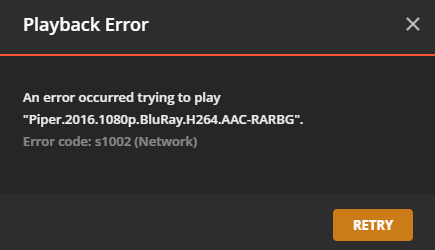
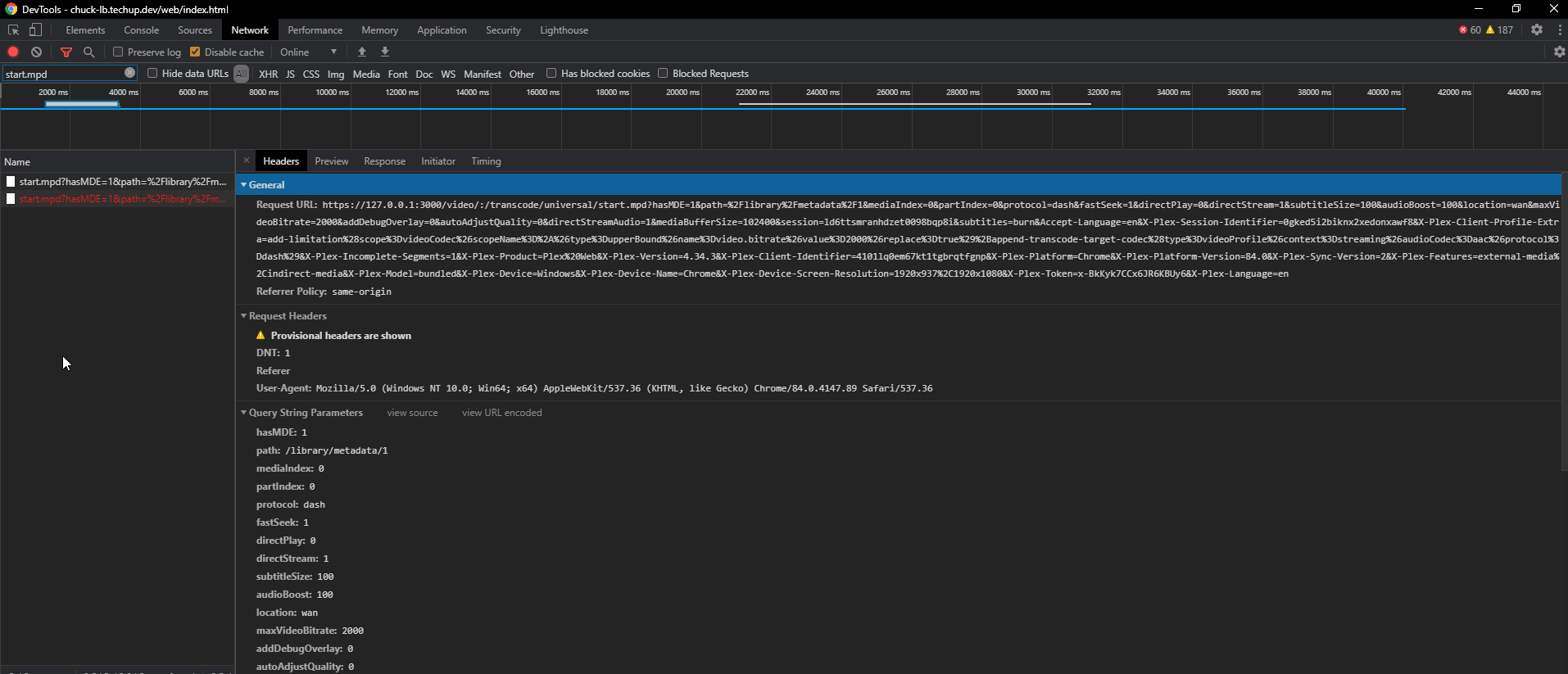
- But i still get the following error in plex:
About this issue
- Original URL
- State: closed
- Created 4 years ago
- Comments: 32 (12 by maintainers)
Cool. I’ll submit a PR for a wiki/more complete walkthrough with some explanations/gotchas.
yesir. Transcode is fine. Download is fine. Only remaining question is: What do i set the “Custom server access URLs” to? The nginx FQDN of the loadbalencer?