trino: Cannot drop Iceberg materialized view after storage table externally dropped
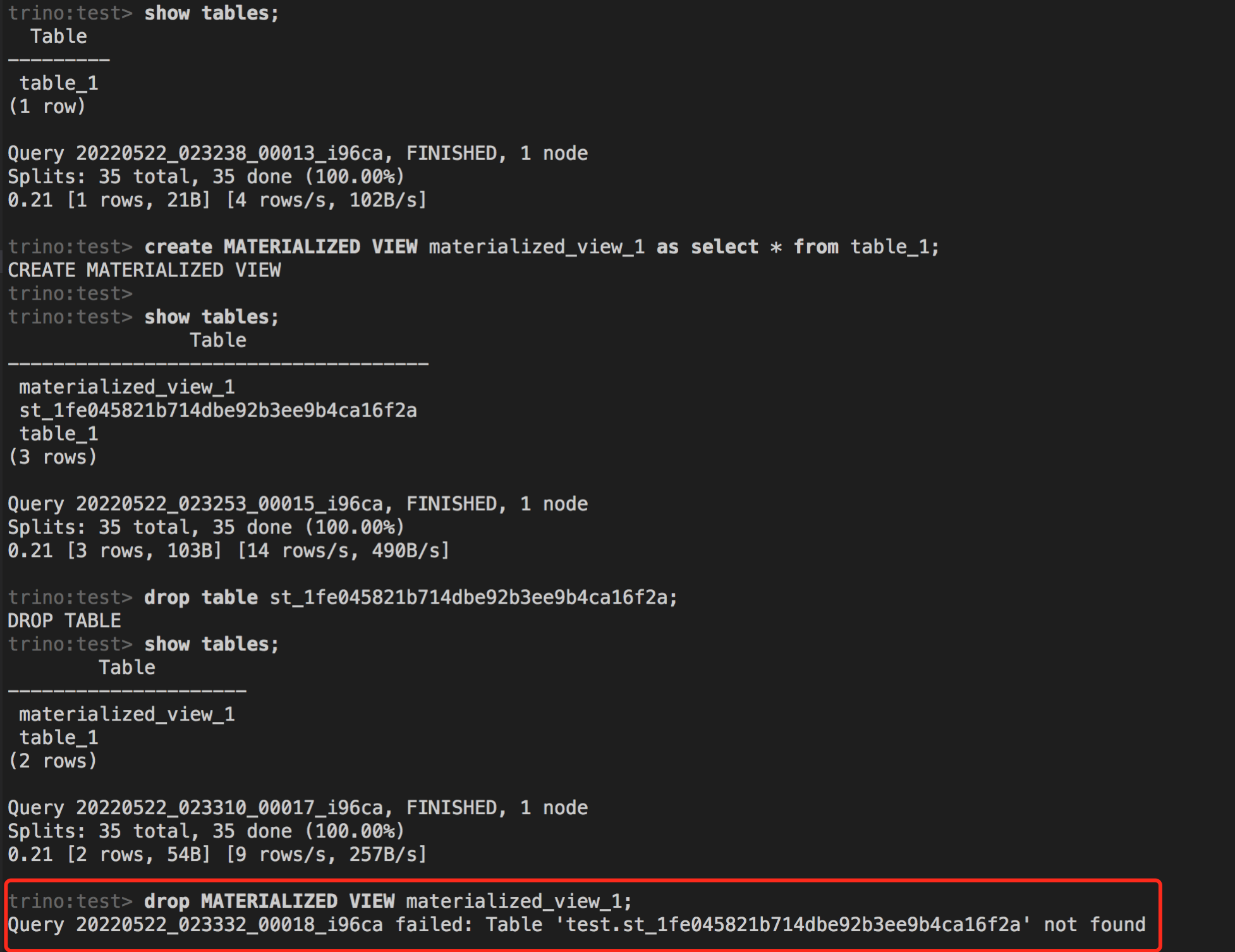
I created an Iceberg table named table_1(with hive metastore), then I created materialized view based on this table. At this point SHOW TABLES will show three tables:
 materialized_view_1
 st_1fe045821b714dbe92b3ee9b4ca16f2a
 table_1
I dropped the storage table first and then dropped the materialized view, the exception is thrown that the storage table not found.
Although the correct operation is not to drop the storage table first, but if the storage table is dropped, I think that dropping the materialized view should not throw an exception(now I can’t drop this materialized view through Trino, it becomes dirty data).
Full screenshot:
Trino client:
About this issue
- Original URL
- State: open
- Created 2 years ago
- Comments: 16 (16 by maintainers)
We don’t have a good way to prevent the dropping of storage table right now (“st_” prefix in the name is too broad and listing MVs to see if current table is a storage table would be too brute force). We could start adding some unique property to the storage table as an identifier and detect that during the DROP to stop it from being dropped directly. Always hiding the storage tables in SHOW TABLES wouldn’t be good, you might want to be aware about existence of storage tables as they take up resources in HMS and filesystem somewhere. Also, any other system which works with HMS would show these tables. Setting up access controls is a less intrusive way of hiding the storage tables. Currently it would probably require matching for “st_” table name pattern, I’m not sure if this is ideal. We could make it easier to setup access controls by making the schema under which the storage table is created a catalog config, then access controls to deny direct access can be setup on that schema.