react-native-background-geolocation: Event-listener geofence doesn't work as expected
Your Environment
- Plugin version: 2.11.0
- Platform: iOS
- OS version: 11.2.5
- Device manufacturer / model: iPhone 6s / NKQN2LL/A
- React Native version (
react-native -v): 0.50.3 - Plugin config: DEMO APP => Advanced mode, 200m geofence, notify exit ON, notify exit ON, notify Dwell ON and loitering delay 120.000 ms.
Expected Behavior
The event-listener geofence should be always being called when user enters or leaves the geofence.
e.g BackgroundGeolocation.on('geofence', this.geofenceChanges))
Actual Behavior
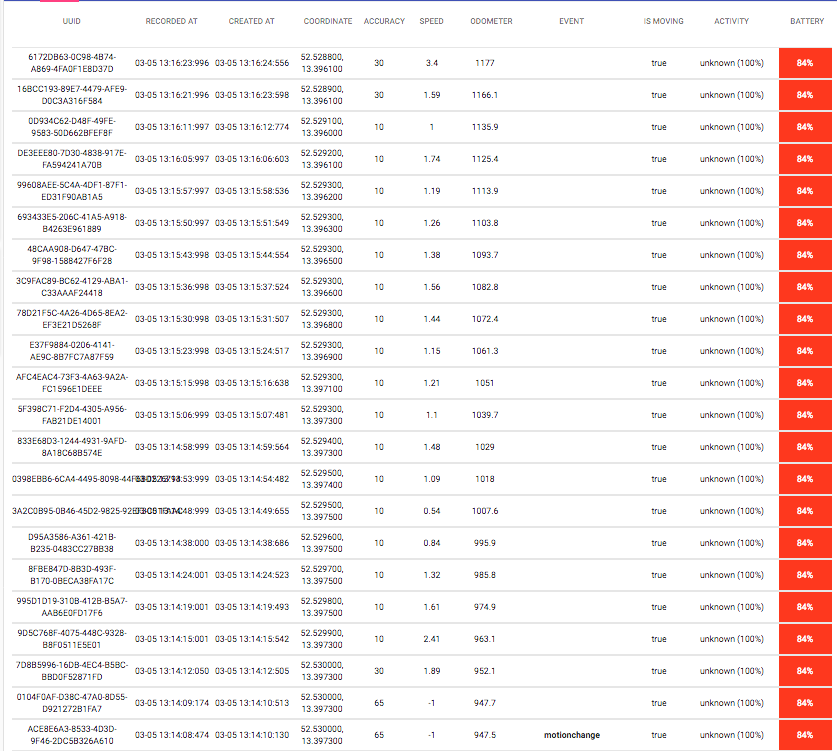
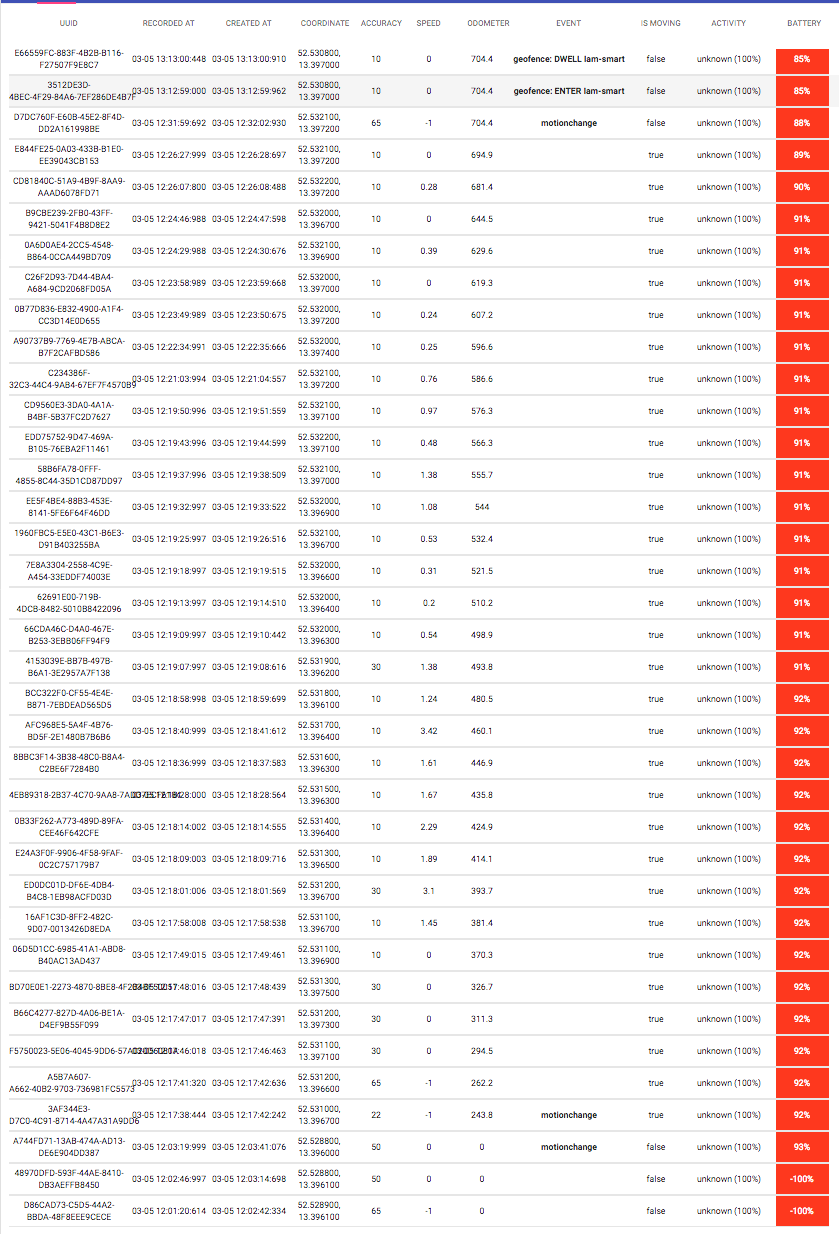
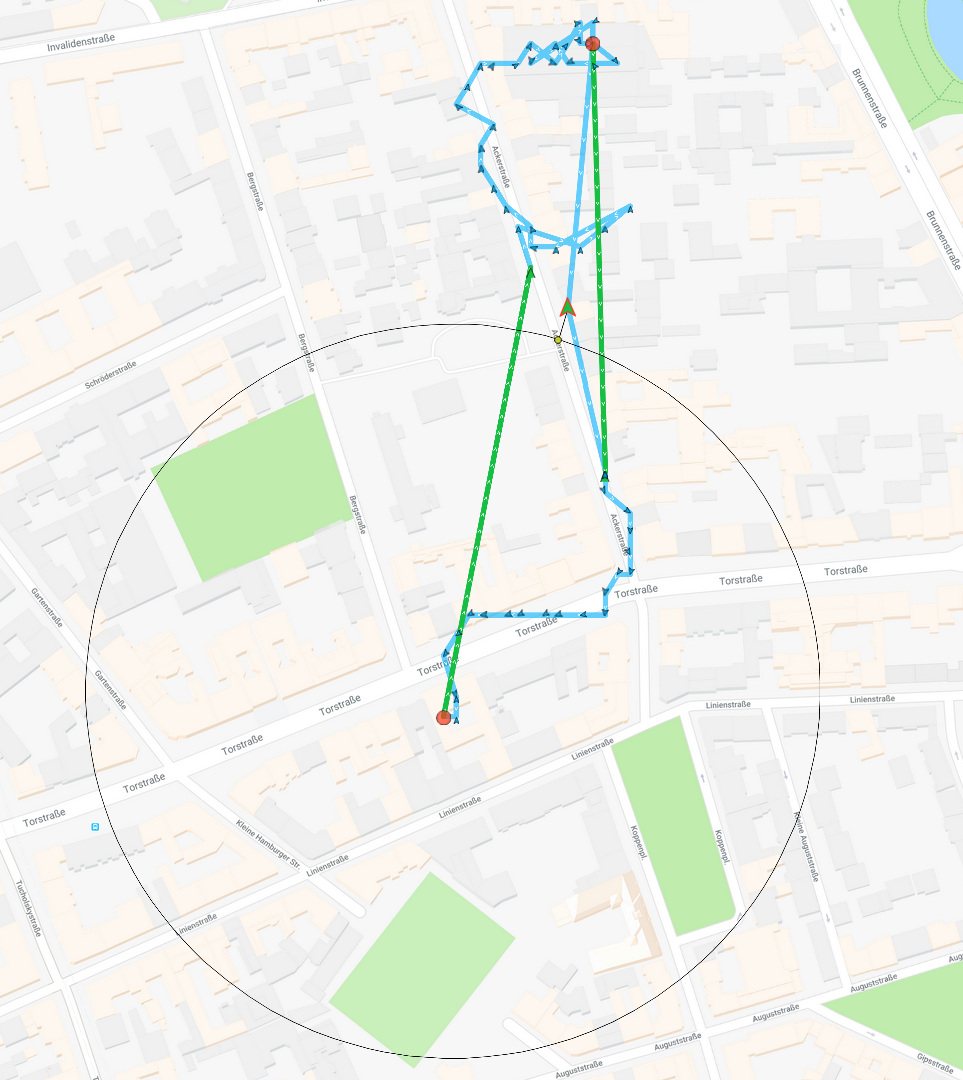
I’m having issues with the event-listener goefence that is not always being called. Here you can see some data. I used the demo app for testing it. The problem is that there was only one event being triggered (user enters home), no exit event triggered.
LOGS
 MAP
MAP
Steps to Reproduce
- Clone the demo app, install it in an iPhone, configure it, run it.
- Use advance mode.
- Create a new geofence near your actual position with 200m radius, notify on entry ON, notify on Exit ON, notify on Dwell ON, and loitering delay 120.000 ms.
- Try to leave the geofence, after 30 min go back (IDK if this is important), then go back and enter to your geofence.
Context
I want to catch whenever user enters or leaves the geofence.
Debug logs
About this issue
- Original URL
- State: closed
- Created 6 years ago
- Comments: 34 (16 by maintainers)
https://developer.android.com/training/location/geofencing.html
Having Wi-Fi on can significantly improve the location accuracy, so if Wi-Fi is turned off, your application might never get geofence alerts depending on several settings including the radius of the geofence, the device model, or the Android version.
On most devices, the geofence service uses only network location for geofence triggering. The service uses this approach because network location consumes much less power, it takes less time to get discrete locations, and most importantly it’s available indoors. If there is no reliable data connection, alerts might not be generated. This is because the geofence service depends on the network location provider which in turn requires a data connection.
For more details, google “ios minimum geofence radius” and “android minimum geofence radius”
This is a couple of weeks of testing in my neighbourhood (these are 200 meter geofences):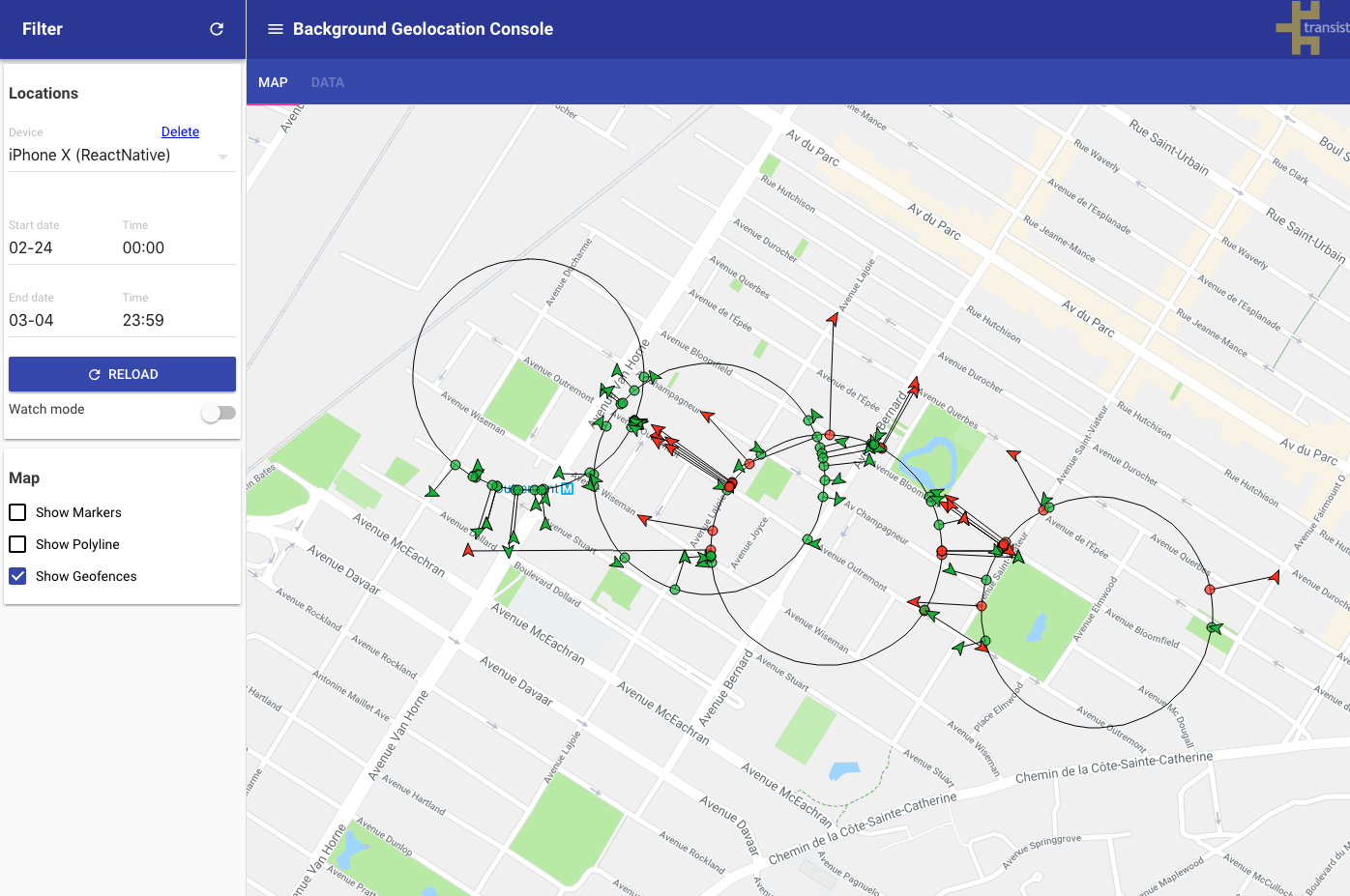
Browse my data here