invidious-updater: PQError + how to combine with nginx
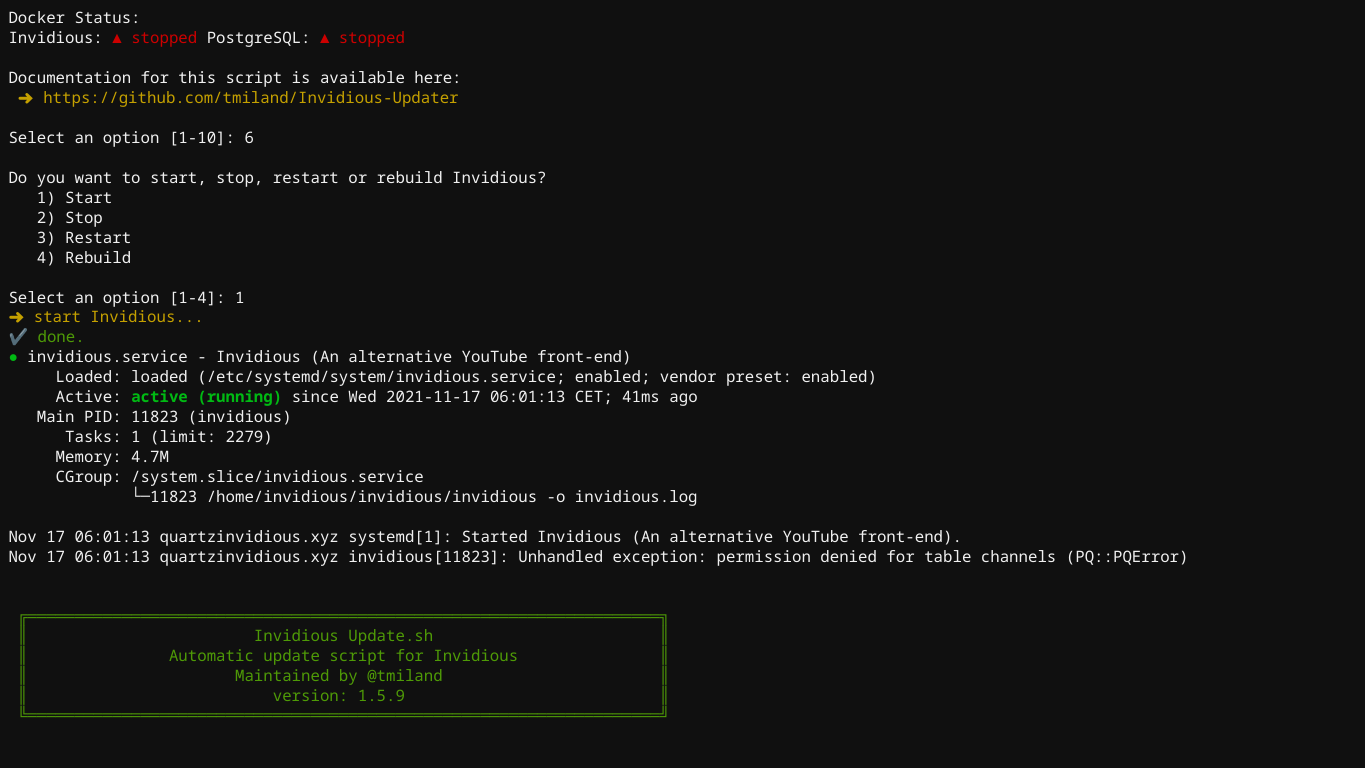
Describe the bug I get this:
Do you want to start, stop, restart or rebuild Invidious?
   1) Start
   2) Stop
   3) Restart
   4) Rebuild

Select an option [1-4]: 1
➜ start Invidious...
✔ done.
● invidious.service - Invidious (An alternative YouTube front-end)
     Loaded: loaded (/etc/systemd/system/invidious.service; enabled; vendor preset: enabled)
     Active: active (running) since Wed 2021-11-17 06:01:13 CET; 41ms ago
   Main PID: 11823 (invidious)
      Tasks: 1 (limit: 2279)
     Memory: 4.7M
     CGroup: /system.slice/invidious.service
             └─11823 /home/invidious/invidious/invidious -o invidious.log

Nov 17 06:01:13 quartzinvidious.xyz systemd[1]: Started Invidious (An alternative YouTube front-end).
Nov 17 06:01:13 quartzinvidious.xyz invidious[11823]: Unhandled exception: permission denied for table channels (PQ::PQError)
and then it re runs the script.
To Reproduce Steps to reproduce the behavior:
- Run the script
- Press (6). Run, Stop or Restart
- Press (1). Start
- See error
Expected behavior Invidious to run, just like a discord bot, you can’t run commands at the same time, you need to make a screen for it.
Screenshots
Desktop (please complete the following information):
- OS: Ubuntu 20.04
- Browser: Google Chrome v94.0.4606.124
- Version: Latest
Smartphone (please complete the following information):
- Device: OnePlus 7 Pro
- OS: Android 11
- Browser: Opera
- Version: Latest
Additional context
How can I get it to work with nginx? I installed all the nginx stuff from the script, and nginx loads with this
 . But invidious never loads on it. Also, docker does not work, it always says “Docker is not installed. Please run option 5”. I then run option 5 which is install docker. But yet, it still says that Docker is not installed.
About this issue
- Original URL
- State: closed
- Created 3 years ago
- Comments: 58 (24 by maintainers)
Thanks again
Then you should be good to go i guess.
oh, its just going to be used for me, to fetch from the API for my bot.
Cool, thanks
Ok, thanks!
K, thanks