tao: [bug] Black screen on Windows after minimizing a maximized frameless window in multi-monitor setup
Describe the bug
When you have a frameless window with custom titlebar buttons and you maximize, minimize, then maximize again, the entire window sometimes just goes black. Sometimes the window won’t be black, but the buttons no longer function. In the cases where the window isn’t black the window remains responsive to system commands that control the window, such as clicking the application icon in the taskbar in order to minimize it. The behavior seems to be more stable when using toggleMaximize() rather than just maximize() and minimize().
Minimizing the window while not in maximized mode by clicking the application icon in the taskbar appears to fix the button as long as you’re not in maximized mode.
As long as you don’t enter maximized mode the behavior is stable, it’s only when you’ve entered maximized mode that bugs start appearing.
Reproduction
- Create a new project
- Set
"decorations": "false"intauri.conf.json - Create buttons that run
appWindow.toggleMaximize()andappWindow.minimize() - Maximize the window
- Minimize the window
- Open the window again
- The minimize and/or maximize buttons now don’t work, and sometimes the window is black
Expected behavior
The window was supposed to be maximized, minimized, then opened again, without buttons seizing to function or the window being black.
Platform and versions
Operating System - Windows, version 10.0.22000 X64
Webview2 - 98.0.1108.50
Visual Studio Build Tools:
   - Visual Studio Community 2019
   - Visual Studio Build Tools 2017
   - Visual Studio Community 2017

Node.js environment
  Node.js - 14.17.4
  @tauri-apps/cli - 1.0.0-rc.4
  @tauri-apps/api - 1.0.0-rc.1

Global packages
  npm - 7.22.0
  pnpm - Not installed
  yarn - Not installed

Rust environment
  rustup - 1.24.3
  rustc - 1.58.1
  cargo - 1.58.0
  toolchain - stable-x86_64-pc-windows-msvc

App directory structure
/.git
/.github
/.idea
/.nuxt
/node_modules
/src
/src-tauri
/target

App
  tauri - 1.0.0-rc.2 (no lockfile)
  tauri-build - no manifest (no lockfile)
  tao - no manifest (no lockfile)
  wry - no manifest (no lockfile)
  build-type - bundle
  CSP - unset
  distDir - ../public
  devPath - http://127.0.0.1:32146/
  framework - Vue.js (Nuxt)
  bundler - Webpack
Stack trace
No response
Additional context
I believe the issue is related to e.g. booleans being in the improper state, e.g. that using maximize() sets an internal value to keep track of its state, rather than fetching the actual state every time from the system. I have absolutely no idea why the maximized state of the application would influence the ability to minimize the window. So far I’ve only had these issues when using custom buttons with a frameless window, using a normal decorated window has thus far been problem free.
The black window issue only happens sometimes when I try the procedure on one of my monitors, on the other it never happens. On both monitors the buttons no longer functioning occurs. By exiting maximized mode and using system commands to minimize and unminimize the window it would appear that the buttons start to work again, until you break then again.
About this issue
- Original URL
- State: closed
- Created 2 years ago
- Comments: 50 (21 by maintainers)
opened an upstream issue at https://github.com/MicrosoftEdge/WebView2Feedback/issues/2549
I can reproduce this issue with 100% success on a fresh project. Here is a video showing the full setup. In the video, the secondary monitor is displayed in the bottom right corner as Picture-In-Picture. In reality, it is using Windows
Extend Desktop to this Displayand is side by side with the primary monitor. In case this somehow matters, the primary monitor (✅ Make this my main display) is identified as monitor 2 in Windows display settings.https://user-images.githubusercontent.com/817256/170193070-4fdea4cb-3270-4b4d-a674-139f82516faf.mp4
The steps are:
tauri.studioto create a new project (I used Vanilla.js to minimize moving parts but I originally ran into this in a Vue application).Window Customizationguide ontauri.studiocargo tauri devappWindowJS API, using Windows Key + arrow keys, etc.)appWindowJS API, task bar button, etc.)tauri infooutput:Yes, this seems to be working! Thank you for your work on this.
PR is up #472, try it out by applying the following patch to your projects and run
cargo update:Glad to hear that, a fix will be available in the next release.
I tried it out and could not get the issue to reproduce with this sample app. 🥳
@amrbashir That’s the complete output from the test, there’s nothing more above or below. So yea that might be a hint as to what the bug is 🙂
notify_parent: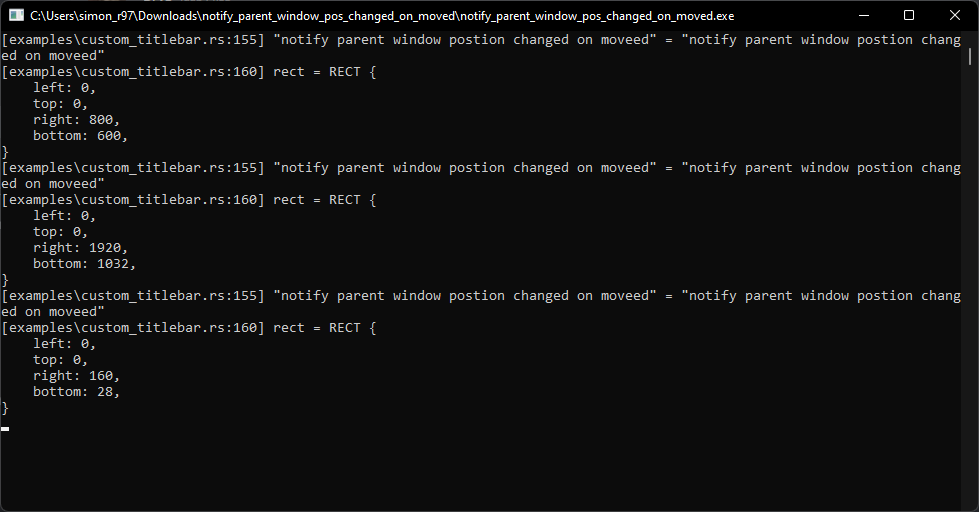
resize_on_moved: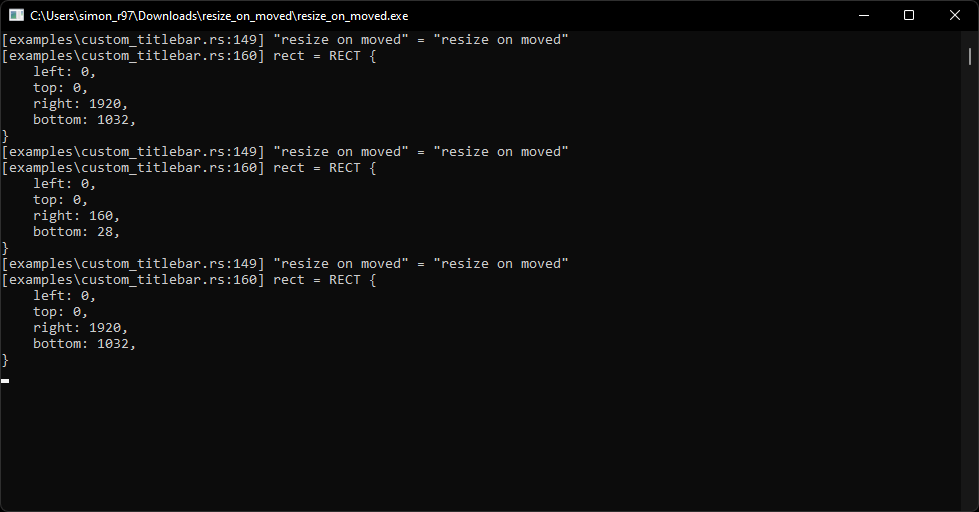
Also got this problem with exactly the same procedures. I have two screens and set the left one as the 2nd screen and the right one as the 1st screen. The issue could be reproduced in my 1st screen as it is not the leftmost screen 🤔
This doesn’t work when
decorationsis disabled which is intended because it is hard to know the location of the custom maximize button. I think I have a way to achieve this, similar todata-tauri-drag-regionbut It will have to wait until tauri v2.