MarkdownEditing: Plugin stopped working on Update (both PC and Mac)
Running Sublime Text 4, build 4113 on both PC (Windows 10) and Mac Mojave v10.14.6 (18G9323)
As soon as the plugin was updated, all of the colorschemes and settings are gone - none of the enhancement added by Markdown Editing is there
The Settings also look very odd on PC & Mac
- It no longer has the 3 types of markdown supported
- When clicking on
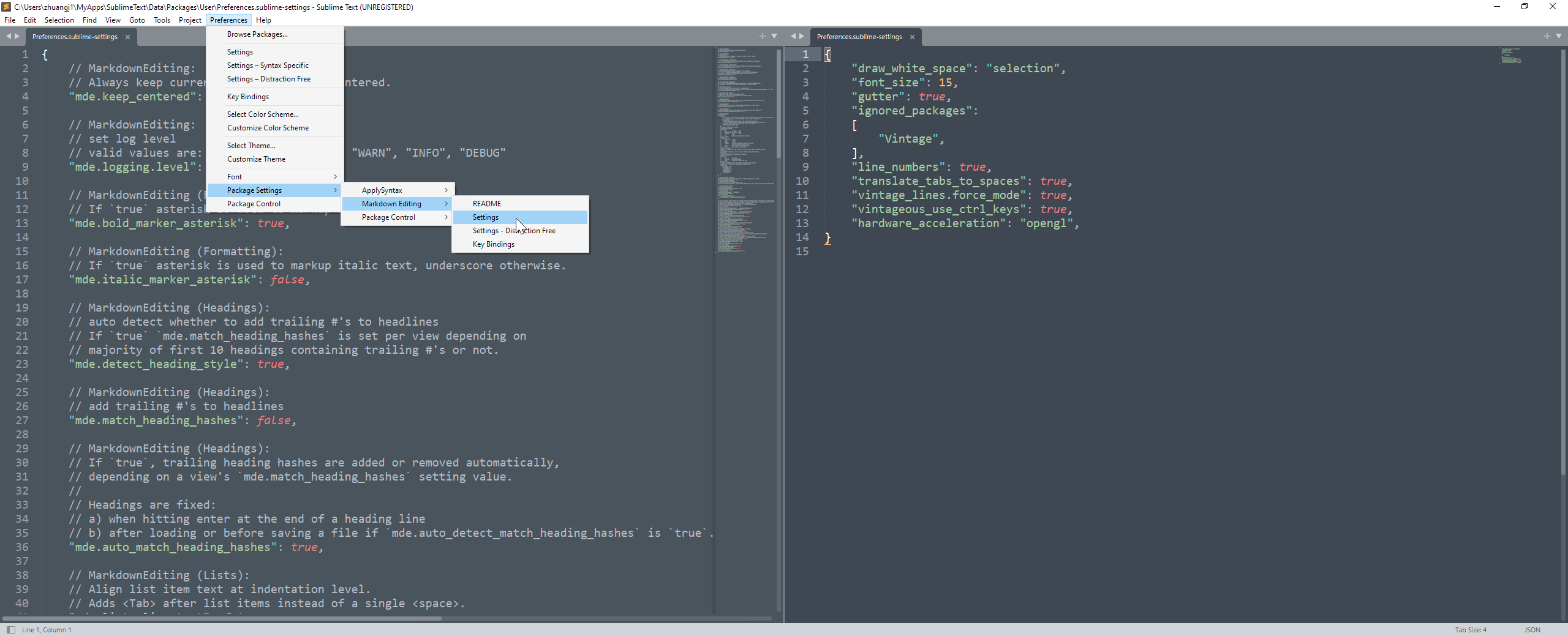
Preference > Package Settings > Markdown editing > Settings, it opens us Sublime Text Settings (the right pane in the screenshot below) instead of any of the Markdown Settings file
PC menu screenshot
Plus, what happens when Preference > Package Settings > Markdown editing > Settings is clicked
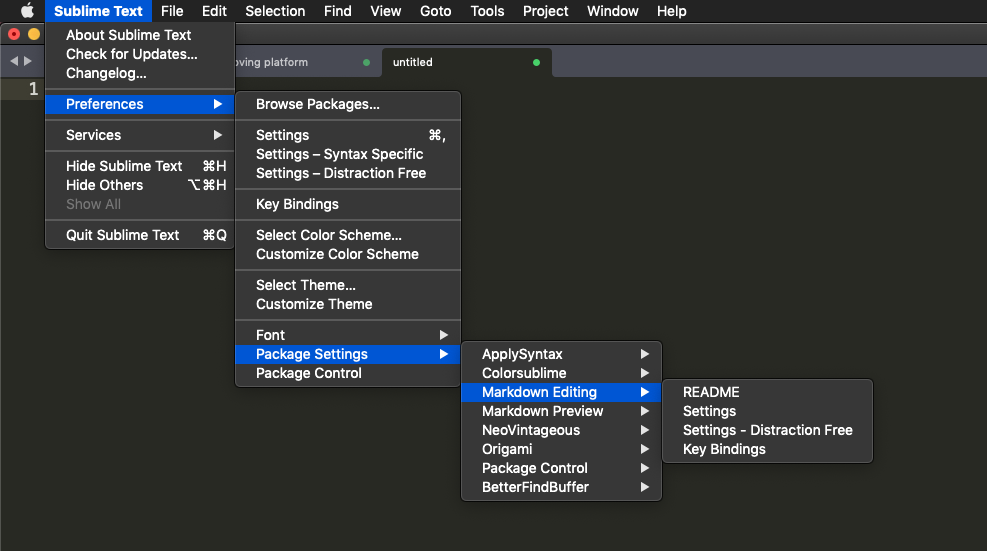
Mac version of plugin - Before update
I took the screenshot 20 min ago while I was reporting this issues on Github, and the plugin updated in the background!
When I switched back to the ST, the Plugin broke right away.
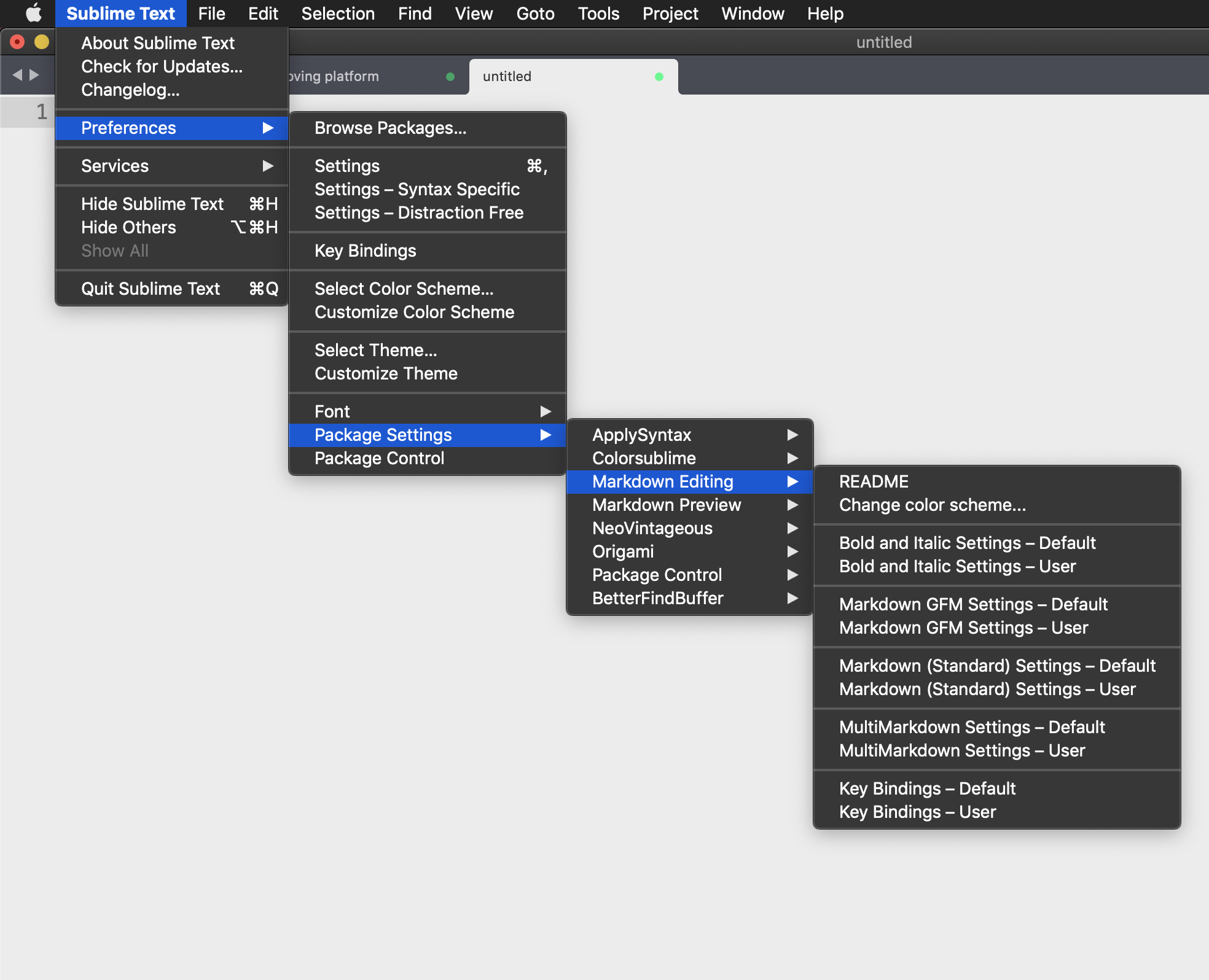
Mac version of plugin - After Update
Let us know what we can do to help with testing the fix!
About this issue
- Original URL
- State: closed
- Created 3 years ago
- Reactions: 5
- Comments: 15 (6 by maintainers)
Yeap, I’ve got these error messages in the sublime text console (I’m on a Mac):
If I open
"$HOME/Library/Application Support/Sublime Text/Packages/User/Markdown.sublime-settings", and comment out thecolor_schemesetting, I can at least now set file syntax toMarkdownwithout getting the error pop up, but the commands are still missing.${HOME}/Library/Application Support/Sublime Text/Installed Packages/MarkdownEditing.sublime-packagedoes exist:The same problem on Linux
The page mentions downloading an older release and following the manual installation guide. But the link to manual installation seems to be broken. Does anyone know where it is?
https://sublimetext-markdown.github.io/MarkdownEditing/troubleshooting/#roll-back-to-an-older-version
Any hack we can do to fix this in the meantime? My entire note taking system is built on being able to tap a button and quickly navigation to a header (#) so this is going to greatly challenge my productivity until it’s resolved… Thanks!