LSP: Language server haskell-language-server has crashed
Describe the bug
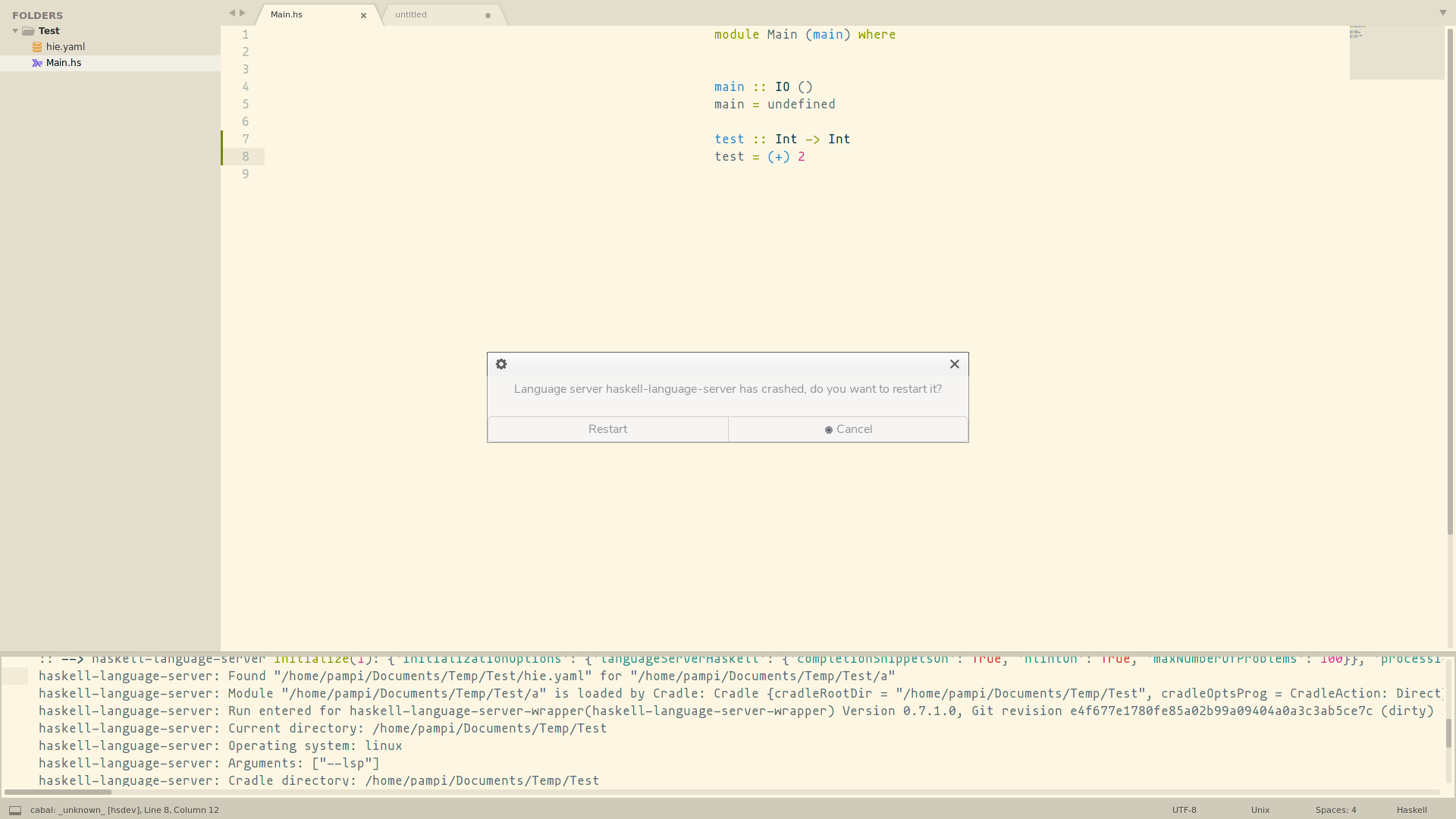
Immediately get the message asking to restart the server because it crashed.
Tested with stack and direct cradle.
I check using directly haskell-language-server-wrapper on the terminal without any issues for both stack and direct projects.
Also, both projects works on vim (using CoC) and vscode (using haskell).
To Reproduce
Start the haskell-language-server-wrapper LSP server.
A minimal example can be downloaded here and contains:
- haskell source file -
Main.hs - hie config -
hie.yaml infofolder with- LSP log trace
- current configuration (same as the one provided below)
- screenshot or the bug
Expected behavior No crash.
Screenshots
Environment (please complete the following information):
- OS: Arch Linux (kernel 5.9.13-arch1-1)
- Sublime Text version: 3210
- LSP version: 0.14.3
- Language servers used: haskell-language-server
Additional context
I try with and without the initializationOptions part of the configuration below:
{
	"clients":
	{
		"haskell-language-server":
		{
			"command":
			[
				"haskell-language-server-wrapper",
				"--lsp"
			],
			"enabled": true,
			"initializationOptions":
			{
				"languageServerHaskell":
				{
					"completionSnippetsOn": true,
					"hlintOn": true,
					"maxNumberOfProblems": 100
				}
			},
			"languageId": "haskell",
			"scopes":
			[
				"source.haskell"
			],
			"syntaxes":
			[
				"Packages/Haskell/Haskell.sublime-syntax",
				"Packages/SublimeHaskell/Syntaxes/Haskell-SublimeHaskell.sublime-syntax"
			]
		}
	},
	"log_debug": true,
	"log_payloads": true,
	"log_stderr": true
}
Thanks,
About this issue
- Original URL
- State: closed
- Created 4 years ago
- Comments: 16 (16 by maintainers)
Commits related to this issue
- Update documentation. Explain how to solve the issue #1529. — committed to JeremyBois/LSP by JeremyBois 4 years ago
- Add more documentation for issues 1529 and 1530 (#1531) Explain how to solve issues #1529 and #1530. — committed to sublimelsp/LSP by JeremyBois 3 years ago
You can see what ST thinks your $PATH is by opening the ST console by clicking on View > Show Console, and running
import os; os.environ["PATH"]in that console.If your $PATH is incomplete, please see: https://lsp.readthedocs.io/en/latest/troubleshooting/#2-lsp-cannot-find-my-language-server-no-such-file-or-directory-xyz
I use ghcup-hs to manage my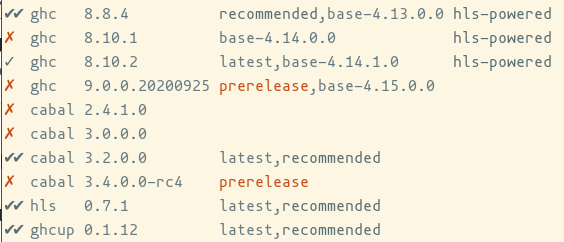
ghc,cabalandhlsversion.It download binaries from the repository of
hlsfor me.