storybook: Storybook build failed after updating to version 6.5.3
Describe the bug
Running storybook after updating to the latest version causes webpack error.
The following packages were updated:
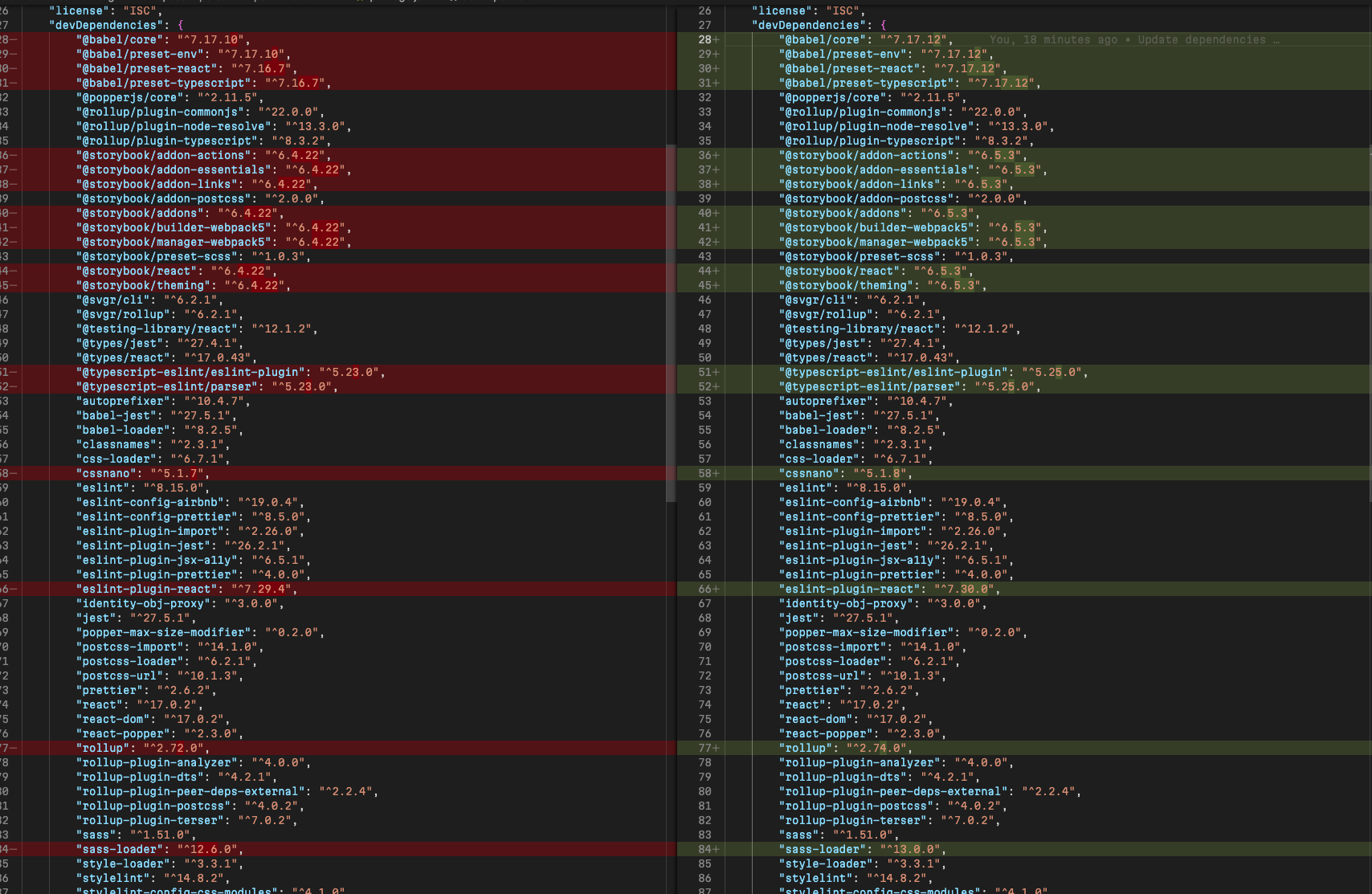 In the previous configuration, everything worked fine. The latest master branch is deployed here https://panthera-tailwind.vercel.app/?path=/story/box-shadow--box-shadow.
To Reproduce
I create a copy of my repo and added exactly the same packages and configuration.
Pull the changes from https://github.com/suhomozgy-andrey/storybook-reproduction-19-05-2022. Run npm run storybook.
The following error appears

System
  System:
    OS: macOS 12.4
    CPU: (12) x64 Intel(R) Core(TM) i7-9750H CPU @ 2.60GHz
  Binaries:
    Node: 16.9.0 - /usr/local/bin/node
    Yarn: 1.22.11 - /usr/local/bin/yarn
    npm: 7.21.1 - /usr/local/bin/npm
  Browsers:
    Chrome: 101.0.4951.64
    Firefox: 98.0.2
    Safari: 15.5
  npmPackages:
    @storybook/addon-actions: ^6.5.3 => 6.5.3
    @storybook/addon-essentials: ^6.5.3 => 6.5.3
    @storybook/addon-links: ^6.5.3 => 6.5.3
    @storybook/addon-postcss: ^2.0.0 => 2.0.0
    @storybook/addons: ^6.5.3 => 6.5.3
    @storybook/builder-webpack5: ^6.5.3 => 6.5.3
    @storybook/manager-webpack5: ^6.5.3 => 6.5.3
    @storybook/preset-scss: ^1.0.3 => 1.0.3
    @storybook/react: ^6.5.3 => 6.5.3
    @storybook/theming: ^6.5.3 => 6.5.3
Additional information
.storybook/main.js configuration:
const path = require("path");

module.exports = {
	stories: ["../src/**/*.stories.mdx", "../src/**/*.stories.@(js|jsx|ts|tsx)"],
	addons: [
		"@storybook/addon-links",
		"@storybook/addon-essentials",
		{
			name: "@storybook/preset-scss",
			options: {
				cssLoaderOptions: {
					modules: true
				}
			}
		},
		{
			name: "@storybook/addon-postcss",
			options: {
				postcssLoaderOptions: {
					implementation: require("postcss", {
						extensions: [".scss", ".css"],
						modules: true
					})
				}
			}
		}
	],
	core: {
		builder: "webpack5"
	},
	webpackFinal: async (config) => {
		config.module.rules.push({
			test: /\.scss/,
			use: ["sass-loader", { loader: "postcss-loader" }],
			include: path.resolve(__dirname, "../")
		});
		return config;
	}
};
About this issue
- Original URL
- State: closed
- Created 2 years ago
- Reactions: 5
- Comments: 18 (9 by maintainers)
Commits related to this issue
- Downgrade Storybook due to issues https://github.com/storybookjs/storybook/issues/18276 — committed to pixiebrix/pixiebrix-extension by fregante 2 years ago
if anyone is looking for the workaround (that worked for us), you can replace the problematic
IgnorePluginwith the instance from your webpack’s version.something like this:
of course you can just copy the resourceRegExp and contextRegExp from the existing one.
This worked for me (note I am using NPM workspaces, I’m not sure if that could have any relation):
webpack, *-loader (webpack loaders), @storybook*from my package.jsonnpm installwebpack, *-loader, @storybook*packages in package.jsonnpm installThe big change that I have observed in package-lock is that webpack 5 is in the root of the package-lock file now, previously webpack 4 was in the root. This change caused a number of packages in package-lock to move around and make diffs difficult.
Also seeing this on 6.5.7. I’m using the workaround listed here: https://github.com/storybookjs/storybook/issues/18276#issuecomment-1137101774
I can close it 😃
@suhomozgy-andrey I tried to start the repro example (https://github.com/suhomozgy-andrey/storybook-reproduction-19-05-2022) but it didn’t started at all due to an
require not found error. I have deleted thepackage-lock.jsonand reinstalled the dependencies (used npm 8.10.0, instead of 7.21.1).After fixing an issue in your
preview.js(import “…/src/input.css”; not available) and installing@storybook/testing-library(which is required but was not listed in your package.json) and installing the latest storybook dependencies, storybook started without any issues. You can see the made changes here: https://github.com/suhomozgy-andrey/storybook-reproduction-19-05-2022/pull/1Therefore, please delete your node_modules folder and the package-lock.json and use the latest npm version and try it again.
@shilman I will take a look in the beginning of next week 😃