storybook: Loading css breaks in Angular 12.2
Bug description When upgrading to Angular 12.2 (currently latest stable version), stylesheets are not loaded anymore.
To Reproduce https://github.com/fikkatra/storybook-repro
When running npx sb@next repro and choosing ‘angular’, angular version 12.2 is installed and the issue can be reproduced as is, without any alterations to the code (except for adding a stylesheet).
Manual repro steps
Create a new Angular app:
npx ng new taskbox
This currently installs v12.1.1 (unlike npx sb@next repro, which installs 12.2).
Add storybook to the app:
cd taskbox
npx sb init
Add a stylesheet to preview.js:
import "!style-loader!css-loader!./styles.css";
Add styles.css to the .storybook directory and add the following styling:
body {
  background-color: yellow;
}
Run storybook:
npm run storybook
Result: styles are loaded:
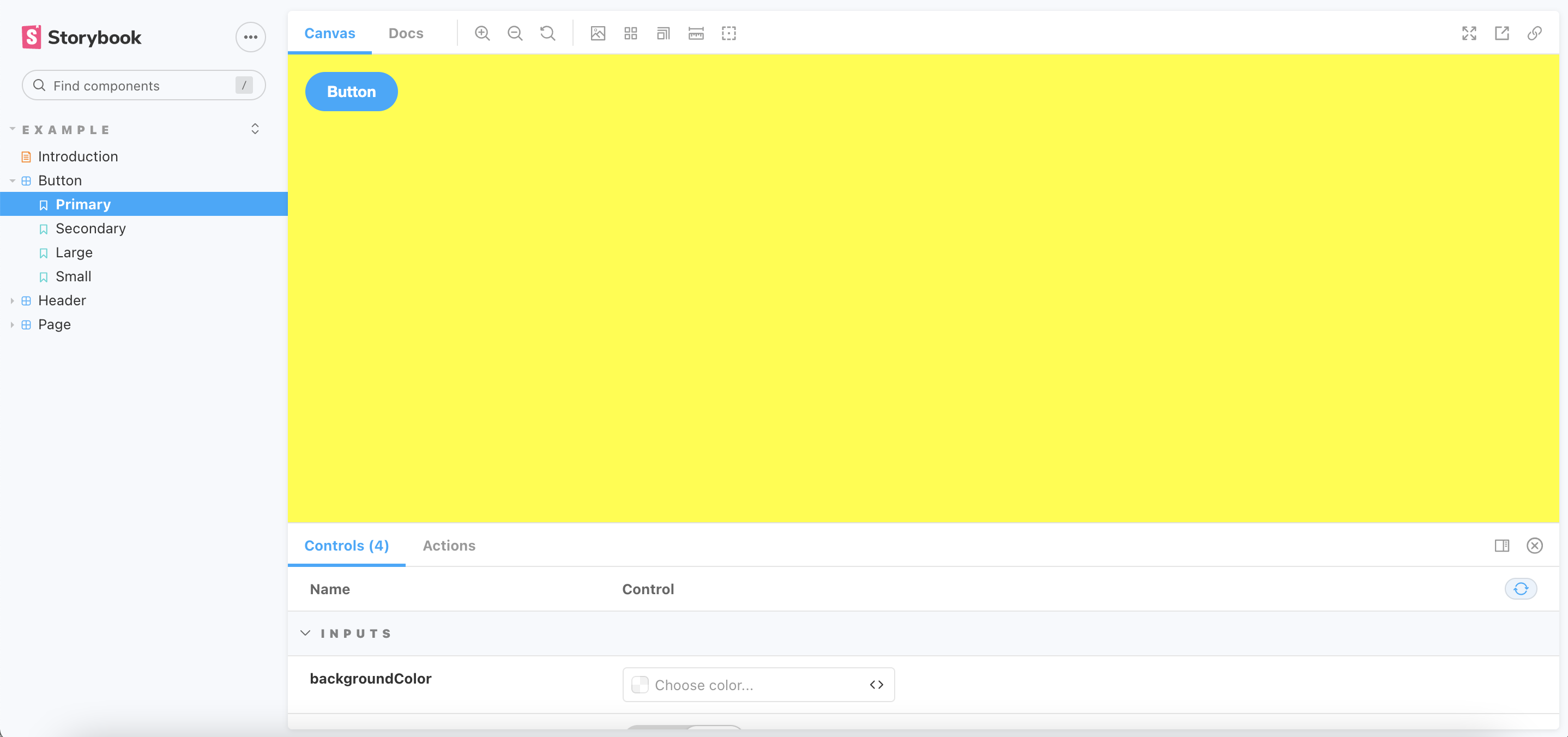
Now upgrade Angular:
npx ng update @angular/cli @angular/core
and run again:
npm run storybook
Result: styles are not loaded:

The following Github repository demonstrates these repro steps. This commit breaks the loading of the style sheet: https://github.com/fikkatra/storybook-repro-manual
System Environment Info:
System: OS: macOS 11.6 CPU: (8) x64 Intel® Core™ i5-8259U CPU @ 2.30GHz Binaries: Node: 14.17.3 - /usr/local/bin/node Yarn: 1.22.15 - /usr/local/bin/yarn npm: 6.14.13 - /usr/local/bin/npm Browsers: Chrome: 94.0.4606.71 Firefox: 91.0.2 Safari: 15.0
Additional context Initial (working) version of (relevant) installed packages: @angular/core: ~12.1.1 @angular-devkit/build-angular: ~12.1.1 css-loader: 5.2.6 style-loader: 2.0.0
Updated (not working) version of installed packages: @angular/core: ~12.2.8 @angular-devkit/build-angular: ~12.2.8 css-loader: 5.2.6 style-loader: 2.0.0
About this issue
- Original URL
- State: closed
- Created 3 years ago
- Reactions: 2
- Comments: 15 (5 by maintainers)
we have juste discuss about this issue on discord here
With this PR : https://github.com/storybookjs/storybook/issues/16256
For angular 2.2.x and higher you can fix it by this way
import "!style-loader!css-loader!./styles.css";frompreview.jschange script in your package.json
Unfortunatelly this issue still exists with ng 12.2.x and storybook 6.4
I run into the same problem when trying to upgrade on Angular v12.2.11 + Storybook v6.3.12. Global styles are not loaded anymore
@archfisv no, for now we decided to postpone the Angular update
I can confirm, I visit this issue frequently 😉. I think it’s about
@angular-devkit/build-angular(@ v12.0.3 works well).After some research I found that the problem happens upgrading @angular-devkit/build-angular to version 12.2.0 or more. Waiting a fix, you can upgrade every angular package to 12.2.x but @angular-devkit/build-angular (add it to devDependencies if missing).