storybook: ForwardRef source code problem when using Args
Describe the bug When using Args my story source code seems to be some kind of stringify source code instead of the actual JSX code.
To Reproduce
<Canvas>
    <Story name="icon">
        {args =>
            <Button {...args}>
                <LightbulbIcon />
                <Text>Cutoff</Text>
            </Button>
        }
    </Story>
</Canvas>
Expected behavior JSX soure code well indented 😃
Screenshots With Args:
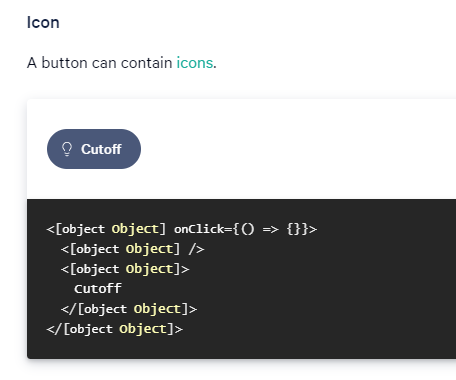
Without Args:

Code snippets If applicable, add code samples to help explain your problem.
System
Please paste the results of npx sb@next info here.
Additional context Add any other context about the problem here.
About this issue
- Original URL
- State: closed
- Created 4 years ago
- Comments: 15 (14 by maintainers)
The above comment from @andezzat really helped me, thanks! However, if it helps anyone coming from Google there was a subtle distinction that was needed for my case:
Storybook version:
6.4.20I was already destructuring
forwardRefupon import (as many people in various Github issues have suggested), explicitly setting the types upon invokingforwardRef<A, B>(), and ensuring my component function was set to aconst:However the key appears to be that you need to do the invocation of
forwardRefwithin theconstand not uponexport default, like I did above. Here’s the working code:Hope this saves someone some time 😃
It does fix the issues indeed 😃
Howhever I had to specify manually a
displayNameinstead since you can’t that kind of exportsexport { Button: slot("button", Button) };Thank you @andezzat
Oh sorry for the build error, still WIP hehe.
I’ll give it a shot tomorrow, thank you very much for your help @andezzat
@patricklafrance Thank you!
I tried cloning & installing but was met with a build error on
yarn build:pkgRegardless, I think I know what’s going wrong 😄
The current way the Button is exported for eg., doesn’t actually assign a
displayNameto theforwardRefcomponent, so SB can’t find its name. In order to fix this, try assigning theforwardRefcomponent to aconstfirst.This may work?
@andezzat here’s a live example: https://5fc11202b9a514946ac633fe--sg-storybook.netlify.app/?path=/docs/button--test#test
My repository is public if you want to try it: https://github.com/gsoft-inc/sg-orbit/tree/storybook-6
To install & start Storybook
git clone https://github.com/gsoft-inc/sg-orbit.gitgit checkout storybook-6yarn bootstrap(DO NOT do ayarn install)yarn build:pkgyarn start-sbHope this help.
Thank you
@andezzat It’s a default SB setup without TS. My stories are defined using MDX.
What is confusing? Isn’t it
Canvasthe replacement forPreviewin 6? The render function is to support Args in thestory.How would you do it? I might use the wrong syntax.
@andezzat mind taking a look at this?
@patricklafrance As a workaround, you can set the
docs.source.typeparameter to “code”