storybook: Firefox zoom implementation breaks position: fixed elements in Docs
Describe the bug
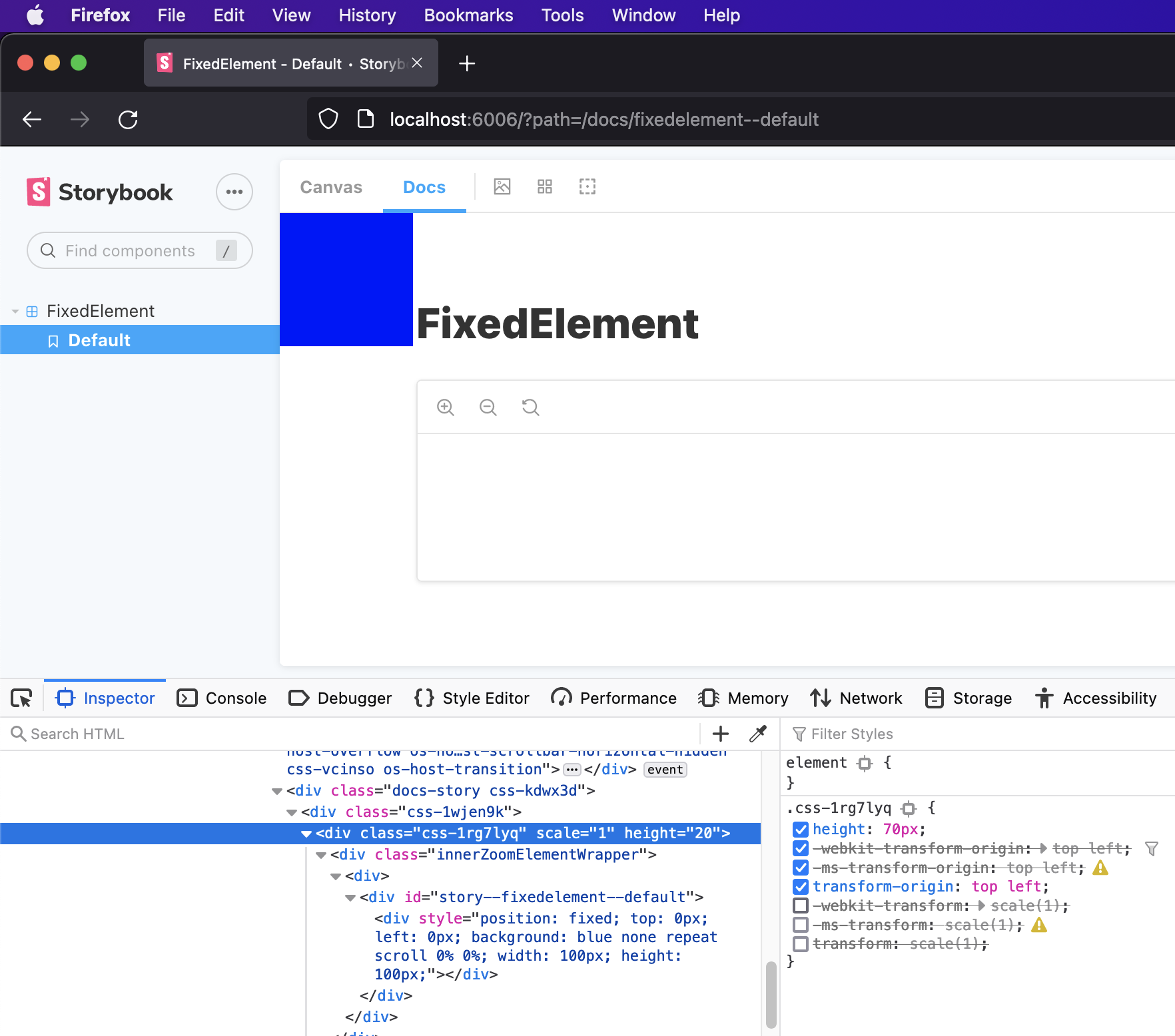
In Firefox, the zoom feature uses transform styles (see https://github.com/storybookjs/storybook/pull/12845) - unfortunately this breaks positioning on elements that require position: fixed when in the “Docs” view.
Normally a position: fixed element’s position would correspond to the viewport but in Firefox it corresponds to the element with the transform style.
The issue is present regardless of actually using the zoom feature. I have tried to disable the zoom feature (related feature request: https://github.com/storybookjs/storybook/issues/16771) in the hopes that it might also remove the styling used for zoom, however, the styling remains.
To Reproduce I created a simplified reproduction of the issue here: https://github.com/idesigncode/bug-storybook-firefox-position-fixed
To view the issue, open the story in Docs view in both Firefox and another browser.
System System: OS: macOS 12.0.1 CPU: (8) x64 Intel® Core™ i7-7820HQ CPU @ 2.90GHz Binaries: Node: 14.17.3 - ~/.nvm/versions/node/v14.17.3/bin/node Yarn: 3.1.0 - /usr/local/bin/yarn npm: 7.20.0 - ~/.nvm/versions/node/v14.17.3/bin/npm Browsers: Chrome: 96.0.4664.55 Edge: 95.0.1020.53 Firefox: 94.0.1 Safari: 15.1 npmPackages: @storybook/addon-actions: ^6.4.0-rc.7 => 6.4.0-rc.7 @storybook/addon-docs: ^6.4.0-rc.7 => 6.4.0-rc.7 @storybook/addon-essentials: ^6.4.0-rc.7 => 6.4.0-rc.7 @storybook/addon-links: ^6.4.0-rc.7 => 6.4.0-rc.7 @storybook/react: ^6.4.0-rc.7 => 6.4.0-rc.7
Additional context My actual use case is documenting a tooltip component that uses fixed positioning to stay within the window.
Here’s some screenshots of the simplified example:
Chrome ✅

Firefox ❌

Firefox (with the transform style disabled) ✅
About this issue
- Original URL
- State: open
- Created 3 years ago
- Reactions: 5
- Comments: 31 (18 by maintainers)
This is an issue for us in Chrome as well. Components using
position: fixedrender incorrectly inside Canvas doc blocks because of the wrapper div having atransformproperty in it. This CSS is new on 7.1.Implemented a (hopefully) temporary fix in our global stylesheet for Storybook:
I do not expect there is an ideal fix here as the inconsistency lies in the browsers’ implementation of the
transformstyle…But if I may propose an alternative: only apply the
transformstyle if the zoom feature is not disabled.I believe the zoom feature is the only reason to use the
transformstyle in the first place, so applying it while this feature is disabled seems unnecessary.That’s problematic because the majority of popover components in most web apps are implemented with position: fixed, either with portalling or with the native dialog element appearing in the top layer. Perhaps this could get better with the arrival of the new Popover API (absolute everything in the top layer?), but alas we’re not there yet.
However, the scale transform does make sense for the zoom feature, so I don’t expect a rollback. Perhaps there is now a need to disable zoom (and remove the transform) for individual stories that will certainly break? The only other option we have is to implement the CSS hack outlined by @wfigueroa-chwy above, to ensure our users don’t assume our components are broken.
👋 I’ve just encountered this issue and cannot seem to find any workaround! It happens in Chrome as well. It’s fine in story mode because the story uses the whole document as a canvas, but has broken in Docs. Strangely, this was working until the recent upgrade of 7.1
@idesigncode Thanks for a great bug report! I have done some work on the zoom feature in the past and I might be able to help.
Going through your examples I can’t really see an obvious solution to the problem but I’m going to fire up my development environment over the weekend and see what I can figure out.
@idesigncode Are you interested in figuring out a solution for this issue too?
I’m totally agree with @valentinpalkovic, the correct behavior of the docs container is to simulate a separate viewport. Consider this scenario: a Modal stories with a lot of fixed/absolute modals in the docs, all modals will be rendered on top of each other.
If you have a story with fixed element you have to consider the height and the position of that fixed element to be correct displayed in the docs.
Thanks @idesigncode just got around to cloning everything and looking at issue repos so Ill check back if I see anything!
@Stroudnat Yes, I’m not aware of any recent changes to resolve this.
Hey @Tomastomaslol, all good, yeah the solution isn’t obvious to me either…
For my specific use case I would be happy to disable the zoom feature on the affected stories as long as that also removed the
transformstyle.Happy to help test and be involved in the discussion but I’m not familiar with the source code.