startupengine: Heroku - "Whoops, looks like something went wrong."
After deploying to Heroku I keep getting Whoops, looks like something went wrong..
This was after running the recommended commands via Heroku CLI.
I did verify my API_SECRET and SECRET_TOKEN are set.
About this issue
- Original URL
- State: closed
- Created 6 years ago
- Comments: 16 (7 by maintainers)
I got that finally working - I ended fresh installing -> Add APP_KEY -> Restart -> Perform Commands -> Restart and it works.
However - when I edit a users password it doesn’t work and I can’t add/change permission.
@luckyrabbitllc
I have tried to fresh install multiple times I just don’t get what I am doing wrong -
I generate a fresh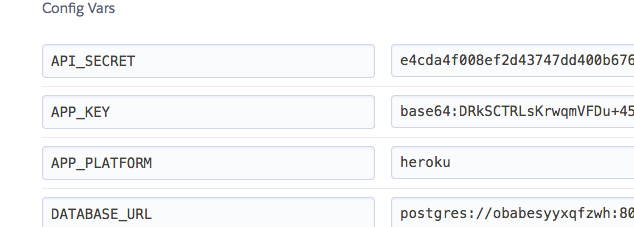
APP_KEYThen I run the following commands using Heroku
run consoleThey all run and I go to the site and still an error, I have tried to restart the dyno after and still same error.
I’ve tried a lot of solutions found on the Web, but none works. I’ve tried something just 5 min ago and It works like a charm. That’s what I’ve done :
git push heroku master