starship: Unable to see "🐪" using Konsole on Debian
Hi. I’ve been testing spaceship recently and I couldn’t help but notice how some symbols are not represented correctly… like when I enter certain folders (in this case a folder with perl script, but that as soon as I happen to see others, i show it to you) on the prompt I get a “rectangle”. The following is the code of the symbol in question:
00000000  f0 9f 90 aa 0a                                    |.....|
00000005
I installed all the “nerd fonts” fonts (more than 6gb of fonts!) in the system. In addition, the “awesome fonts” too, but nothing … that symbol (and others) are not displayed correctly.
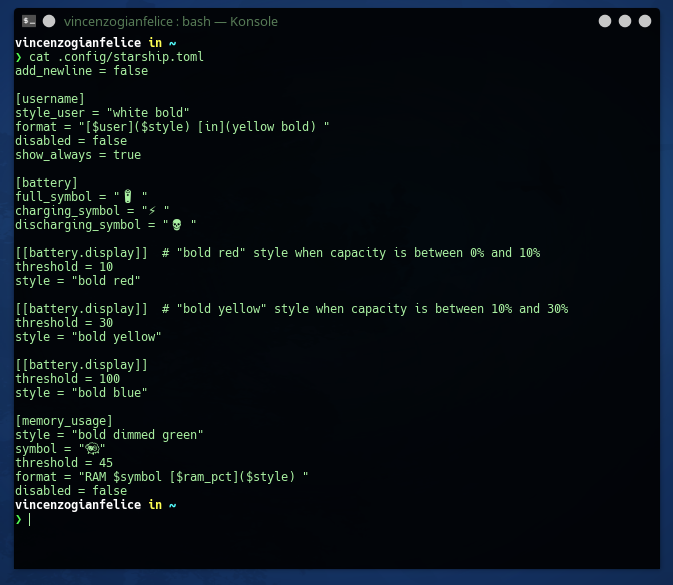
My config:
Example problem (in this case, PERL directory):

My system is:
Debian 9 (amd64) DE KDE
starsphip i donwloaded from official site
About this issue
- Original URL
- State: closed
- Created 3 years ago
- Comments: 17 (7 by maintainers)
I had an issue specifically with Konsole on Ubuntu 20.04 (technically Pop_OS 20.04). I don’t know if a similar issue exists on Debian. The way I resolved it is here, you might give that a try and see if it fixes things for you.