bevy_ecs_tilemap: Possible rendering bug?

Hi,

I just updated to 0.5.0 and made the necessary changes to migrate, primarily adjusting to the layer_id no longer being public and adding the texture filter helper system set_texture_filters_to_nearest to get things working again. While it is rendering the tilemap again, I have weird behaviour where some tiles seem to disappear when I translate the camera, previously everything rendered perfectly. I thought it might be related to the chunk size, but I’ve tried various things to no avail.

Here is a video example of what I’m seeing, the line shouldn’t suddenly appear. Any ideas?

https://user-images.githubusercontent.com/301084/150021113-5149d6b5-1ef9-480f-a0e8-a90558fc9122.mp4

About this issue

  • Original URL
  • State: closed
  • Created 2 years ago
  • Reactions: 1
  • Comments: 22 (10 by maintainers)

Most upvoted comments

Ahh make sense. I’ll look forward it, thanks for all the help, I’ll close this as fixed now.

I do things like that all the time, no worries! If you haven’t done it yet, might be worth pulling some of the more complex logic into small functions which you can unit test. I totally get if you don’t want to though, I find it a chore forcing myself to write tests unless I’m at work 🙂

@StarArawn It’s me again, sorry! This was driving me a little mad, so I switched to the example and just increased the map & chunk size. I get the same result: image
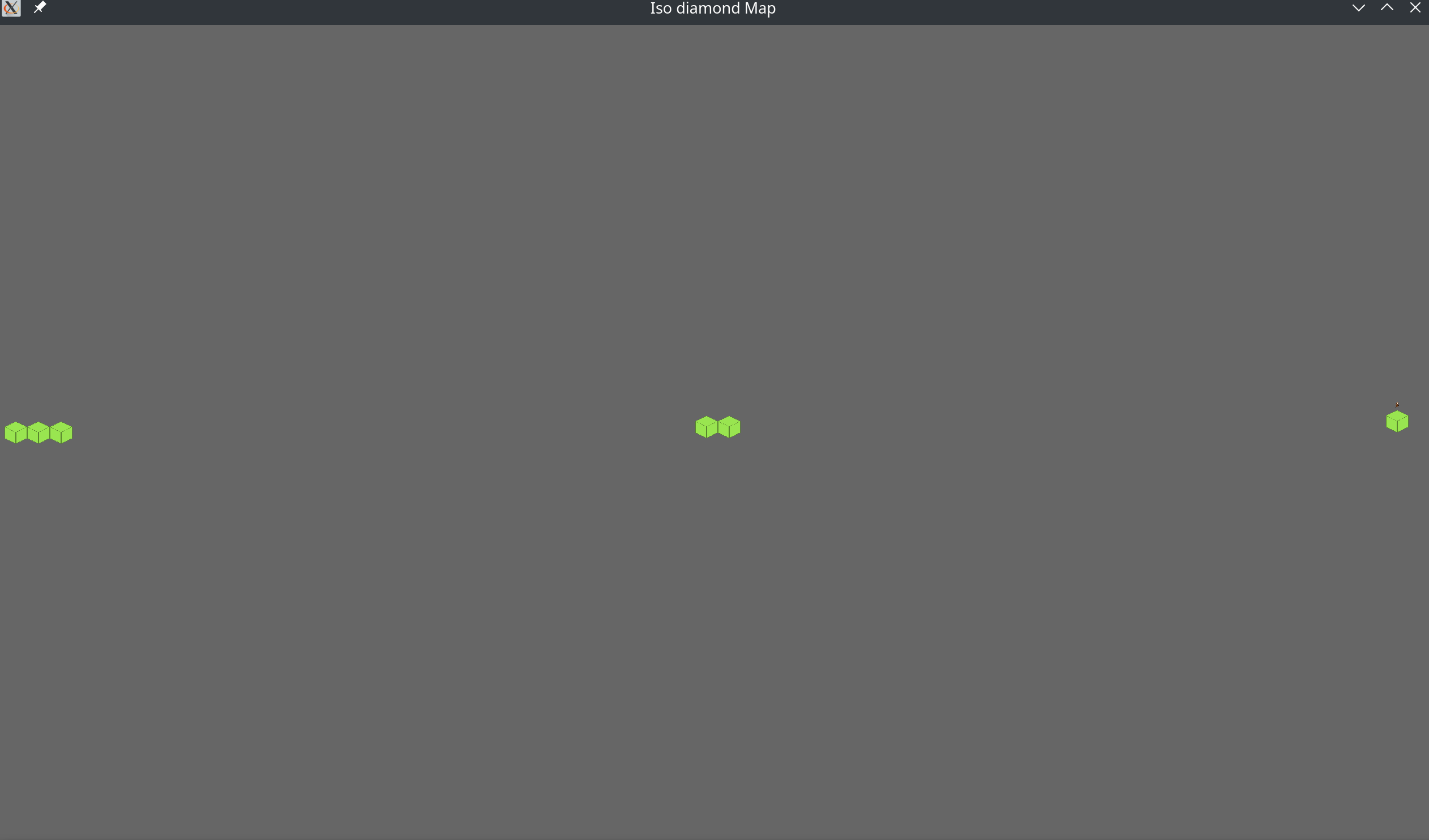
diff --git a/examples/improved_iso.rs b/examples/improved_iso.rs
index 18fc2c4..3d91616 100644
--- a/examples/improved_iso.rs
+++ b/examples/improved_iso.rs
@@ -17,8 +17,8 @@ fn startup(mut commands: Commands, asset_server: Res<AssetServer>, mut map_query
     // Important for ISO rendering! In order to order tiles correctly we need a chunk per Y layer.
     // This is why the map size is 4 on the y but only 1 for chunk size.
     let mut map_settings = LayerSettings::new(
-        MapSize(1, 4),
-        ChunkSize(4, 1),
+        MapSize(1, 64),
+        ChunkSize(64, 1),
         TileSize(64.0, 64.0),
         TextureSize(384.0, 64.0),
     );
@@ -78,7 +78,7 @@ fn startup(mut commands: Commands, asset_server: Res<AssetServer>, mut map_query
         let mut random = thread_rng();
 
         for _ in 0..4 {
-            let position = TilePos(random.gen_range(0..3), random.gen_range(0..3));
+            let position = TilePos(random.gen_range(0..63), random.gen_range(0..63));
             // Ignore errors for demo sake.
             let _ = layer_builder.set_tile(
                 position,
(END)

It seems like a bug, unless there is some really subtle change in the interface I’m missing.

If it’s at all useful, I’ve configured my layer settings like:

fn build_map_layer_settings(total_width: u32, total_height: u32, chunk_size: u32) -> LayerSettings {
    let map_height = total_height / chunk_size;
    let map_width = total_width / chunk_size;

    let mut layer_settings = LayerSettings::new(
        MapSize(map_width, map_height),
        ChunkSize(chunk_size, chunk_size),
        TileSize(128.0, 160.0),
        TextureSize(640.0, 160.0),
    );
    layer_settings.grid_size = Vec2::new(128.0, 64.0);
    layer_settings.mesh_type = TilemapMeshType::Isometric(IsoType::Diamond);
    layer_settings.cull = false;
    layer_settings
}

I’ve reproduced this with various values passed into this function, but the video above was made with

let total_width = 64;
let total_height = 64;
let chunk_size = 16;

I’m building the map in a loop like this (cut down for brevity):

for z in 0..depth {
        let (mut layer_builder, layer_entity) =
            LayerBuilder::new(commands, layer_settings, map_id, z as u16);

        for x in 0..width {
            for y in 0..height {

                    layer_builder
                        .set_tile(
                            TilePos(x, y),
                            // omitted code
                        )
            }
        }

        map_query.build_layer(&mut commands, layer_builder, texture_handle.clone());
        map.add_layer(&mut commands, z as u16, layer_entity);
    }