spyder: Spyder does not fit to its window
Description of your problem
Spyder window is rendered larger than its own containing window resulting menus and status bar to be partially displayed. However, the mouse position is still recorded correctly. What steps will reproduce the problem?
- Straightforward installation. No actions necessary.
What is the expected output? What do you see instead? This is what it looks like, notice how menu bar is folded under the containing window, also the fonts became blurry as if the whole window is scaled up (compare with the font in the menubar).
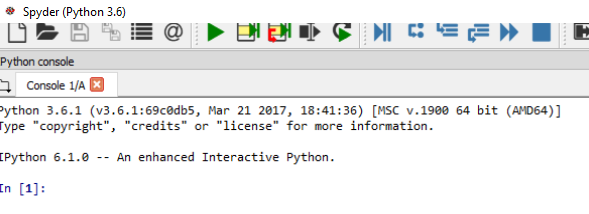
However mouse position leads to the actual menu items notice the mark of the mouse and the hovered button location difference.

Please provide any additional information below I am not sure if related but this started after I cloned the python-notebook plugin and installed via
pip install .
Then I got an error on one of my notebooks and around that time on I’m having this issue.
Versions and main components
- Spyder Version: 3.2.0
- Python Version: 3.6.1
- Qt Version: 5.9.1
- PyQt Version: 5.9
- Operating system: Windows 10
Dependencies
IPython >=4.0    :  6.1.0 (OK)
cython >=0.21    :  0.26 (OK)
jedi >=0.9.0     :  0.10.2 (OK)
nbconvert >=4.0  :  5.2.1 (OK)
numpy >=1.7      :  1.13.0 (OK)
pandas >=0.13.1  :  0.20.3 (OK)
pycodestyle >=2.3:  2.3.1 (OK)
pyflakes >=0.6.0 :  1.5.0 (OK)
pygments >=2.0   :  2.2.0 (OK)
pylint >=0.25    :  1.7.2 (OK)
qtconsole >=4.2.0:  4.3.0 (OK)
rope >=0.9.4     :  0.10.5 (OK)
sphinx >=0.6.6   :  1.6.3 (OK)
sympy >=0.7.3    :  1.1 (OK)
About this issue
- Original URL
- State: closed
- Created 9 years ago
- Comments: 34 (8 by maintainers)
So in case if anyone stumbles upon this:
I have no idea how it is related but today I’ve just turned the help pane off and it got back to normal. Before I have turned on/off quite a few of the panes but only this one forced Spyder to render properly and since then things are working properly.
@ilayn Thank you for figuring this out! I’m on Spyder 3.2.8 and this is still an issue. I can’t believe that mod closed this issue before the solution came up saying “there’s nothing we can do” Something is obviously messed up with the help pane. For me this issue cropped up after doing a conda update --all on my anaconda environment but I didn’t see spyder get updated during that so something else that got updated ends up breaking spyder.
On another note, the mod that closed this issue and a similar one (#4291) needs to chill out with closing threads for very little reason. Saying something is not a priority or that there’s nothing they can do on a widely used project such as Spyder is unprofessional, especially considered he was wrong in both cases.
Closing because there’s nothing we can do about this.
Perhaps if you use Anaconda (instead of a custom Python installation) you could have better luck.
@elpilot has hit the nail on the head. The problem is using Rich test in the help pane. Turn that back to plain text and you can now use the help pane with everything fitting into the screen outside of fullscreen mode (you still have to go into full screen and then back out to get it right). Only problem now is Spyder is not saving that I want my help menu to be plain text…
I’m using 3.2.8 with Anaconda and also have external monitor with a laptop. Instead of closing the Help panel, in the parameters of the Help panel just select “raw text”. It fixed the problem for me.
Ok I’m not sure exactly what happned but my issues with spyder fitting to the window and buttons being clickable but in the wrong place when rich text is present (such as the help pane) have been resolved. I don’t think I changed any packages in my environment. The only thing that happened in the last day was a Windows update…
So here’s my current system info:
Windows 10 Enterprise. Version 10.0.16299 Build 16299 Python 3.6.6 Spyder 3.3.0 PyQt 5.6.0 Qt 5.6.2
@ilayn Thank you so much! You solved my problem as well. I had an issue with the Spyder where it will only show black screen while moving mouse over the control panel will show the options. I tried to install the Spyder with different providers such as WinPython and Acaconda. as well as reconfiguring my computer settings. And I gave up after spending few days on it. But now it’s all solved. Thank you again.
I’m using 3.2.8 within Anaconda and have the laptop screen with high resolution. I’m also using external monitors with normal resolution connected with the laptop. I suffered the exact same problem described here on either monitors. Also, the closing help-pane fixed the display problem. Thanks ilayn for your great share!
@ilayn , no I just installed the standard version on my notebook (WinPython 3.5.4.1Qt5-64bit) . I deinstalled it and reinstalled different versions and it did not work. More weird was the following effect: for some time, after clicking on a menu item (e.g. open file) the display was okay again. Then this stopped suddenly. But this affected mainly the frames and navigation in the beginning. But then the mouse was also wrongly displayed in the code editor which means I hardly could use it for marking code. As I use it for teaching (fortunately we did not encounter these problems in the lab) I could not just switch to another editor in order to use the same IDE in the lectures that students use in the lab… For two days I have seen a warning that a file is not found when I start spyder, but there is not further information regarding the filename…
@ilayn Thank you so much! This just worked for me too! The whole thing was driving me a little crazy as the mouse was displayed below so that I even had issues when positioning it in a line! Thank you! 😃