spotweb: Unable to export and import filters
I’m trying to migrate to a new spotweb server and everything is up and running again, but the only thing I can’t do is restore my filters.
When I export I get an XML file with all filters and when I try to upload that in the new server it show me this first
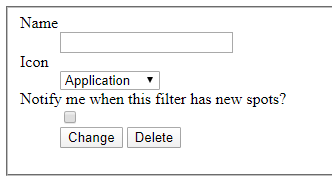
No matter what I fill in I will get
Warning: array_merge(): Argument #1 is not an array in /var/www/spotweb.mgdn.nl/public/lib/services/User/Services_User_Filters.php on line 60
{"result":"failure","data":[],"info":[],"warnings":[],"errors":["Invalid filter name"]}
After the filters are imported but don’t work. Some will not do anything while others if selected also select other filters at the same time.
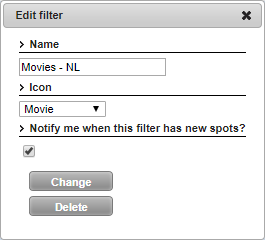
If I go to preferences and try to change the original filters, it looks like somthing wants to happen but nothing does
About this issue
- Original URL
- State: closed
- Created 4 years ago
- Comments: 19
Commits related to this issue
- Fix for issue: https://github.com/spotweb/spotweb/issues/489 — committed to spotweb/spotweb by Sweepr 4 years ago
Indeed, are you familiar with this program?
https://www.brainbytez.nl/spotweb-filter-creator/
Spotweb Filter Creator is a tool for creating Spotweb Filter XML files easier.
After starting Spotweb Creator, a new filter can be created by clicking the (+) Add button. In the Filters tree below, an item with the selected filter name and icon appears.
On the right, in the Contents tree, the available categories appear.
By ticking the box for a category, it will be linked to the selected filter in the Filters tree. If all filters satisfactorily have been created, it can be saved in XML format with the Save / Save As … button (eg MyFilters.xml).
The saved filter file (MyFilters.xml) can then be uploaded to Spotweb at the filter preferences.
No response from @Rouzax so i assume all is good, therefor i will close this issue for now, feel free to re-open if needed.
I’m not in the opportunity to do any testing since i’m afk.
I can do so later today or tomorrow.