ForgifiedFabricAPI: (login) networking seem to don't handle well clients connecting from ipv6
Describe the bug
(login) networking seem to don’t handle well clients connecting from ipv6
Steps to reproduce
- Use some mod which implements some login packets, to test e.g. my mod AutoModpack (it has needed forged fapi modules inside).
- Setup 1.20.1 forge server with my mod and few example mods and start it
- Start 1.20.1 forge client with just my mod
- Join server not using ipv6 so e.g.
localhost-> everything should work correctly, user should be prompted to download, proceed, wait and restart the game - Try to join though ipv6 -> doesn’t work, decoder exeption
- Try to join thought ipv4 -> success join
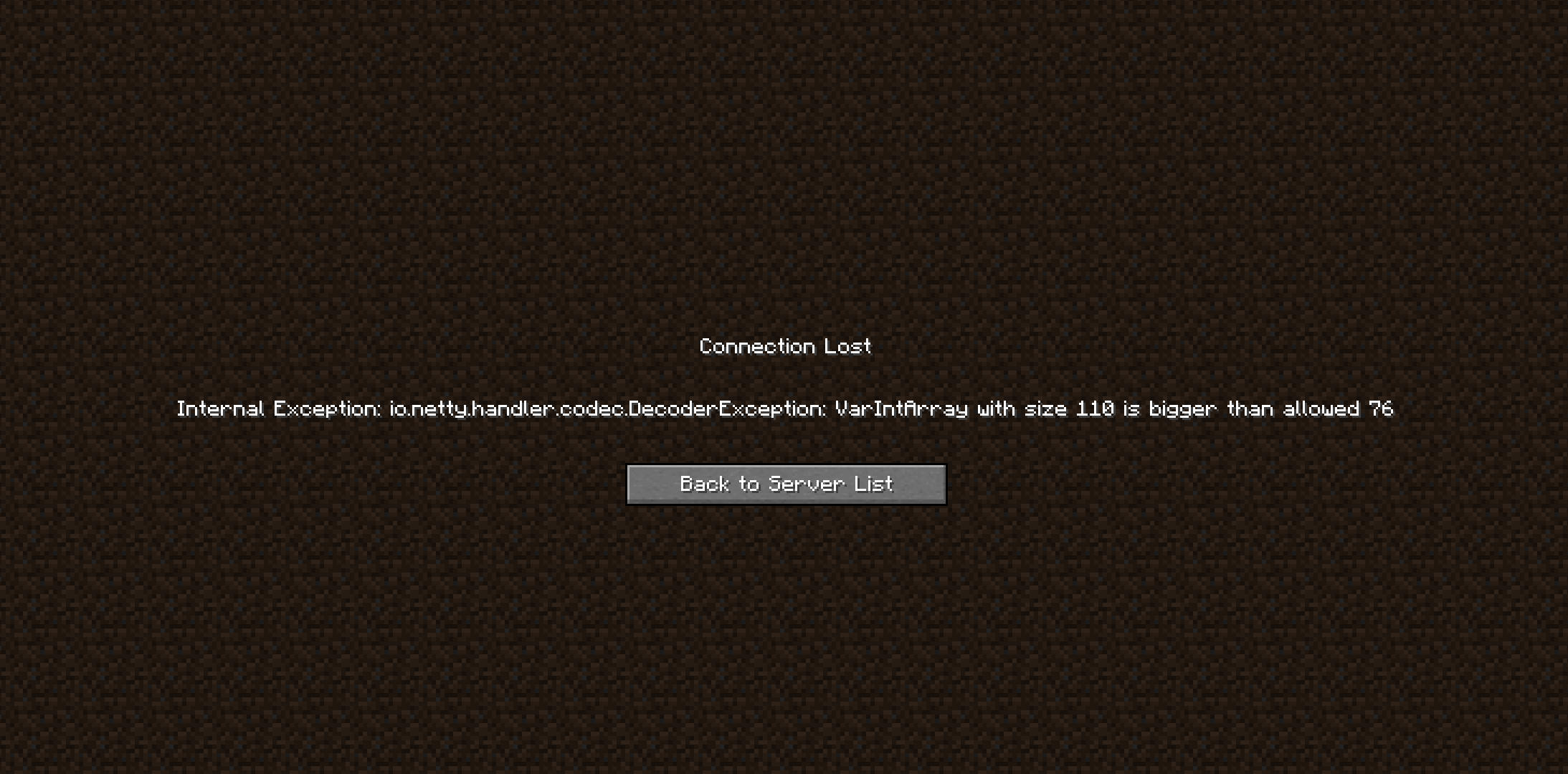
Logs
Additional context
Issue reported on my side https://github.com/Skidamek/AutoModpack/issues/147
Thanks for porting fapi to forge making moding on forge / multiloader moding much easier! 😃
About this issue
- Original URL
- State: closed
- Created 3 years ago
- Comments: 16 (6 by maintainers)
In short, the issue itself is caused by the desynchronization of login handshake packets of AutoModpack. You can find my proposed solution below.
The issue
From what I found out, AutoModpack exchanges several packets with the client in the LOGIN phase, before letting the player enter the server. In order, this goes:
The server will hold off completing the handshake until a) it receives a response for every login packet sent and b) all login await tasks have completed (See
ServerLoginNetworkAddon#queryTick).While AutoModpack is busy handling client login packet responses on the network thread, the channel list tracking sent packets is left empty, as the response has already been received and no other packets have been sent. Due to this, the server can proceed with logging in the player while we’re still in the middle of processing the client’s response, and planning to send another login packet.
Usually when connecting via IPv4, the handshake takes long enough for AutoModpack to exchange all packets without any issue. However, due to a race condition, the handshake completes significantly faster when connecting via IPv6 than it does on IPv4 connections. This doesn’t leave us with enough time to process client responses, and creates the desynchronization issue. When I connected to the server using IPv6, this was the order of AutoModpack’s handshake process:
So where does the “decoder exception” error we saw some from? Login packets are identified by a number according to the order they were sent in. The
HANDSHAKEpacket we send is assigned id1, whereas theLINKpacket gets id2.Now, the exception shows the packet type is
ServerboundChangeDifficultyPacket. What I first found confusing was that this packet is only sent if you change the difficulty in the world’s settings. It is never sent on server login. So how did it end up here?Coincidentally, the packet’s ID in vanilla’s packet system is also
2!If you look at the IPv6 handshake process order above, you can see the LINK packet with id
2is only sent AFTER the login handshake had already completed. This means that at the time the server receives the packet, theloginnetwork handler is already gone and is instead replaced by theplaynetwork handler, which processes game packets. Theplayhandler has no knowledge of login packets and in its registry, id2belongs to theServerboundChangeDifficultyPacket. It tries to process the received data and runs into an error when the size of the packet is larger than it expects.The solution
Fabric already comes with a very handy tool that handles login packet synchronization - the
LoginSynchronizer. It is available to you inside the global server login receiver. As the class documentation explains, it:The included example describes a similar scenario in which the server needs to send a followup packet to the client (in our case this is
LINKsent afterHANDSHAKE).Therefore by using
LoginSynchronizer, we can hold off the handshake process from completing until we have sent a response packet. Here you can find my modified version of theLoginS2CPacketclass that I used to fix the bug. I have simply extracted all code from theelsestatement underif (!understood)into a separate method, then called that method from a synchronized context usingloginSynchronizer.waitFor.You may want to synchronize the receiver of
LinkS2CPacketas well, although it is not necessary, as in case of failure the player will get disconnected regardless of whether the login process has completed or not.Here’s the bug reproduced on fabric using the latest
mainbranch fabric build of the mod. The server IP had to be set in the server properties file so that I could connect using IPv6.The good news is I have an idea how you can fix it. I’ll explain in a moment.
Okay, after using the Link-local IPv6 Address I can also reproduce the issue now