bat: Incorrect colours on Windows
(copied from my comment in #107)
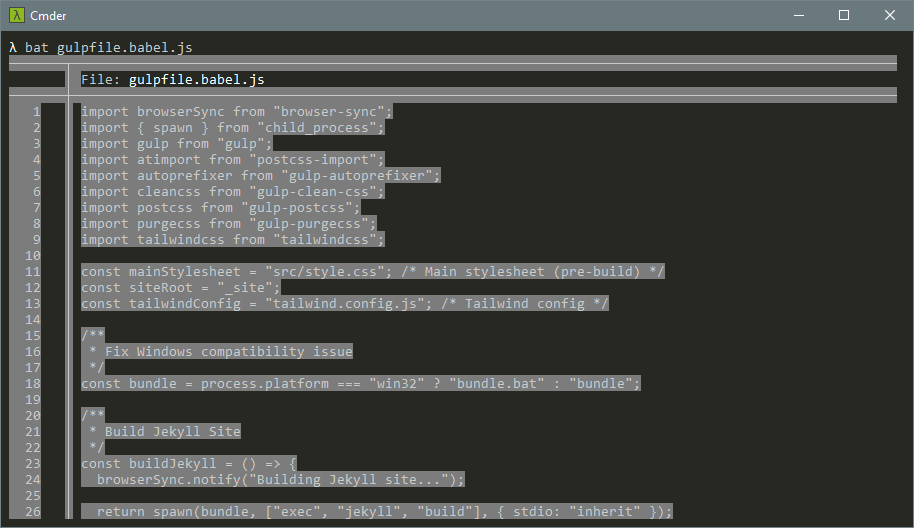
I installed bat on a recent Windows 10 Pro x64 build today and tried it in Cmder, the Cmder installation of ConEmu, PowerShell, and the regular Command Prompt. The first two gave me this:
PowerShell gave me this (presumably just different default terminal colours; please excuse the crude black censor bar):

Command Prompt gave me this, like the first two:
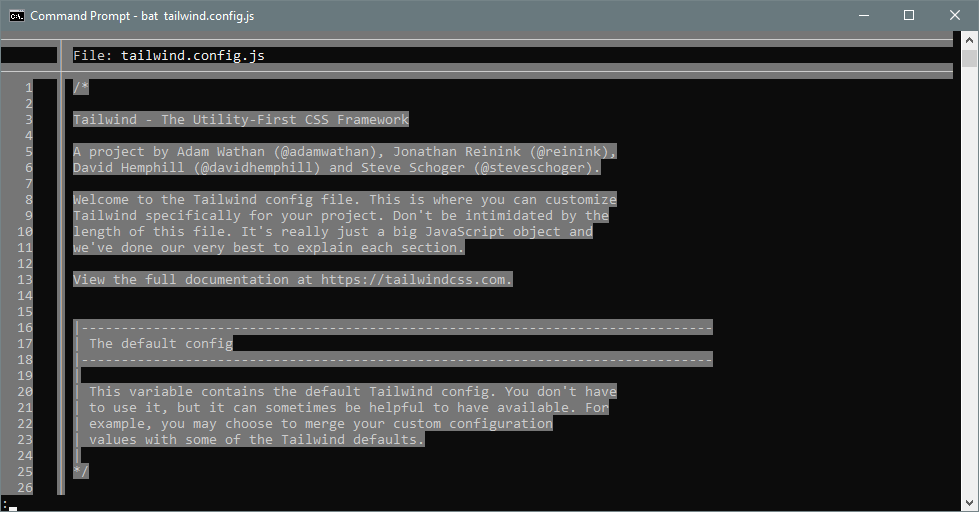
bat looks really exciting and I’m eager to use it, so I hope this is just a misconfiguration on my end! FWIW, I get the same results without a BAT_THEME and with a BAT_THEME of Monokai Extended Bright.
About this issue
- Original URL
- State: closed
- Created 6 years ago
- Reactions: 3
- Comments: 18 (15 by maintainers)
Colours work for me after installing the version found on Chocolatey.
Done, #295.
Ah, I see. I have to specify the full path to
lesssince it’s not the default one, so in my case,BAT_PAGER != "less". I just tried swapping the order so that the default one is correct, and it solved everything—no environment variables required! I do still see the issue with encoding if I setBAT_PAGERto the full path and setLESSto include either-ror -R, if that’s something you want to look into, but it seems like my issue is solved. Thank you very much for following up on this.EDIT: It just needed
LESSCHARSETto be set toutf-8, whichbatdoes if the executable islessor ends with/less, which is not the case with an absolute path or a filename with extension on Windows.Maybe, although I really wish I could figure out a way to have my paging ~and eat it too~. Alternatively, paging could be opt-in only on Windows.